SGM700 Digitizer
Configuration Menu -SoF-
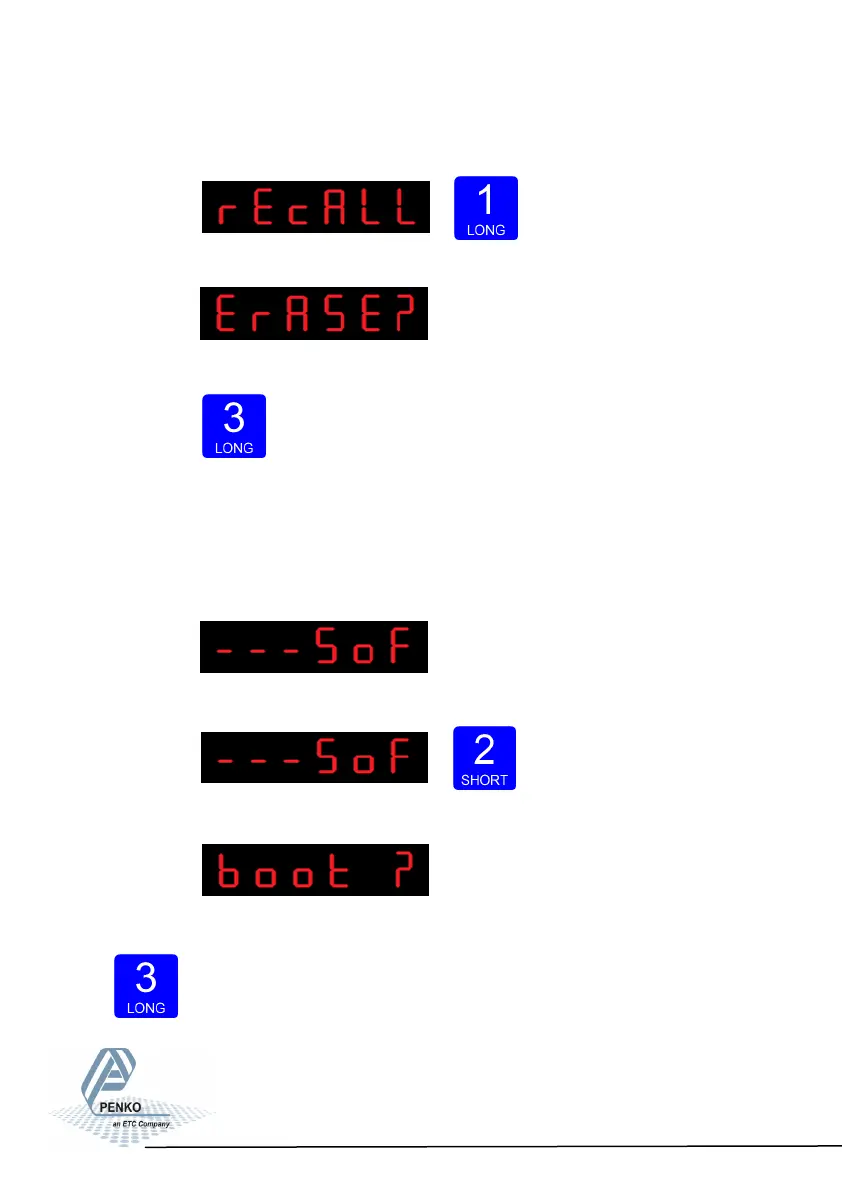
To reset the file system Press key 1 >2 sec.
The following screen is visible:
Confirm by pressing key 3 >2 sec.
The SGM700 will reboot after he file system is reset.
6.17 - - - SoF Firmware update
In SoF, you can set the SGM700 in boot mode for software update.
Press key 2 <2 sec to enter Boot mode.
The following screen is visible:
Press key 3 >2 sec to set the SGM700 in Boot mode.
72



 To Next Page