SGM700 Digitizer
Firmware update -continue-
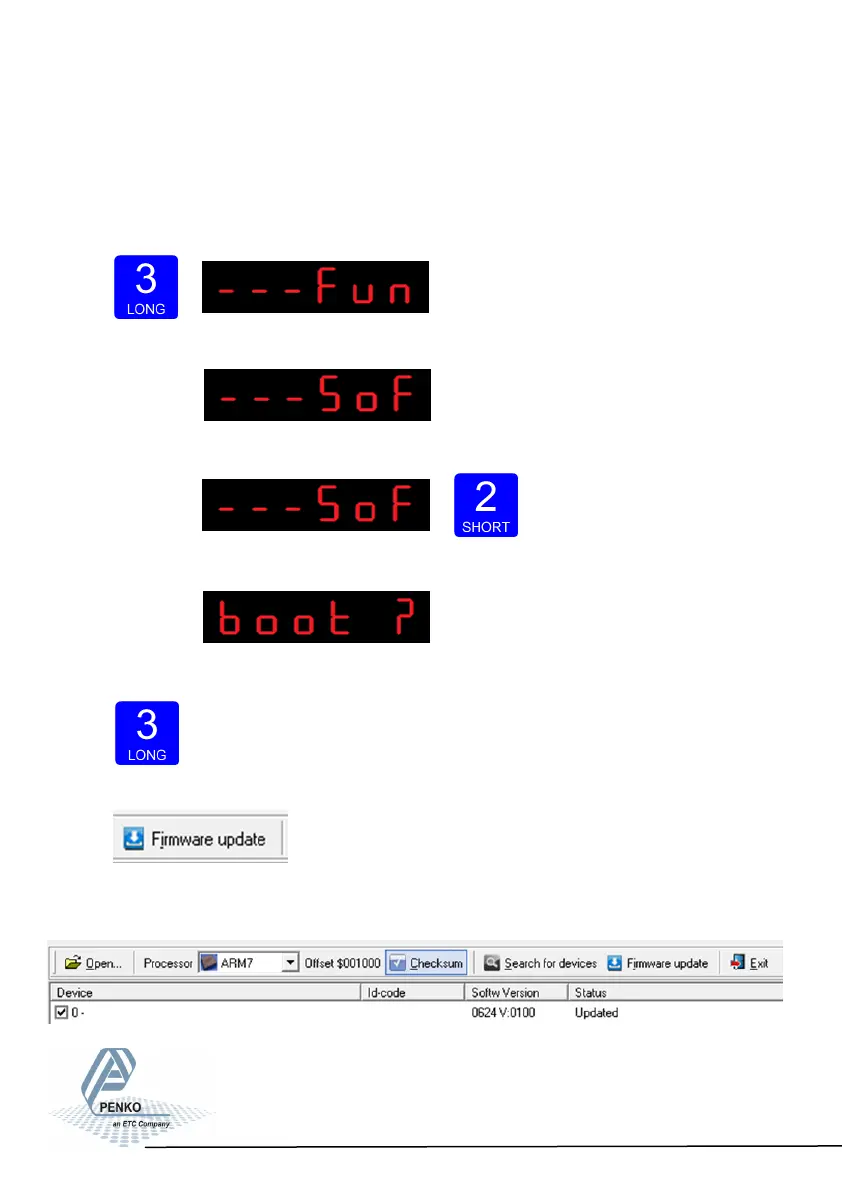
Now set the SGM in boot mode:
Go into the configuration menu by pressing key 3 >2 sec.
The following screen will appear:
Go to- - - SoF by pressing key 1 <2 sec untll you see - - - SoF
Press key 2 <2 sec to enter Boot mode.
The following screen is visible:
Press key 3 >2 sec to set the SGM700 in Boot mode.
Now click Firmware Update to start the update.
The SGM will reboot automatically and the Firmware Update Manager wil show
Updated.
74



 To Next Page