Chapter 3 Installing Drivers for 6000 Boards
27
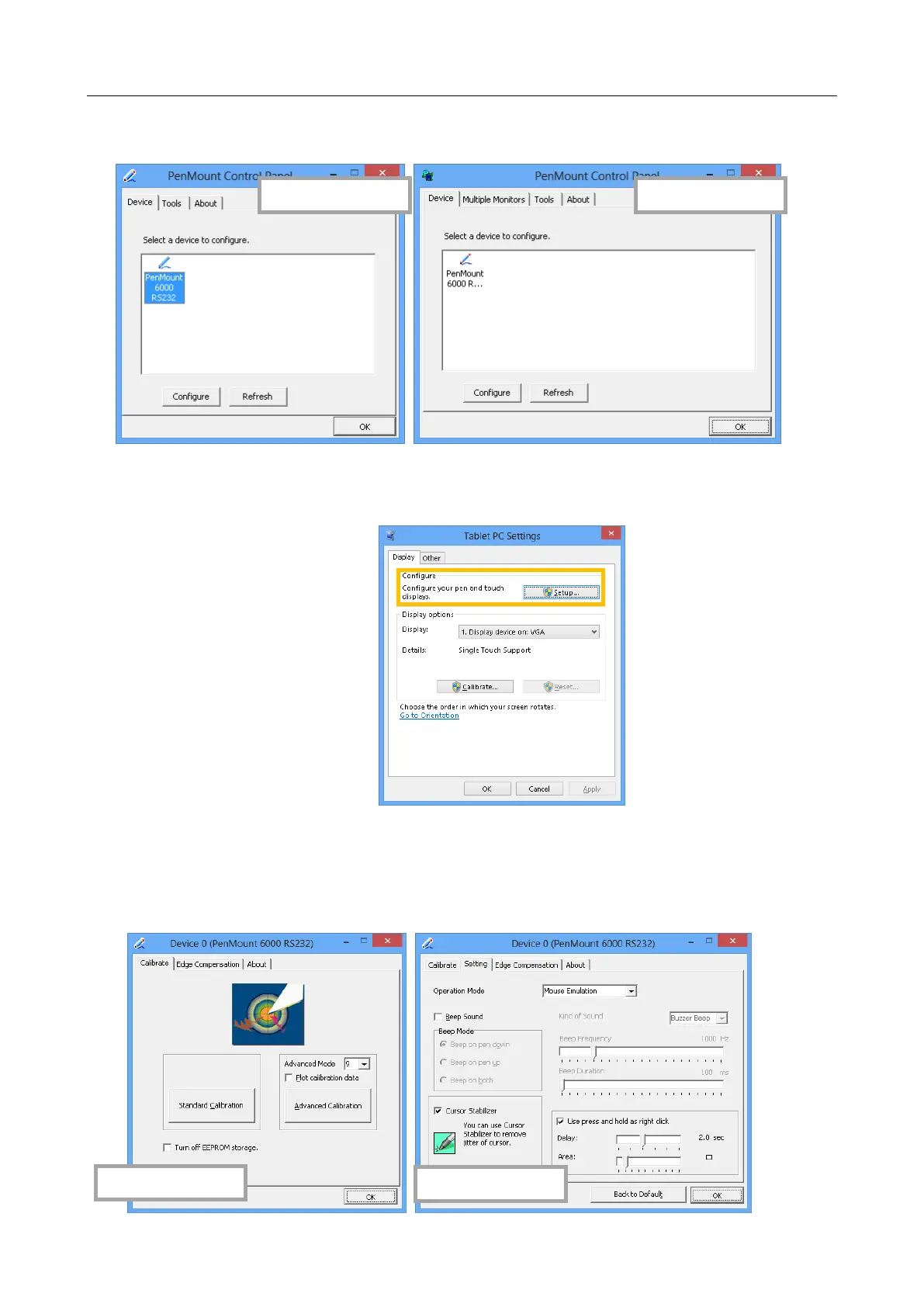
2. There is a “Multiple Monitor” tab in the mouse version for configuring
monitor mapping.
For digitizer devices, please check the “Tablet PC Settings” in the
system Control Panel for mapping monitors.
3. A device configuration window will appear by clicking on the
“PenMount 6000 USB” or “PenMount 6000 RS232” icon in the
PenMount Control Panel.
Only the mouse version has the “Setting” Tab.



 To Next Page