Driver Software Functions
41
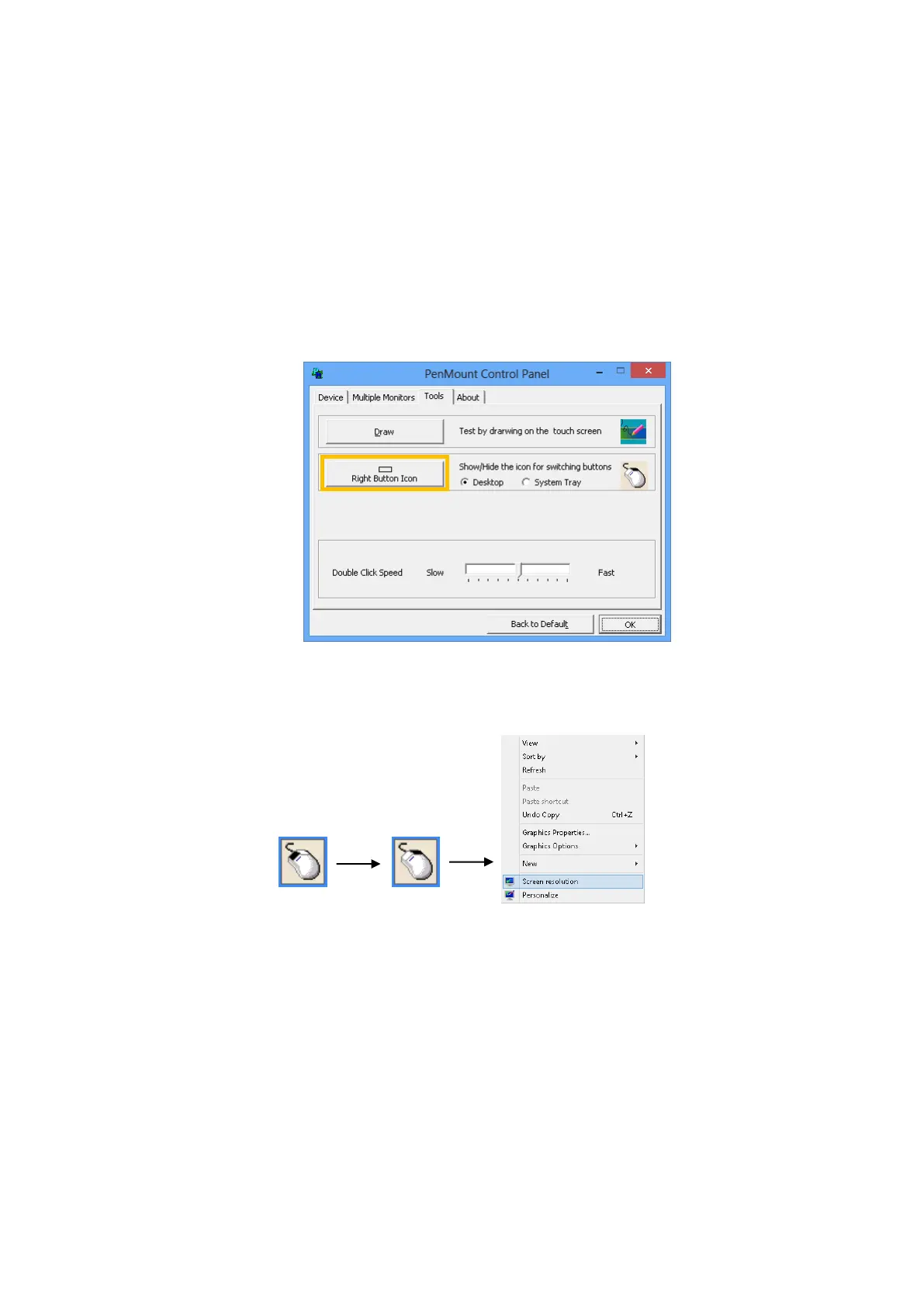
right button. For mouse devices, the PenMount supports two ways for simulating right
mouse button.
1. Press and Hold as Right Click
The press and hold delay and allowed area is adjustable in the “Settings” tab of
the PenMount Control Panel.
2. Use Right Button Utility
The right button utility can be launched in PenMount Monitor, PenMount Control
Panel, or by the shortcuts in the start menu.
A mouse icon as below will show up on the Windows desktop or in the system
tray. Touching on the icon will trigger the right click mode in device driver, and
next touch will become a right mouse click.
4.6. Edge Compensation
The edge compensation settings can be found in the “Edge Compensation” Tab in the
PenMount Control Panel.



 To Next Page