Driver Software Functions
35
4. If you have multiple monitors but only one touchscreen, press ‘S’ to
skip mapping step.
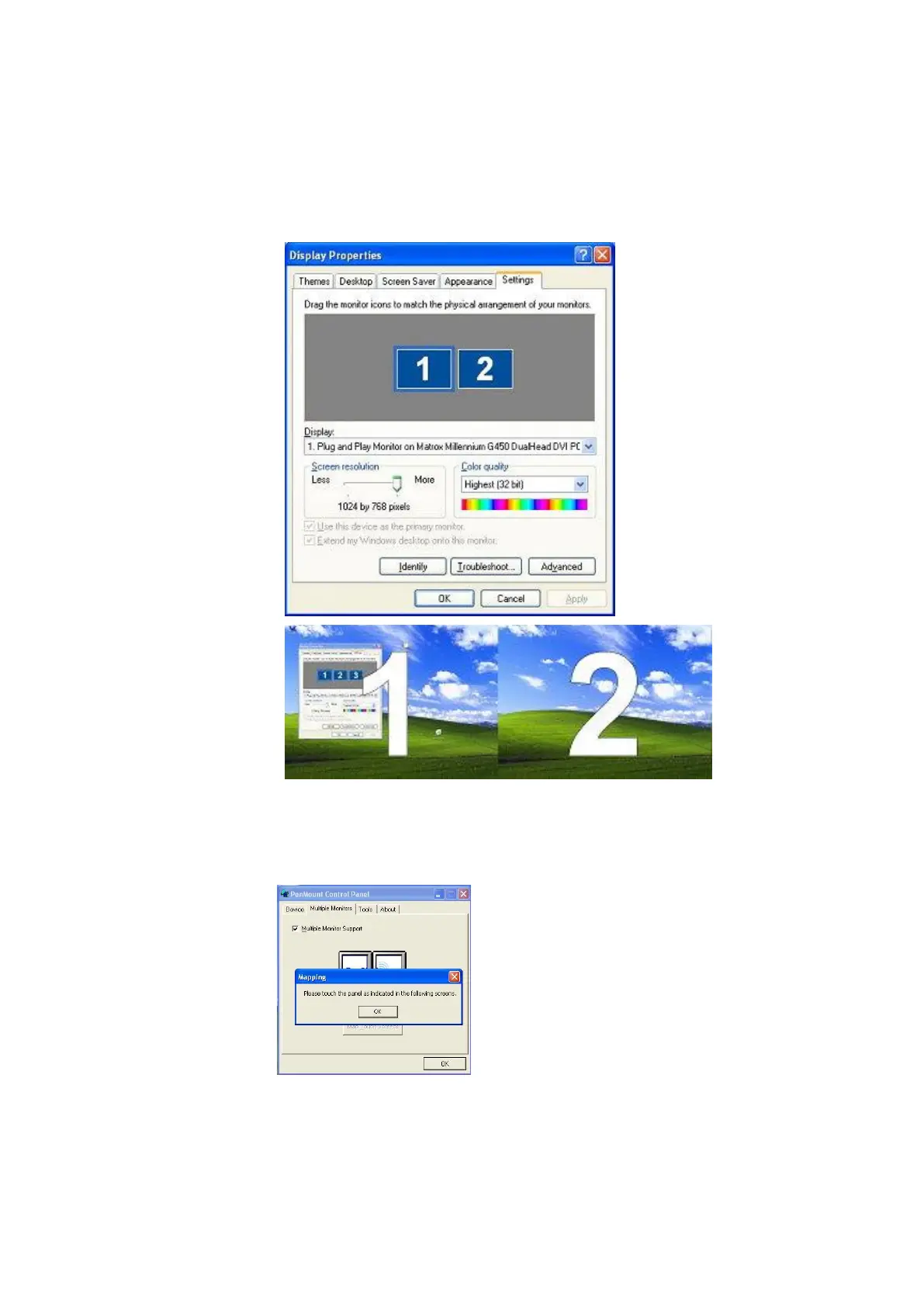
4.2.2. Example: Mapping Two Touch Monitor in Windows XP
1. Please make sure the touch monitor had plugged in and detected.
2. In PenMount Control Panel, under Multiple Monitors tag, click “Map
Touchscreens” then click “OK”.
3. Please follow the message show the display to match the controller and
touchscreen.
3-1. Please click “S” to skip if the monitor without use touchscreen.



 To Next Page