235
8
Connecting to a Computer
8
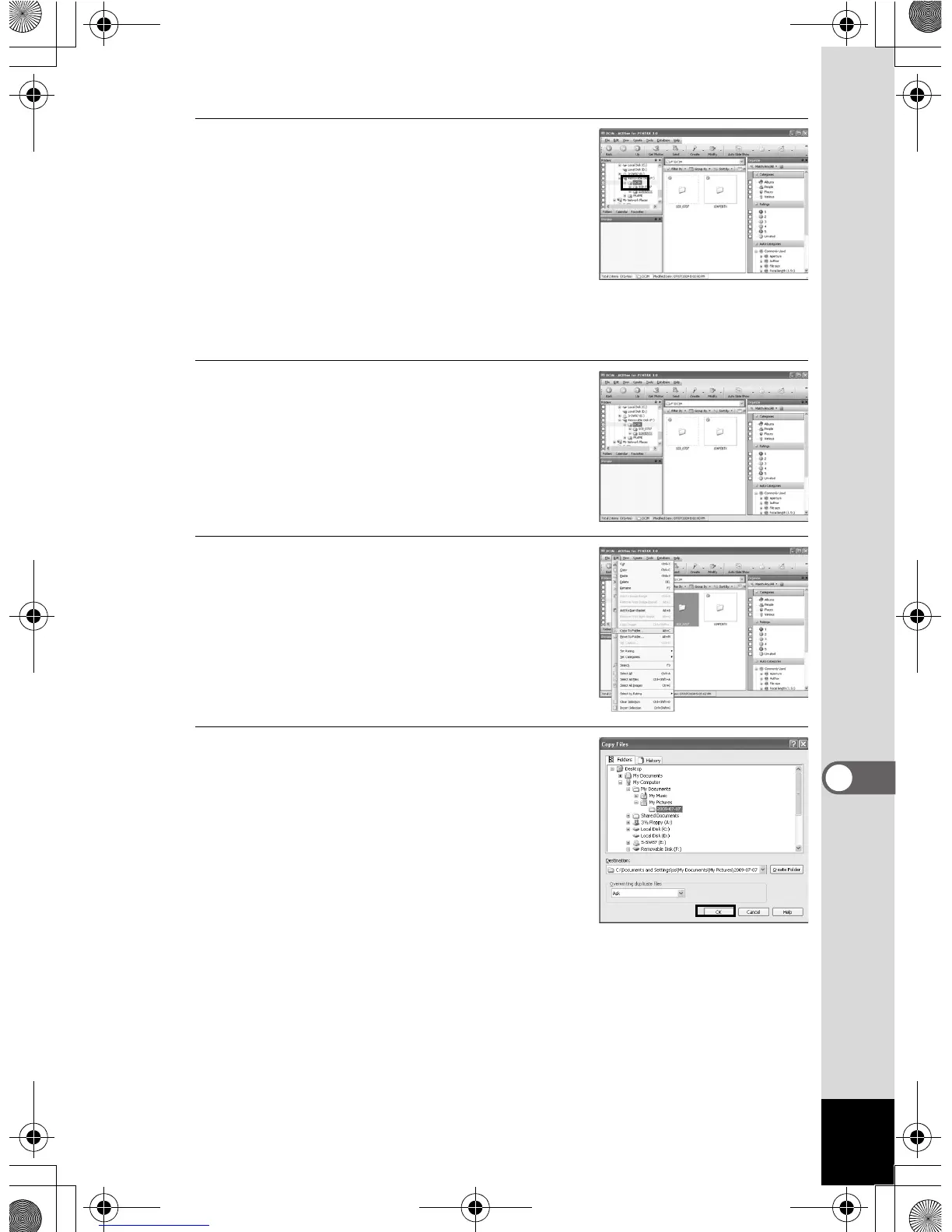
Double-click the [DCIM] folder.
Images are stored in folders named by
the shooting date (“XXX_0202” for
February 2. “XXX” is a three-digit
number.).
If [Standard] is selected for [Folder
Name] in the [W Setting] menu, a folder
named “XXXPENTX” (XXX is a three-
digit folder number) is displayed and images are stored here.
9
Select the folders you want to
copy to the Windows PC.
10
Select [Copy To Folder...] from
the [Edit] menu.
The “Copy Files” screen appears.
11
Specify the destination folder
and click [OK].
The images are copied to your Windows
PC.
e_kb485.book Page 235 Friday, July 3, 2009 9:18 AM














 To Next Page