connecting to hosts on the WAN (e.g., email notification, remote syslog, etc.) The
device will also listen on the IP address when hosts on the WAN
served on this device (e.g., web admin accesses from WAN, DNS server, etc.)
WAN Default
Gateway
Enter the WAN router's IP address in this field. If there are more hosts in addition to
the router on the WAN segment, click the
button next to “WAN Default Gateway”
and check the other host(s) on the WAN segment
box and enter the IP address
of the hosts that need to access LAN devices or be accessed by others.
WAN DNS
Servers
Enter the selected WAN's corresponding DNS server IP addresses.
A
- Advanced feature, please click the button on the top right-hand corner to activate.
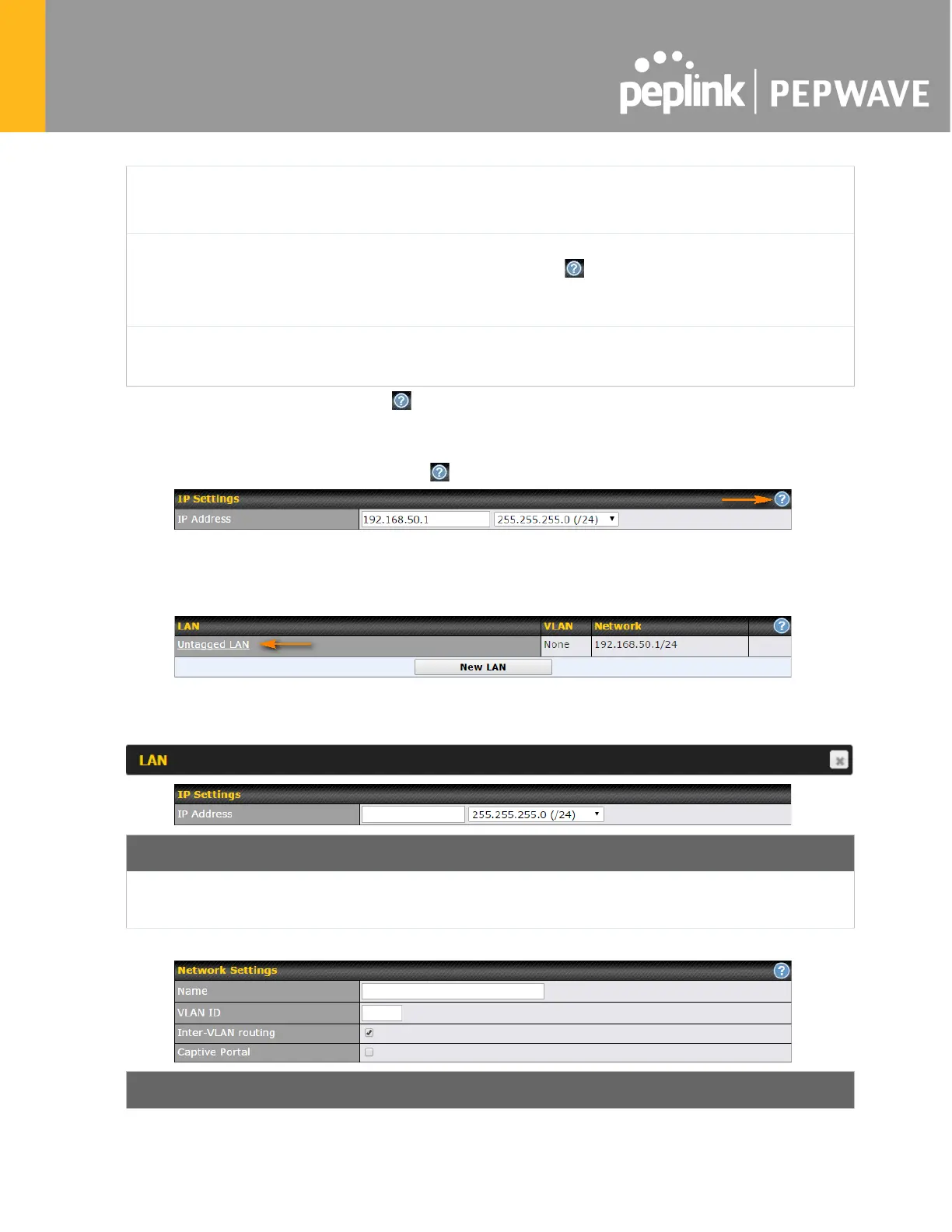
To enable VLAN configuration, click the button in the IP Settings section.
To add a new LAN, click the New LAN button. To change LAN settings, click the name of the
LAN to change under the LAN heading.
The following settings are displayed when creating a new LAN or editing an existing LAN.
IP Settings
IP Address &
Subnet Mask
Enter the Pepwave router’s IP address and subnet mask values to be used on the
LAN.
Network Settings








 To Next Page