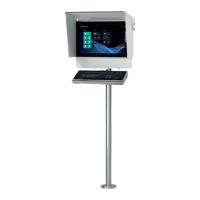
VisuNet FLX System
Contents
2023-11
3
1 History of the Manual ................................................................................................ 5
2 Introduction................................................................................................................ 6
2.1 Content of this Document............................................................................. 6
2.2 Manufacturer .................................................................................................. 6
2.3 Target Group, Personnel ............................................................................... 6
2.4 Symbols Used ................................................................................................ 7
3 Product Description .................................................................................................. 8
3.1 Overview......................................................................................................... 8
3.2 Reference Documents................................................................................. 11
3.3 Technical Data..............................................................................................13
3.4 Dimensions and Nameplates......................................................................20
4 Mechanical Installation ...........................................................................................26
4.1 Installation Requirements...........................................................................26
4.1.1 General Installation Information ........................................................................................ 27
4.1.2 Space Requirements ........................................................................................................ 29
4.2 Unpacking ....................................................................................................29
4.3 Preparing for Pedestal Installation ............................................................ 31
4.4 Mounting the Housing onto the Pedestal..................................................32
4.5 Mounting the Housing with 0° Tilted Mounting Adapter.......................... 34
4.6 Open the Housing........................................................................................35
4.7 Installing Cables in the Pedestal................................................................38
4.8 Closing the AG-3200-* Housing..................................................................44
4.9 Wall Mount Installation................................................................................46
4.10 Wall Mounting for Scanner Barrier............................................................. 47
4.11 Top sunshield installation instructions .....................................................54
4.12 Side, top and back sunshield installation instructions ........................... 59
4.13 Back-only sunshield installation instructions ..........................................67
5 Electrical Installation............................................................................................... 69
5.1 General Electrical Installation Information ...............................................69
5.2 Equipotential Bonding ...............................................................................70
5.2.1 Equipotential Bonding Connection of the Housing to the Pedestal ................................... 71
5.2.2 Equipotential bonding of the pedestal............................................................................... 74


 To Next Page