VisuNet FLX System
Maintenance, Cleaning and Disposal
2023-11
105
8.2.1 Dismounting the Display Unit
If repairs are required, the DPU can be dismounted from the BPC3200-* or DMU3200-* and be
replaced.
Dismounting the DPU 3200-*
1. Open the AG-3200-* housing. See chapter 4.5 Open the Housing. After de-energizing (see
above), open the terminal compartment of the BPC3200-*/DMU3200-*.
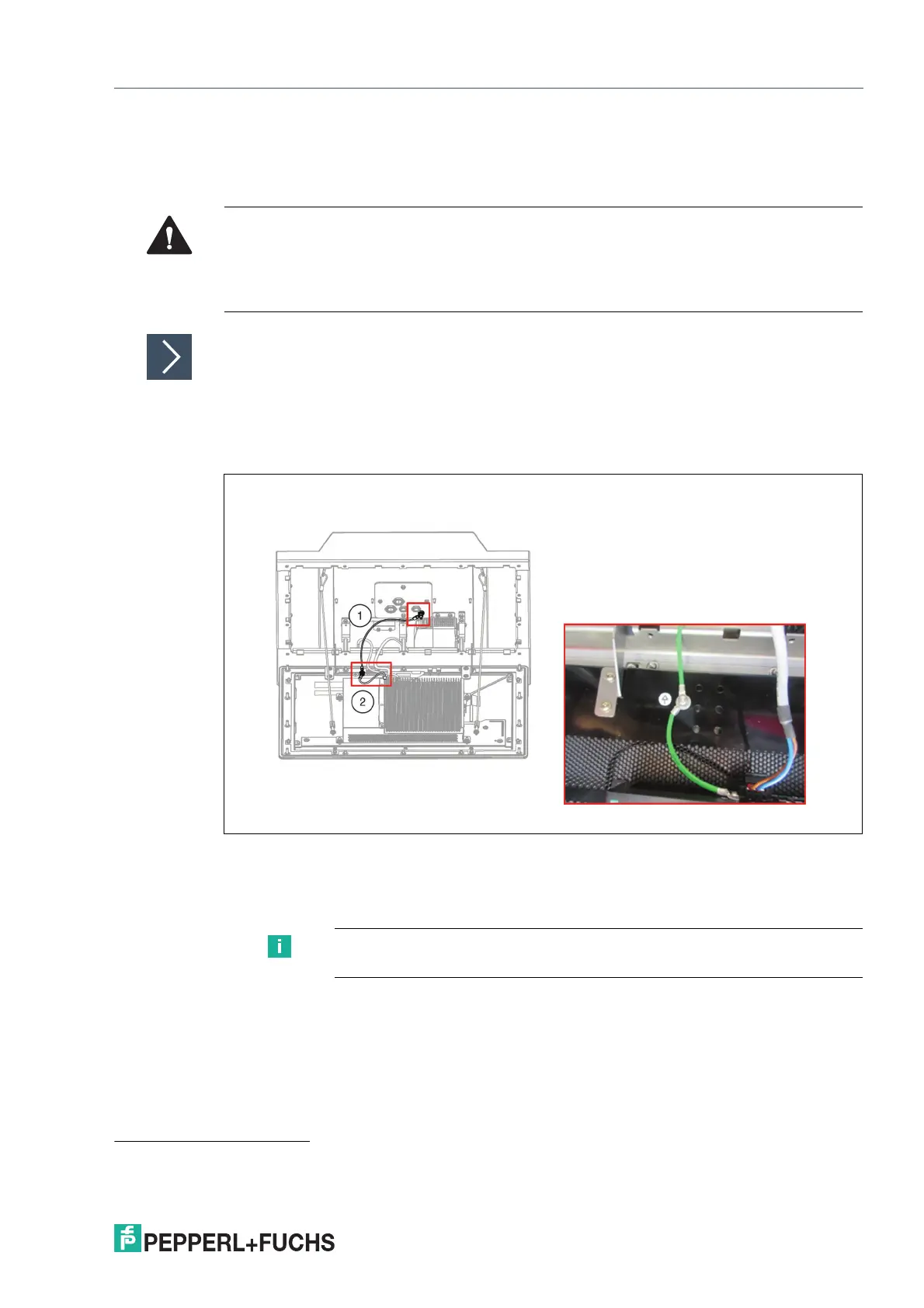
2. Remove the two PB conductors from the PB stud on the back of the DPU.
1
Figure 8.1
3. Open the side cover of the BPC3200-* in case of a DMU3200-* remove the cover plate and
remove the pins (USB-Touchscreen signal, LVDS-video signal and Inverter - LCD backlight)
from the sockets of the DPU. Make sure to pull all cables evenly and smooth.
Warning!
Danger of Explosion!
An ignition may be triggered if the BPC3200-* or DMU3200-* is still energized when its terminal
compartment is opened. Turn off the BPC3200-* or DMU3200-* and wait 3 minutes after de-
energizing before opening the terminal compartment.
1. Use a torque of 4 Nm for tightening the PB hardware during the DPU reassembly process when these steps are performed in reverse
order.
Note
Pull all cables evenly. Use slightly more force on the LVDS cable.


 To Next Page