2023-11
108
VisuNet FLX System
Maintenance, Cleaning and Disposal
8.2.2 Exchanging the PSU
Procedure
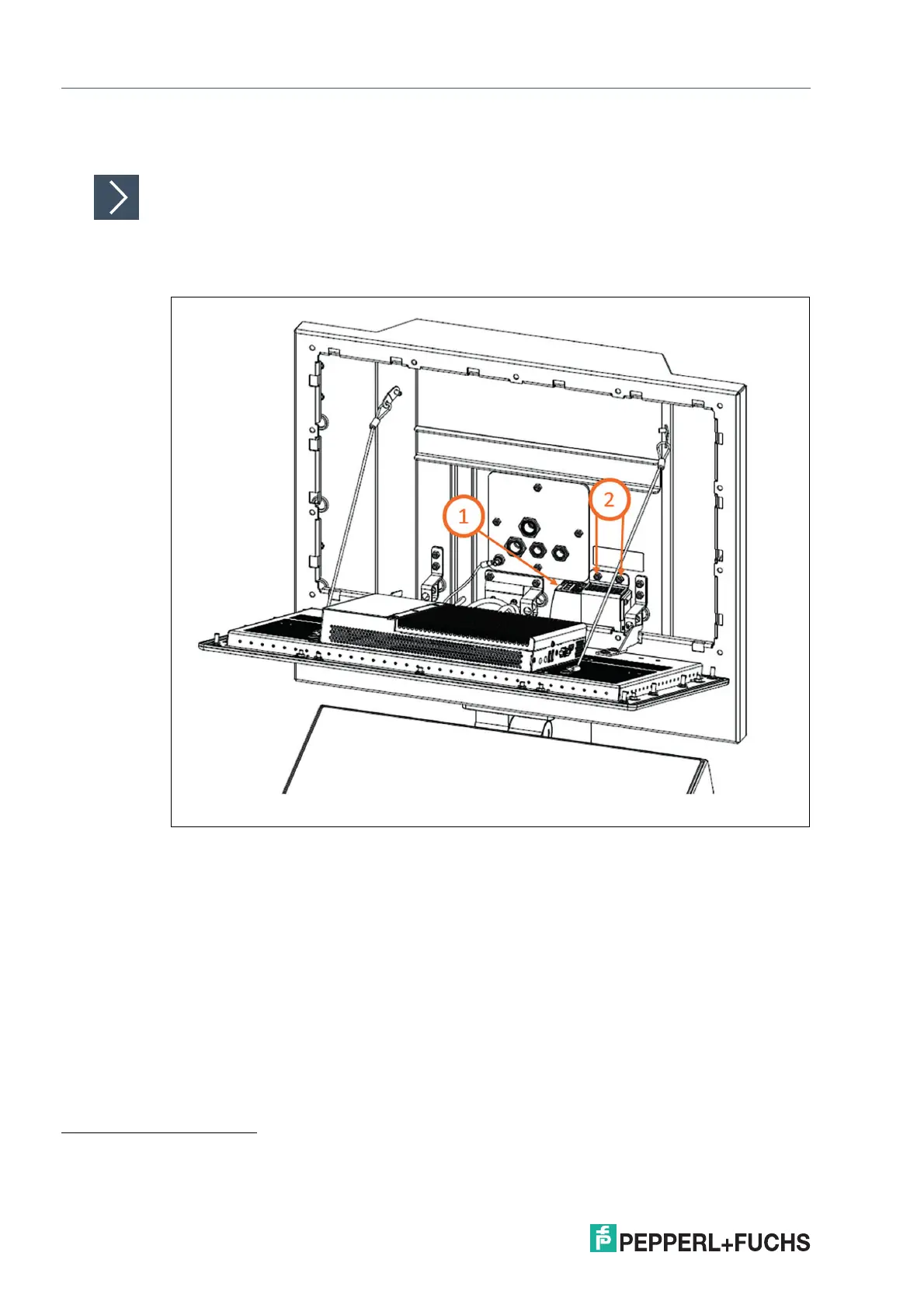
1. Remove the connected field input cables from the PSU.
2. Remove the metal holder from the system.
1
Figure 8.6
3. Remove the output cables from the PSU.
4. Remove the PSU from the metal holder.
2
1. Use a torque of 2.3 Nm for tightening the PSU to the housing with two nuts when these steps are performed in reverse order.
2. Use a torque of 0.8 Nm for tightening the screws when these steps are performed in reverse order.


 To Next Page