KENR9126 123
Troubleshooting Section
g02193373
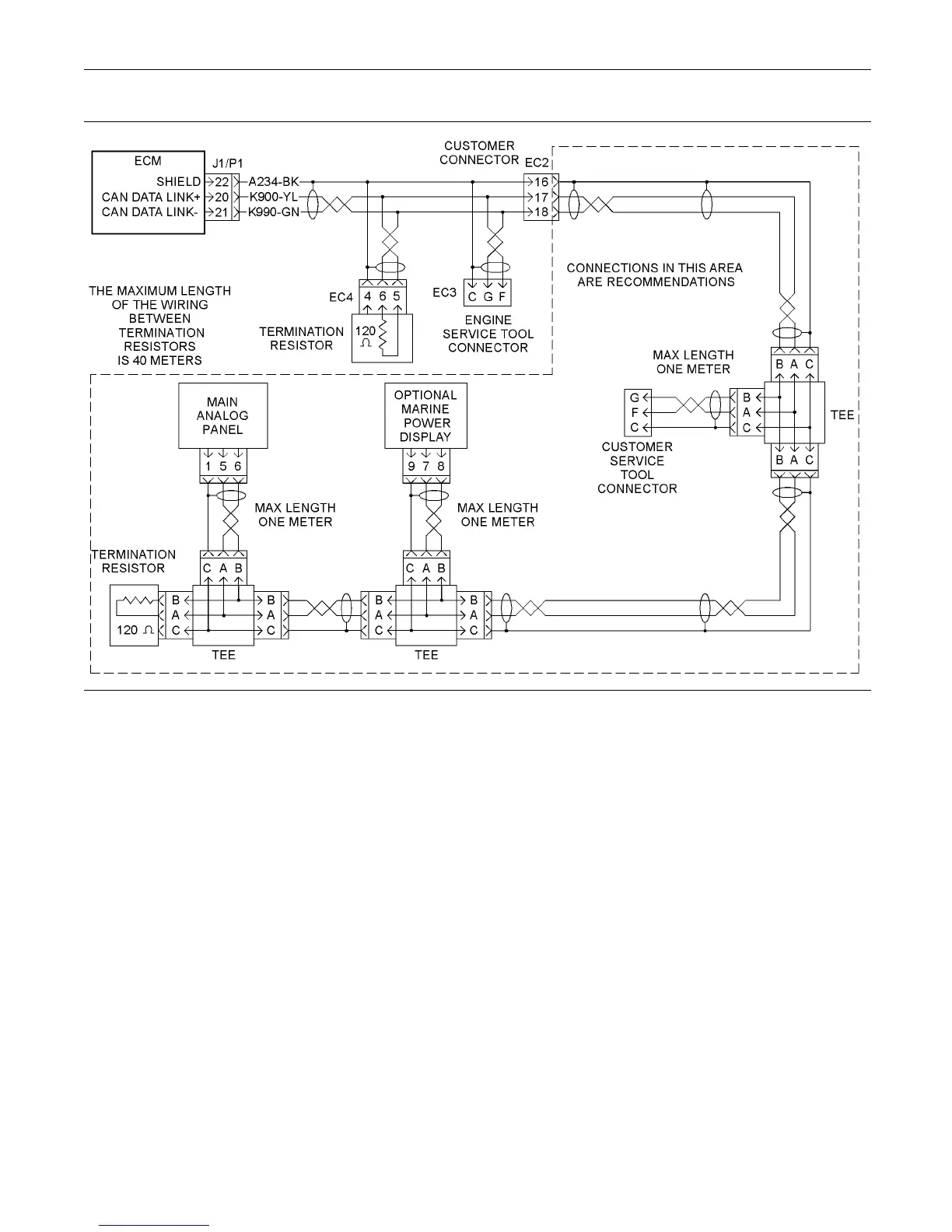
Illustration 25
Schematic for the CAN data link
Test Step 1. Inspect the Electrical
Connectors and the Wiring
A. Remove the electrical power from the ECM.
B. Thoroughly inspect connectors for the ECM,
electronic service tool and the customer.



 To Next Page