214 KENR9126
Troubleshooting Section
g01806858
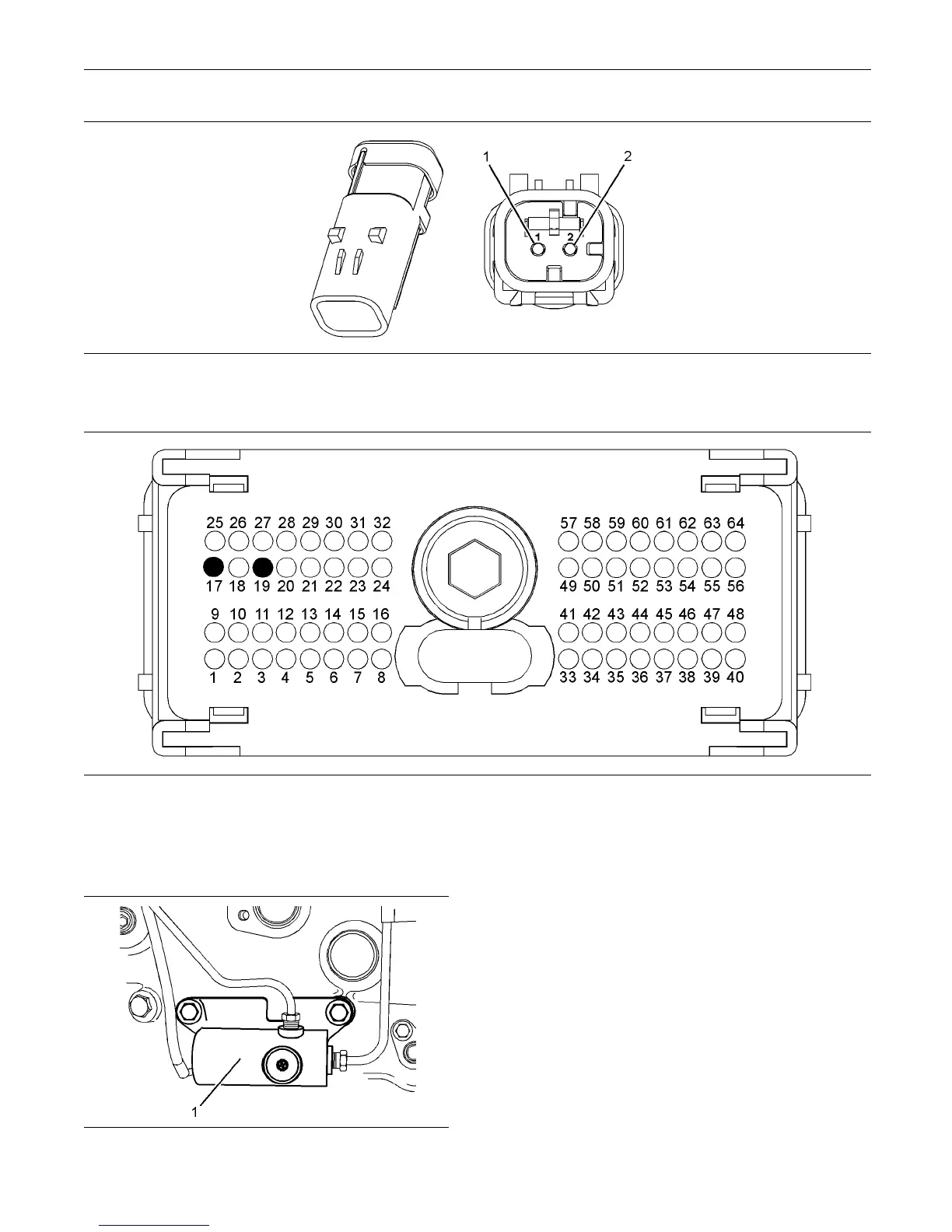
Illustration 94
Wastegate regulator connector
(1) Ground (GND) (2) S ignal (SIG)
g02184796
Illustration 95
Typical view of the pin locations on the P 1 conne ctor
(17) Wastegate pulse width m odulation
(PWM) signal
(19) Wastegate return
g01806873
Illustration 96
Typical examp le
(1) Wastegate regulator
Test Step 1. Check for Diagnostic Codes
A. Turn the keyswitch to the OFF position.
B. Connect the electronic service tool to the
diagnostic connector.
C. T urn the keyswitch to the ON position. Start the
Perkins EST.
D. Monitor the electronic service tool for active
diagnostic codes and/or logged diagnostic codes.
Expected Result:
One or more diagnostic codes are active or logged.



 To Next Page