© 2010 - 2018 Persistent Systems, LLC – All Rights Reserved
120
DEVICE OPERATION: USB ACCESSORIES
1
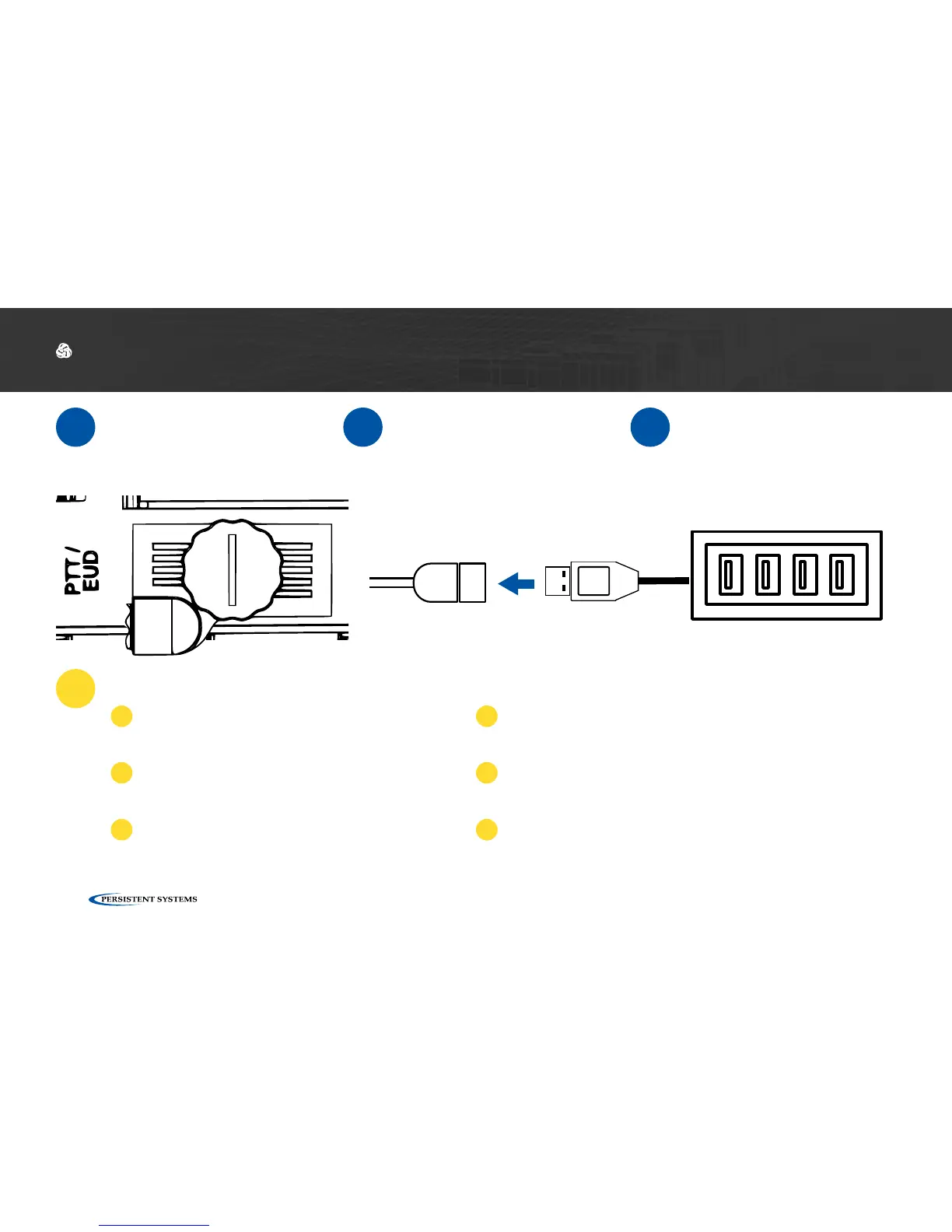
Connect CBL-DATA-2003
to an unused side connec-
tor on the MPU5.
2
Connect the USB Hub or
one USB accessory to the
USB receptacle on the
end of CBL-DATA-2003.
3
If you are using a USB
Hub, connect USB acces-
sories to the USB recep-
tacles in the USB Hub.
Why don’t my USB accessories work?
?
Ensure all cables are connected properly.
1
Ensure that all wireless accessories (key-
boards/mice/etc.) are powered (i.e. batteries
are not dead)
2
If you are using a USB Hub, connect the USB
accessory directly to CBL-DATA-2003. If the
accessory works, replace the USB hub.
3
If available, test a different CBL-DATA-2003. If the
accessory works, the original CBL-DATA-2003 may be
defective.
4
Your USB accessory may not be compatible. Contact
Persistent Systems support.
4
Reboot the node.
5



 To Next Page