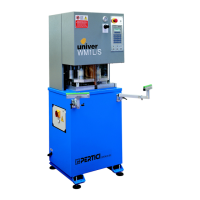
Instruction manual for use and maintenance
for WM1L/S WM1L/S-M WM1L/E Single
head machines
File: 1927.doc - 25/01/02 11:55
28
6. ADJUSTMENT OF WORKING PARAMETERS
After having executed the connecting operations to the electric and pneumatic line, we must
enter the working parameters, according to the indications given by the builder of the PVC
profiles to be welded.
- Turn the main switch to position “1”, the turning on of the display will indicate that the machine
is energised.
- Act on the slide valve to connect the pneumatic equipment.
6.1 Temperature of the heating plate
- To enter the temperature value to be reached by the plate press key:
The display shows:
TEMP. PLATE
240.0 238.5
<ESC>
- The value indicated on the left is the one entered by the operator, the value displayed on the
right is the one read in real time by the thermocouple.
- Use the keyboard to enter the desired value and press ESC to exit and confirm the entered
value.
- The controller accepts temperatures up to 260 °C, should a higher value be entered, the
controller sends an error.
- The electronic controller activates the heating plate with the aim to reach the entered
temperature and adjusting the power keeps it within the tolerance limits entered in the
parameters.
- The default alarm level is 5°C, should the temperature read by thermocouple be lower or
higher than this level, the controller shows the message “WAIT FOR TEMP. OK”.



 To Next Page