• Activating the PTO (option) (MX
engine only).
How to Set the Variable Road Speed
Limiter
The Variable Road Speed Limiter (VRSL)
cannot establish a limit while the parking
brake is set or the PTO is in operation. The
minimum VRSL setting is 25 mph (40 kph).
Enabling VRSL will disable Cruise Control
if Cruise Control is active.
1. Press the Cruise Control ON/OFF
button in the left, steering wheel
switch pod.
Indicates that the VRSL feature is
awaiting input.
2. Press, or press and hold, LIM+ or
LIM- to incrementally, or
continuously, raise or lower the
VRSL limit.
The green VRSL indicator will
replace the Cruise Control
indicator, indicating that VRSL is
enabled. VRSL (like Cruise
Control) will use the current vehicle
speed as the VRSL limit until
changed.
Pressing either
LIM+ or LIM- will adjust the
VRSL limit while this feature is active.
Adaptive Cruise Control (Option)
Following Distance Five Bars
When Cruise Control is active, ACC will
accelerate and slow the truck to maintain a
chosen distance from a detected forward
vehicle. Collision Mitigation will attempt to
prevent a forward collision when advancing
at speeds greater than 15 mph (24 kph).
Please review the ACC section of this
manual, and the manufacturer’s manual,
prior to driving this vehicle.
WARNING
Ultimate responsibility for the safe op-
eration of the vehicle remains with the
driver at all times. Even with Adaptive
Cruise Control, the driver must remain
alert, react appropriately and in a time-
ly manner, and use good driving practi-
ces. Failure to do so may result in
death, personal injury and/or property
damage.
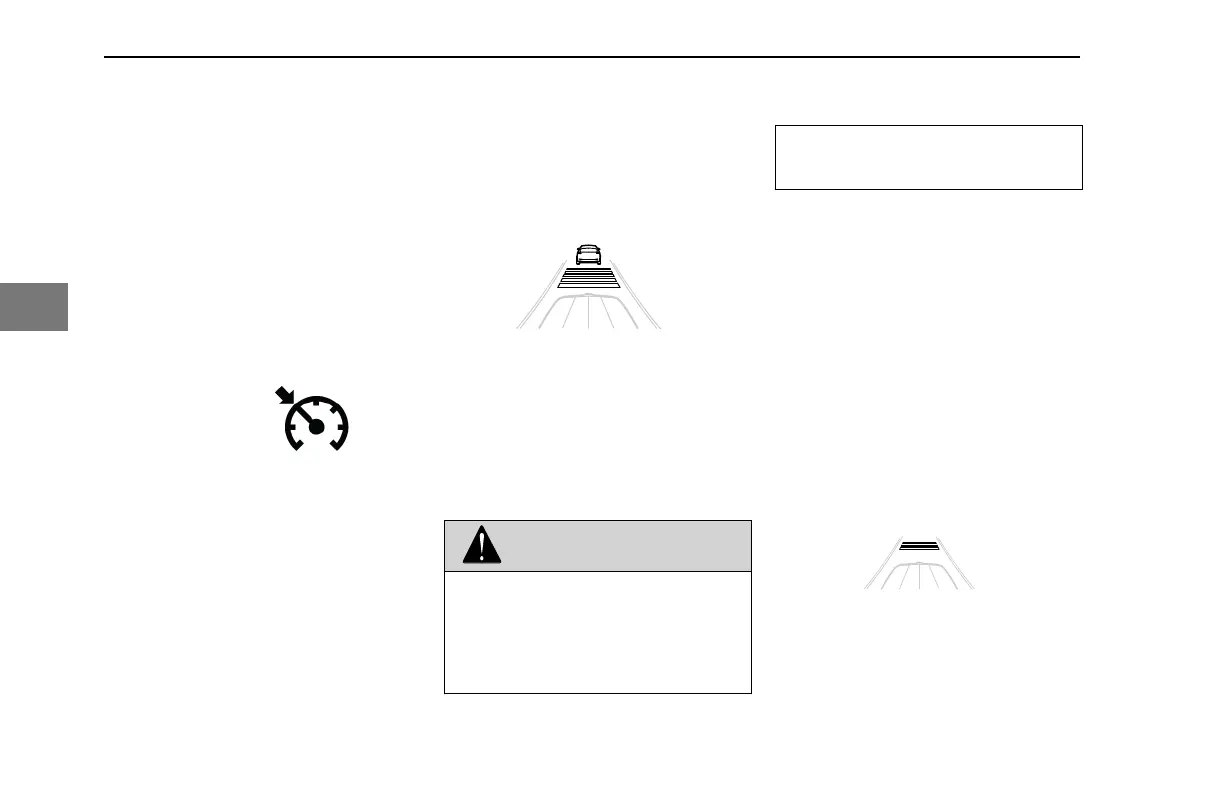
Adaptive Cruise Display
The display area for Active Cruise will
contain dynamic visuals related to whether
a tracked vehicle is in front and the amount
of following distance set for Active Cruise.
It will show an outline of a car in the display
area when the radar is tracking a vehicle.
Once it locks on to a tracked vehicle, it will
display horizontal bars to represent the
amount of following distance from the
tracked vehicle. Once it locks and tracks a
target vehicle, the system will adjust the
speed to accommodate the speed of the
tracked vehicle in front of it.
No Tracked Vehicle
The operator can set the amount of
following distance from the tracked vehicle.
There are five preset distances to choose
from, represented by horizontal bars
between the hood and the forward car.
DRIVING - Engine Operations
126 Y53-6076-1D1 (09/20)
4



 To Next Page