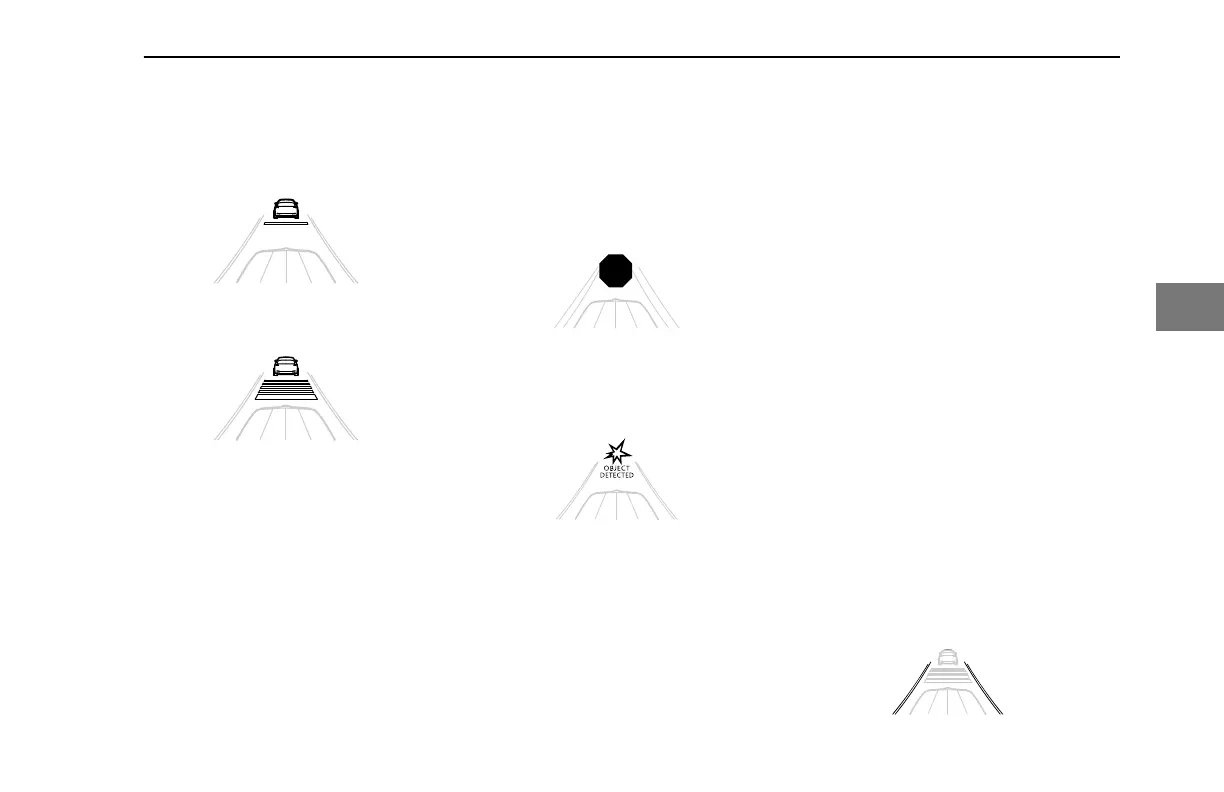
One bar represents the nearest following
distance.
Following Distance One Bar
Five bars represents a farther distance.
Following Distance Five Bars
See Set ACC Following Distance on page
127.
Following Distance Alerts
The display will be white when the tracked
vehicle in front is at a proper following
distance. If the following distance
decreases (less than 1.5 seconds), the
following distance bars will turn amber.
When the following distance decrease
more (0.5 seconds), the following distance
bars will turn red.
Collision Alerts
The display will show these messages with
icons if the system predicts a collision
either from approaching speed or because
of a stationary object.
Adaptive Cruise - Brake!
Some vehicles may present OBJECT
DETECTED (option) in the display for the
driver.
Adaptive Cruise - Object Detected
Set ACC Following Distance
Follow these steps to adjust the following
distance for Adaptive Cruise Control:
1. Press the Toggle until the following
distance bars illuminate in the view.
If the vehicle has Predictive Cruise Control,
you may have to press multiple times to
cycle through the other settings for PCC.
2. Rotate the
Toggle up or down to
choose the amount of following
distance.
3. Push the Toggle again to set the
following distance.
Lane Departure (Option)
Lane Departure is a feature that montors
the lanes markings on a road and will alert
the driver if the vehicle departs from the
lane it is traveling in. The following
conditions must be present for the system
to operate:
• The lanes are recognized (white
with black outline) on both sides of
the vehicle
• The vehicle is moving above 37
mph/60 kph
• The turn signals are not in use
The lanes will be black with a white outline
if the system does not detect a lane
marker. This may occur in certain
situations such as construction zones,
overlapping or changing lane markers.
Lane Departure Active and No Lanes Detected
DRIVING - Engine Operations
Y53-6076-1D1 (09/20) 127
4



 To Next Page