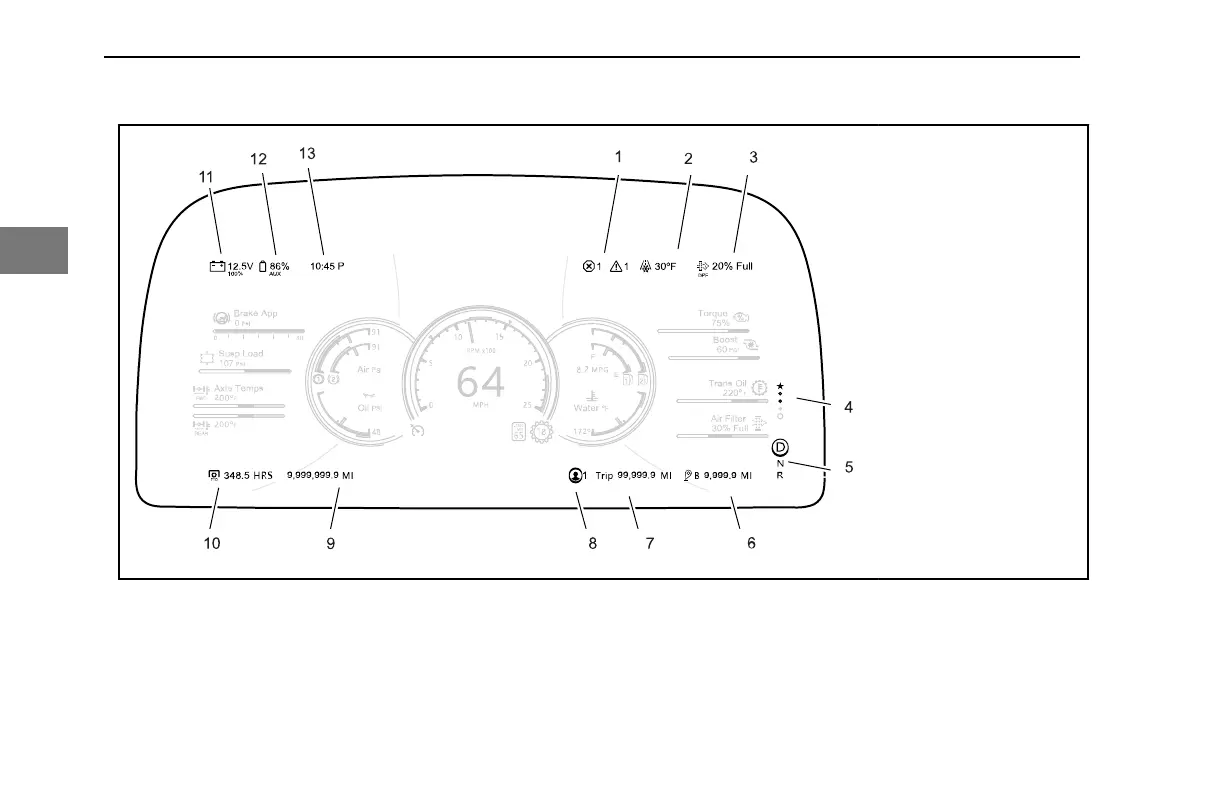
1. Active Warnings
2. Outside Air
Temperature
3. Diesel Particulate
Filter Status
4. View Indicator
5. Transmission Mode
6. Sub-Trip
7. Trip
8. Driver Profile
9. Odometer
10. Engine Hours
11. Battery
12. Aux Battery
Indicator
13. Clock
Active Warnings
Red or amber popups are counted and the
total is displayed by the active warning
indicator. In addition, these counts are also
presented in
• Systems Check
• The Notifications Sub-menu
• A Drive Summary
The numbers may change without user
interaction if individual warnings are
intermittent, time based, self correcting, or
the situation is rectified.
Outside Air Temperature
Outside Air Temperature monitors the
ambient temperature outside the truck
CONTROLS - Peterbilt Digital Display
56 Y53-6076-1D1 (09/20)
3



 To Next Page