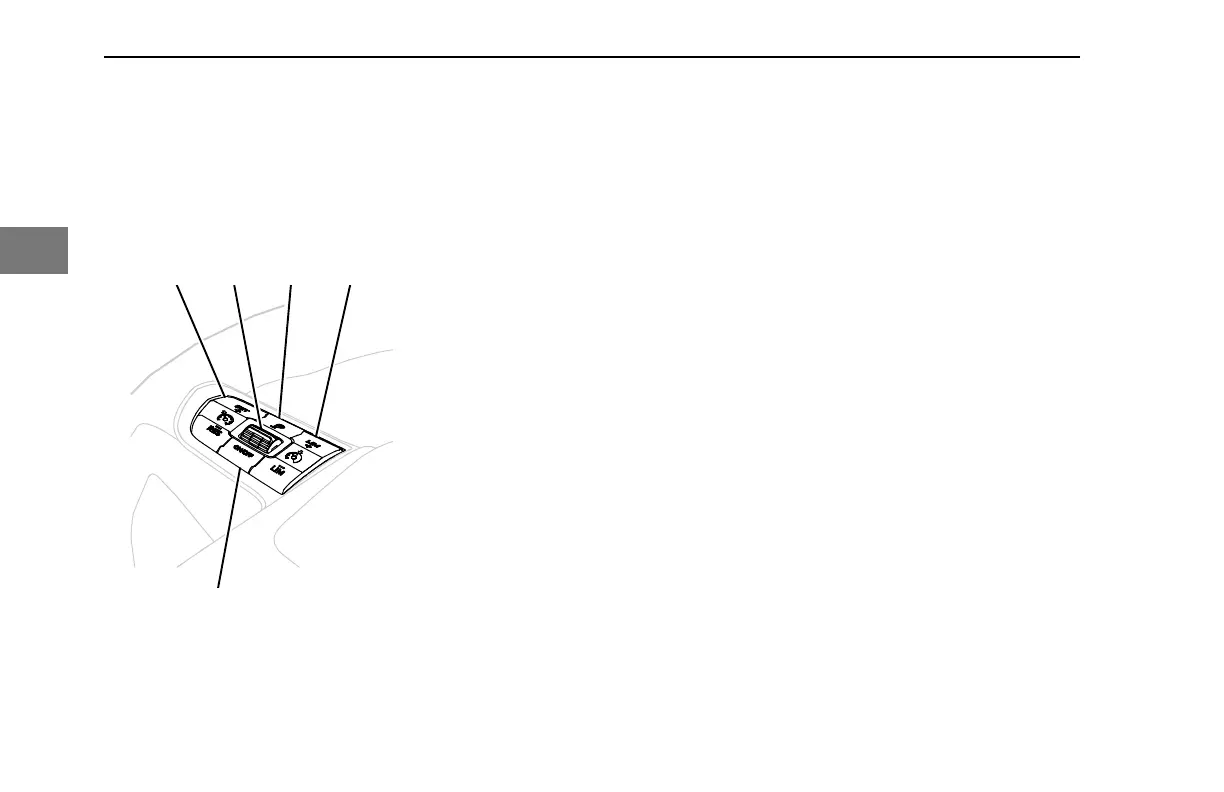
Press Trip to set. Press and hold Trip to
reset (Item 1 in following image).
Left Switch Pod
1. Trip marker
2. Limiter control
3. Cruise control ON/OFF
4. Cruise control set/resume
5. Toggle switch
The operator may also use the trip
summary to view the same information Trip
Summary on page 64.
Driver Profile Indicator
The number following the icon indicates
which driver is active when Driver Profiles
are enabled. For information on Driver
Profiles, Choosing the Active Driver Profile
on page 66.
Odometer
The odometer displays the total distance
your vehicle has traveled. The maximum
distance that can be shown on the
odometer is 9,999,999.9. The odometer
will roll over to zero if maximum mileage is
achieved.
Engine Hours
Engine hours will display the total number
of hours the engine has been operated.
The maximum hours that can be shown
are 99,999.9 before the counter rolls over
to zero.
Battery Voltage
The Battery Voltage indicator shows the
battery icon, voltage, and the state of
charge. The battery icon will be replaced
with the Low Voltage Disconnect (LVD)
icon when Low Voltage Disconnect is
active. The battery icon is gray when
operating normally, but changes to amber
to indicate a low voltage condition and red
to indicate a high or very low voltage
condition.
Clock
The clock can be displayed in a 12-hour or
24-hour format. Clock settings can be
altered in the Settings Sub-menu.
Transmission Gear Display
Vehicles with PACCAR or Eaton
automated transmissions will show the
transmission mode, current gear, and
diagnostic information associated with the
transmission. Vehicles with manual
transmissions will show the current gear.
This display does not apply for vehicles
with Allison transmissions.
CONTROLS - Peterbilt Digital Display
58 Y53-6076-1D1 (09/20)
3



 To Next Page