15-07-2002
Changing the brightness
Select the 'Brightness' function,
then confirm:
– turn the dial clockwise to increase,
– turn the dial anti-clockwise to
decrease.
Record the modifications.
Note: this function allows only limit-
ed adjustment of the brightness,
since the screen lighting is depen-
dent on the sunshine/brightness sen-
sor in the vehicle.
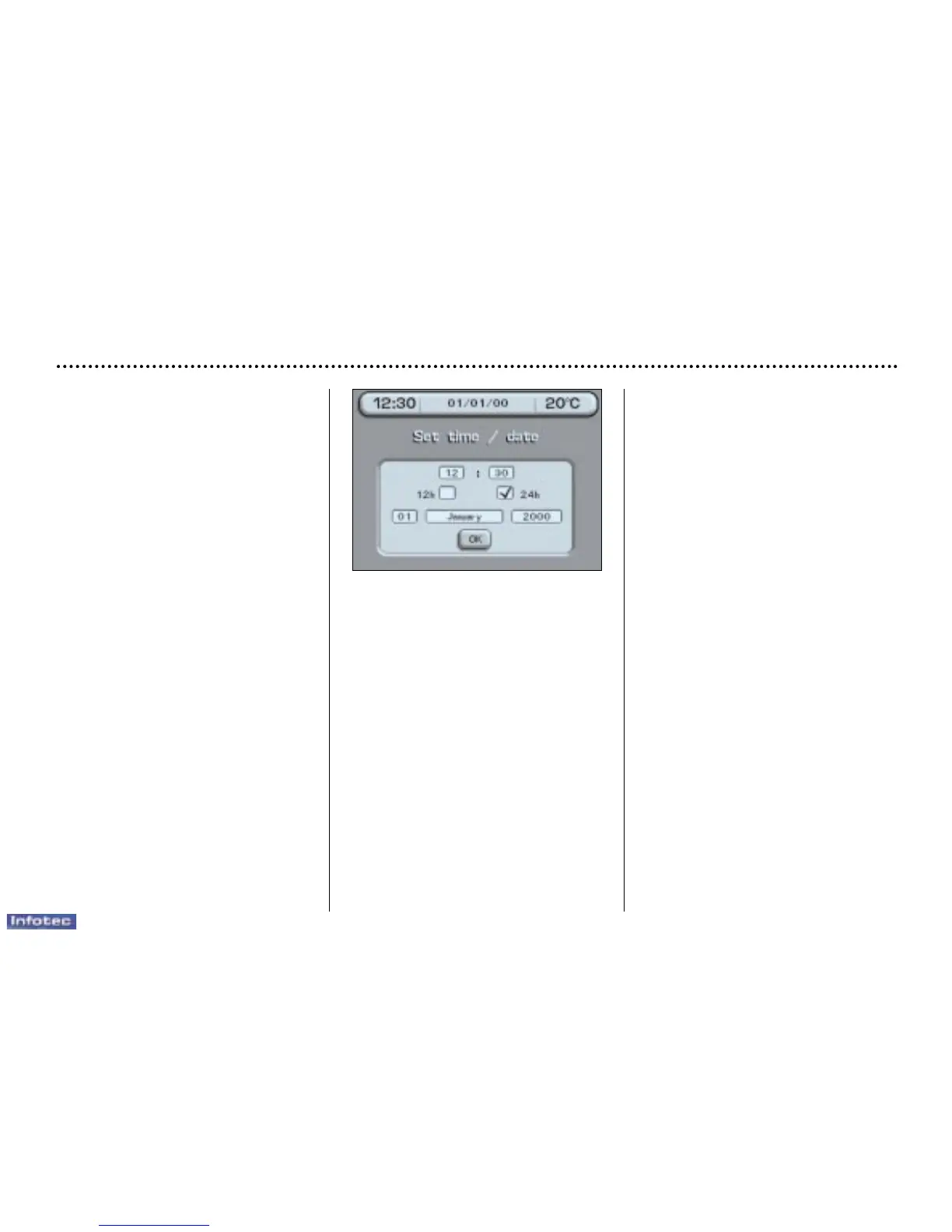
Setting the time and date
Select the 'Hours' function, then
confirm:
– turn the dial clockwise to scroll
upwards through the hours, or turn
it anti-clockwise to scroll down-
wards through the hours,
– confirm, to finish setting the time.
Proceed in the same way for the
'Minutes' function.
Select the '12h' or '24h' function by
pressing the dial.
Select the 'Day' function, then con-
firm:
– turn the dial clockwise to scroll for-
wards through the days, or turn it
anti-clockwise to scroll backwards
through the days,
– confirm, to finish setting the day.
Proceed in the same way for the
'Month' and 'Year' functions.
Record the changes.
Changing the units
Select the units required, then con-
firm and record the changes.
YOUR 607 IN DETAIL
46



 To Next Page