15-07-2002
Satellite navigation system
with colour screen
Updating the software
When you receive the system update
CD-ROMs:
– start the engine to avoid any risk of
switching to energy economy
mode during the operation,
– eject the mapping CD-ROM from
the drive located in the boot,
– insert the software update CD-
ROM in the drive (the indicator
light on the drive comes on perma-
nently); after a few seconds the
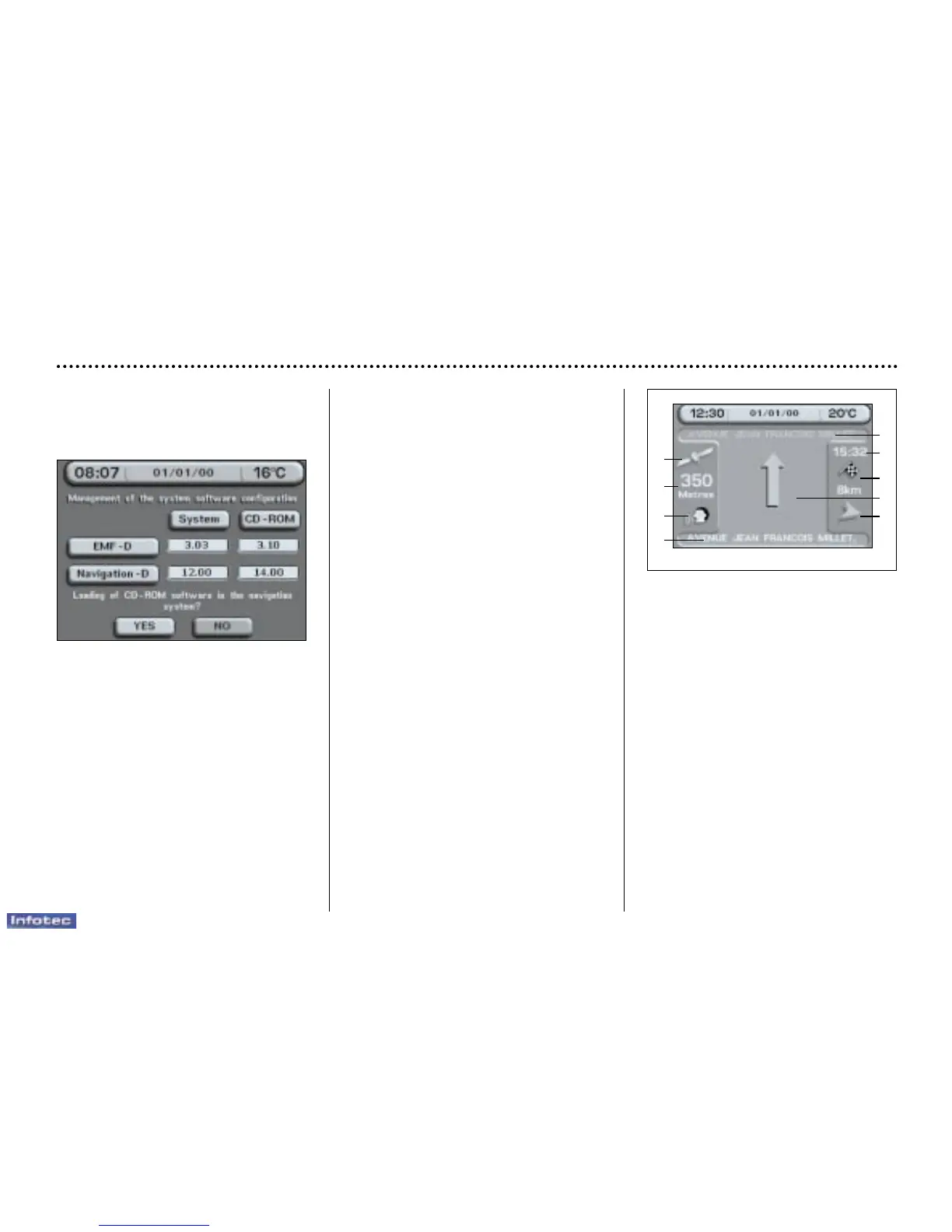
screen 'management of software
configuration of the system
appears,
YOUR 607 IN DETAIL
80
– compare the "System" versions
installed (Multi-function display-D
or Navigation-D) with those of the
CD-Rom in the drive; if a software
version of the CD-ROM (or both) is
later than the version installed,
load the CD-ROM by confirming
"YES"; the red indicator light on
the drive flashes while the data is
being loaded (a few minutes),
– when the message "Software
Loading End - Eject CD" appears,
remove the software CD-ROM and
insert the mapping CD-ROM in its
place (the indicator light on the
drive comes on permanently after
going out briefly).
General remarks regarding
the display
When using context menus, the
functions are presented in various
ways:
– function selected (text on coloured
background),
– function accesible (black text),
– function inaccesible in this situa-
tion (text on grey background).
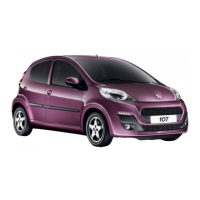
During off-the-map guidance, the
screen displays the following various
information, depending on the
manoeuvres to be carried out:
1 – Next road to be taken,
2 – Estimated time of arrival,
3 – Remaining distance to be trav-
elled,
4 – Diagram of the next crossroads
and direction to be taken,
5 – The direction to your destination,
6 – Street taken,
7 – Symbol showing voice synthesis
status,
8 – Distance remaining before the
next manoeuvre,
9 – GPS status symbol.
1
2
3
5
4
9
8
7
6


 To Next Page