15-07-2002
50
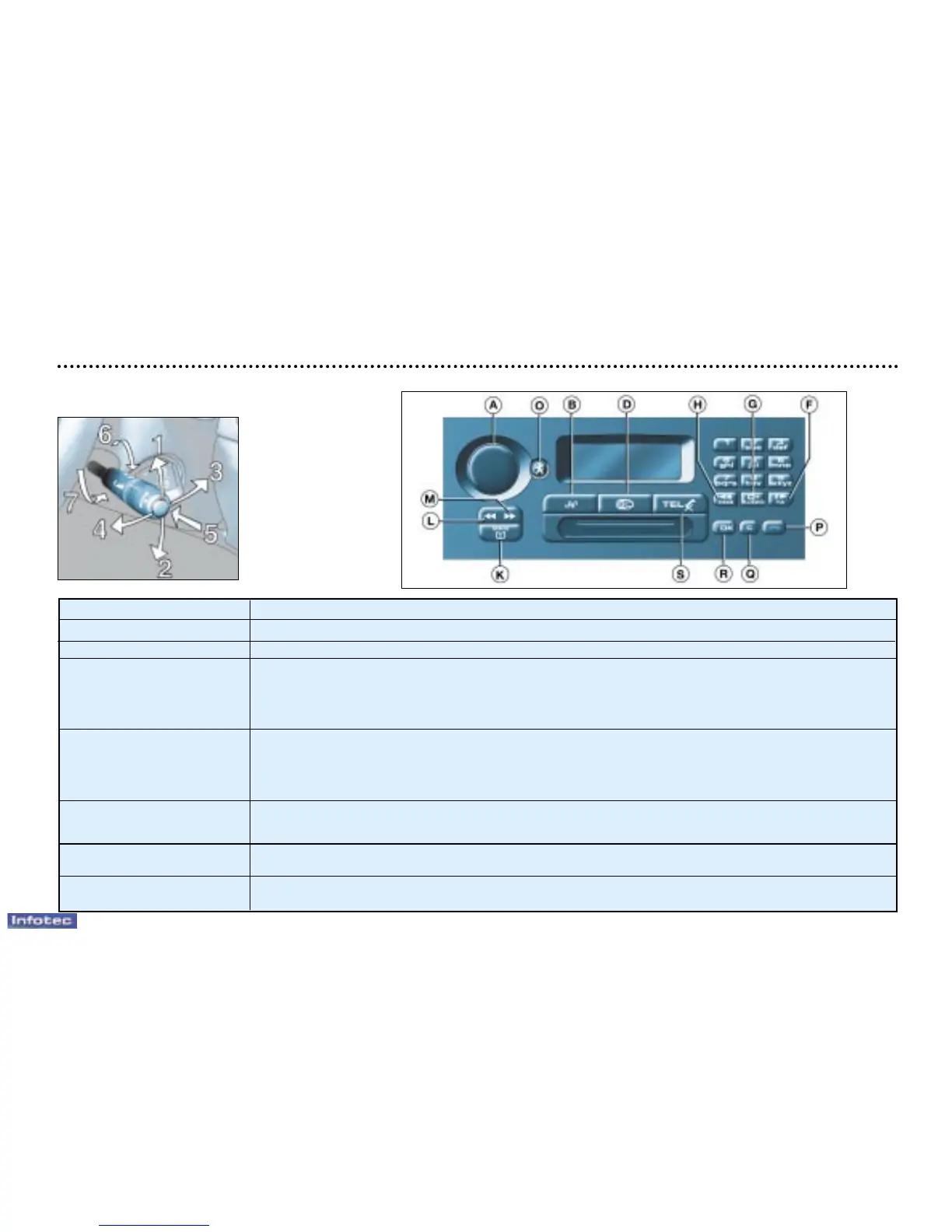
Stalk movement Function
1 - Upwards Increase volume
2 - Downwards Decrease volume
3 - Forwards Automatic search of higher frequencies (radio)
Press for more than 2 seconds, repeat until button is released: manual search of
higher frequencies (radio) - Selection of next track (CD)
Press for more than 2 seconds until button is released: fast forward (CD)
Selection of following page (Tel.) – Press for more than 2 seconds: selection of last page (Tel.)
4 - Backwards Automatic search of lower frequencies (radio)
Press for more than 2 seconds, repeat until button is released: manual search of
lower frequencies (radio) - Selection of previous track (CD)
Press for more than 2 seconds until button is released: rewind (CD)
selection of previous number (Tel.) – Press for more than 2 seconds: selection of first page (Tel.)
5 - Press the end Change of source (Radio/CD)
Press for more than 2 seconds: switch between radio/tel. mode.
Selection of directory (Tel./off) - Lift/replace handset (Tel./on).
6 - Rotation Selection of next station stored in memory (radio) - Selection of next CD (CD)
(clockwise) Selection of following menu item (Tel.)
7 - Rotation Selection of previous station stored in memory (radio) - Selection of previous CD (CD)
(anti-clockwise) Selection of previous menu item (Tel.)
YOUR 607 IN DETAIL
AUDIO/TELEPHONE RT2



 To Next Page