Revision: 3.0.3
Step4. Transducers type
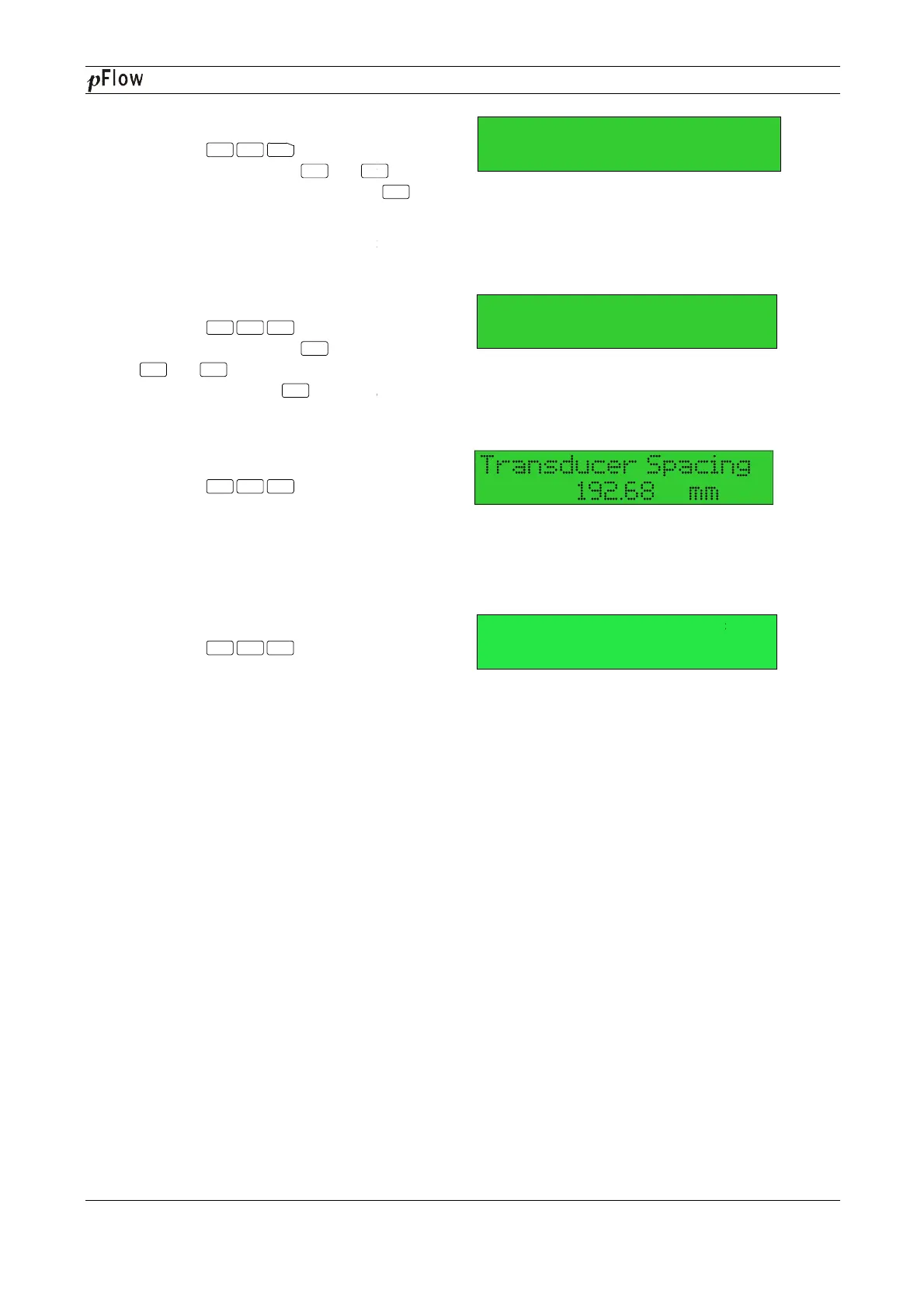
Press the keys
window M23, press the or
select transducer type, and press the
to confirm.
1. Plug-in Type B45 (W type
transducer).
Step5. Transducer mounting methods
Press the keys
window M24, press the
or
method, and press the
Choose according to the pipes on site.
Step6. Adjust Transducer spacing
Press the keys
window M25, accurately install the transducer
according to the displayed transducer mounting
spacing and the selected mounting method
(Refer to Installing the Transducers in this
chapter).
Step7. Display measurement result
Press the
window M01.
About other setup,please refer to the related
information in the manual.
Menu 2
3
^
Menu 2 4
Enter
^
^
Enter
Menu 2 5
Menu 0
1
D116
Series Ultrasonic Flowmeter
key to
select transducer type, and press the
key
-mounting
Choose according to the pipes on site.
window M25, accurately install the transducer
according to the displayed transducer mounting
spacing and the selected mounting method
(Refer to Installing the Transducers in this
About other setup,please refer to the related
Enter
1. Plug in Type-
1. Z
Vel 1.0415m/s
Series Ultrasonic Flowmeter
Page 50 of 53


 To Next Page