iXM-GS120 Operation Guide
7. Connecting the Camera
Page 20 of
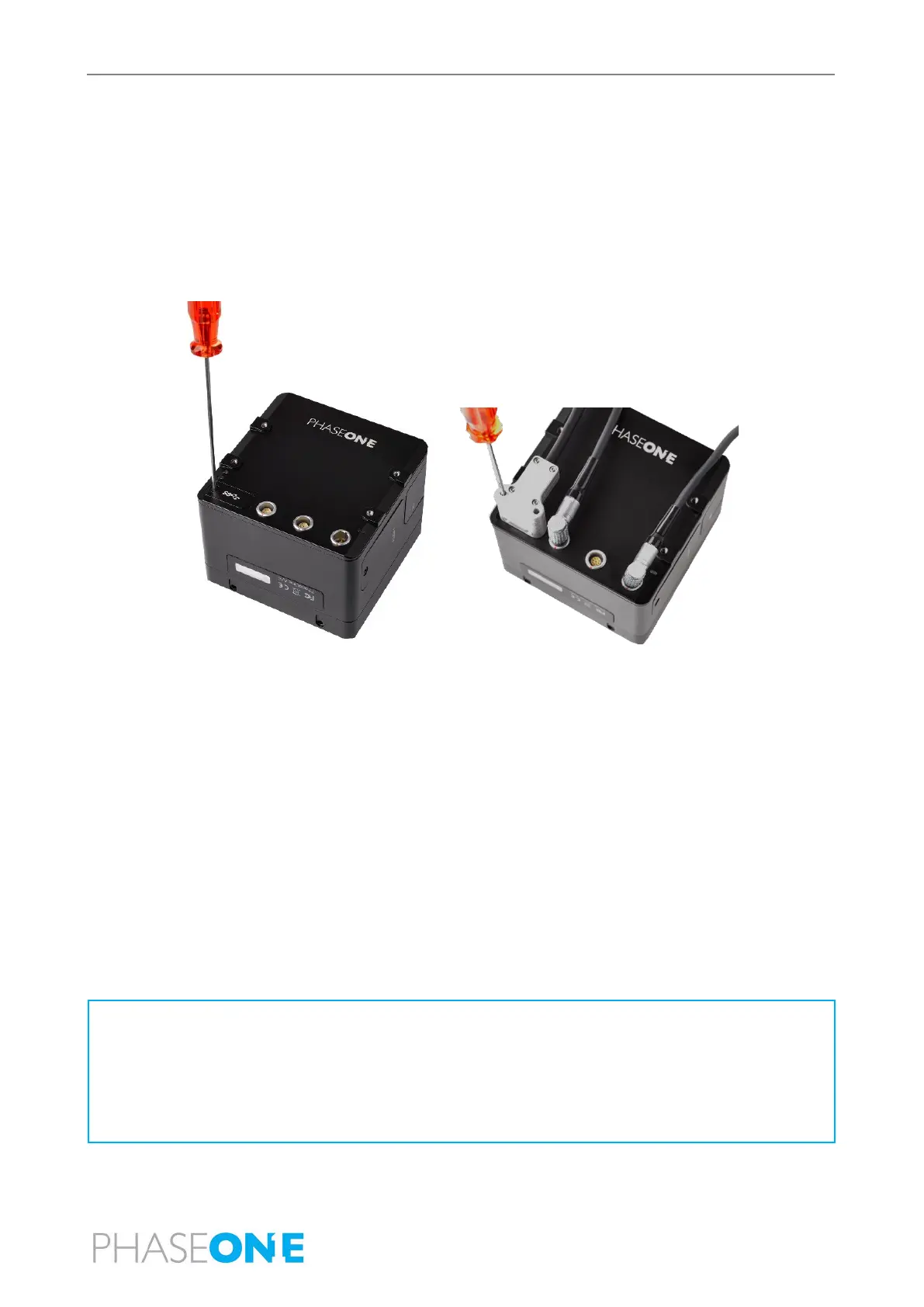
7.4 Connecting a USB Cable
To connect a USB 3.1 cable to a PC:
1. Using a 2 mm hex key, remove the screw securing the USB 3.1 port cover.
2. Remove the cover and store it.
3. Connect the USB 3.1 cable connector to the camera USB port.
4. Tighten both locking screws on the USB connector to secure it to the port using a torque of 25 cNm.
7.5 Connecting Cables for Multiple Camera Configuration
You can connect multiple iXM-GS120 cameras through a daisy-chain to capture images simultaneously. The first camera in the
daisy-chain is triggered through the control cable.
1. On the first camera in the daisy chain, connect a control cable LEMO connector to the left LEMO port.
2. Connect the other end of the control cable to your external device.
3. Connect one end of the Multi-Sync cable to the center LEMO port.
4. Connect the other end of the Multi-Sync cable to the left LEMO port of the next camera.
5. Repeat for any additional cameras.
6. On the last camera in the daisy chain, connect a control cable LEMO connector to the center LEMO port.
7. Connect the other end of the control cable to your flight management system or other device.
• For a multiple camera setup, do not use the software trigger or software black reference from iX Capture. Use hardware
signals only.
• When creating a daisy-chain between iXM-GS120 and iXU-RS/iXU cameras, each camera can be configured in any position
required. However, you must disable the low power mode for the iXM-GS120 cameras.


 To Next Page