14 EN
Select a title/chapter
1 During play, press .
» The play options menu is displayed.
2 Select [Titles] or [Chapters] in the menu, and
press OK.
3 Select the title or chapter number, and press
OK.
1 During play, press .
» The play options menu is displayed.
2 Select [Time Search] in the menu, and press
OK.
3 Press the Navigation buttons ( / ) to
change the time to skip to, and press OK.
Zoom in/out
1 During play, press .
» The play options menu is displayed.
2 Select [Zoom] in the menu, and press OK.
3 Press the Navigation buttons ( / )to select
a zoom factor, and press OK.
4 Press the Navigation buttons to navigate in
the zoomed picture.
To cancel zoom mode, press
to display
the zoom factor bar, and press the
Navigation buttons (
/ ) until the
zoom factor [x1] is selected.
1 During play, press .
» The play options menu is displayed.
2 Select [Repeat A-B] in the menu, and press
OK to set the starting point.
3 Forward the video play, and press OK to set
the ending point.
» Repeat play starts.
To cancel repeat play mode, press
,and
select [Repeat A-B] and press OK.
Note
The marked section for repeat play is only possible within
a track/title.
Change video play
1 Play a title.
2 Use the remote control to change the play.
Button Action
AUDIO Directly select an audio language or
channel on a disc.
SUBTITLE Directly select a subtitle language
on a disc.
Access the above mentioned actions
or more options (e.g. repeat or
Note
Some operations may not work with some discs. See the
information accompanying the disc for details.
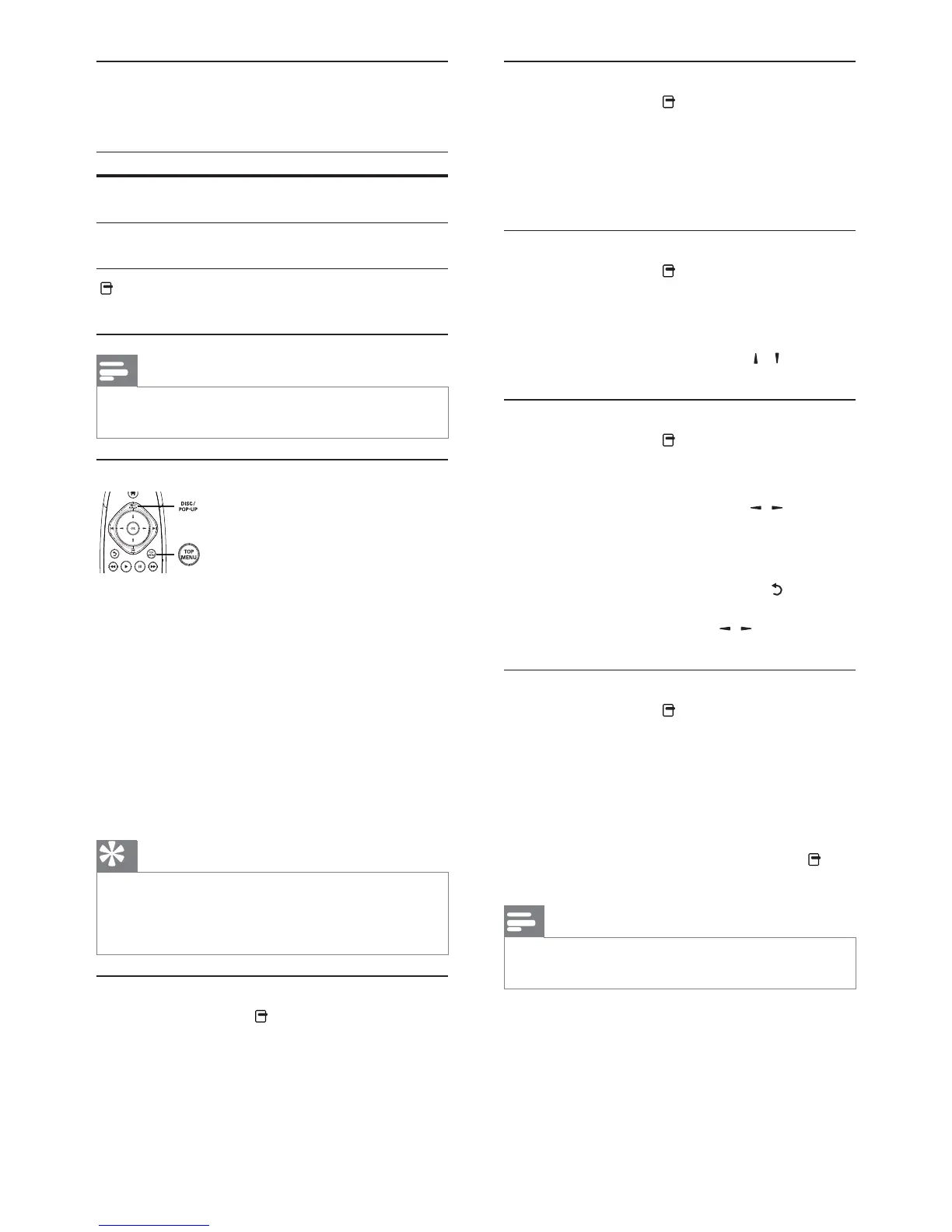
Display menu
BD-video disc
TOP MENU stop the video play and shows
the disc menu. This feature is disc-dependent.
POP-UP MENU access to the BD-video disc
menu without interrupting disc play.
DVD-video disc
TOP MENU display the root menu of a disc.
DISC MENU display disc information and
guide you through the available functions in
the disc.
VCD/SVCD/DivX disc:
DISC MENU display the content of the disc.
Tip
If the PBC setting is off, the VCD/SVCD skips the menu
before play, turn on the PBC setting (see “Adjust settings”
> [Preference] > [VCD PBC]).
Display play information
1 During play, press .
» The play options menu is displayed.
2 Select [Info] in the menu, and press OK.
» The current status of disc play is displayed.


 To Next Page