English
13EN
1 Connect a USB device to the (USB) jack.
2 Press , and select [browse USB], and press OK.
» A contents menu is displayed.
3 OK.
» Play starts (see “Play video”, “Play photo”,
Play music” for details).
To stop play, press
or remove the USB
device.
Note
Philips does not guarantee compatibility with all USB
devices.
Not all digital cameras are supported. Digital cameras that
require PC programme installation are not supported.
Play video
Control video play
1 Play a title.
2 Use the remote control to control the play.
Button Action
Pause play.
Press repeatedly to slow forward
play frame by frame.
Start or resume play.
Stop play.
/
Skip to a previous/next title or chapter.
/
Search fast-backward or fast-forward. Press
repeatedly to change the search speed.
Press once
, and then press
repeatedly / to slow play
backward or forward.
Note
For BD discs with Java application, availability of the play
5 Play
Play a disc
Caution
Do not insert any objects other than discs into the disc slot.
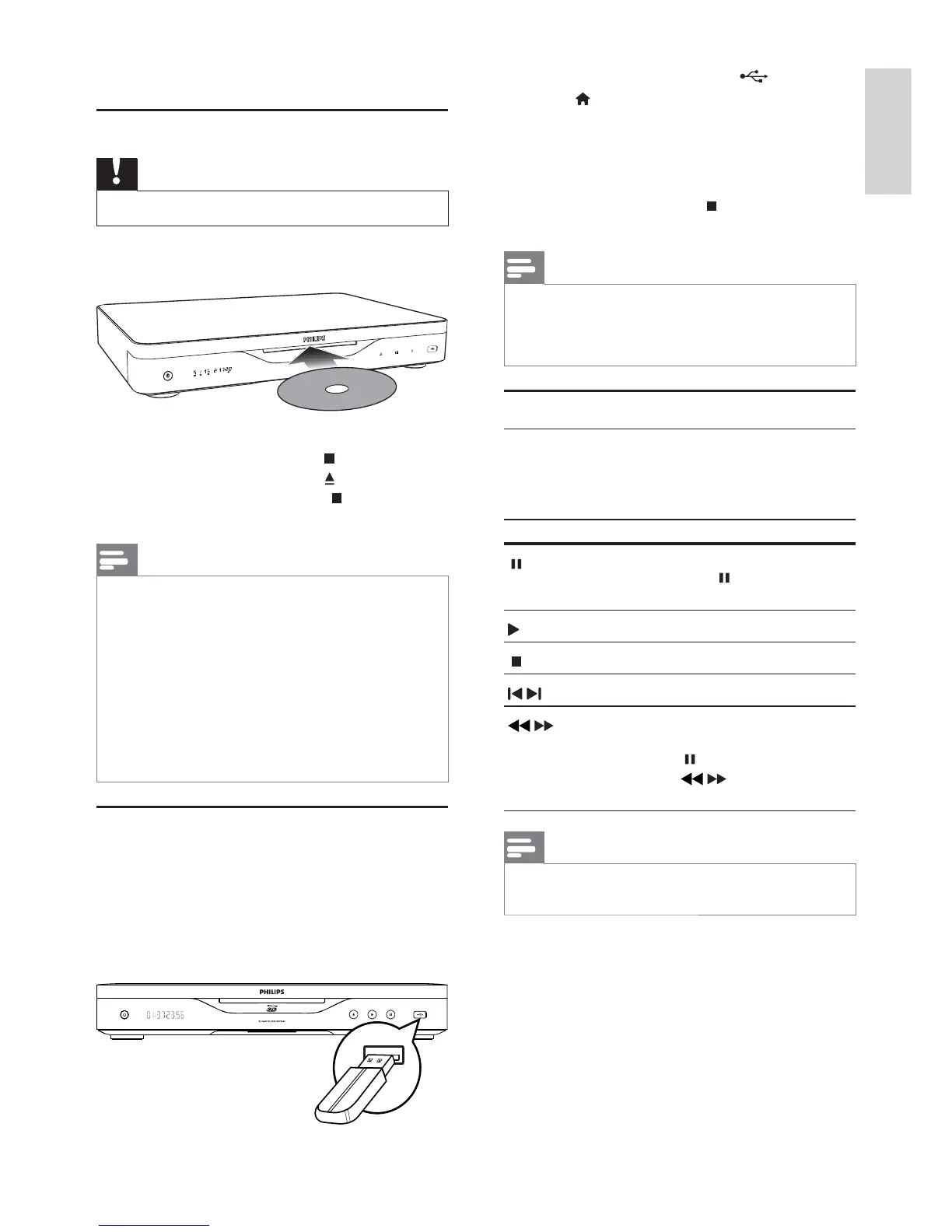
1 Insert a disc into the disc slot with its label
facing up.
2 Start disc play.
To stop disc play, press .
To eject the disc, press
on the front
panel, or press and hold on the remote
control to eject the disc.
Note
player” > “Playable media”).
If the password entry menu is displayed, enter the
password before you can play the locked or restricted disc
(see “Adjust settings” > “Preference Setup” > [Parental
Control]).
If you pause or stop a disc, the screen saver appears after
10 minutes of inactivity. To deactivate the screen saver,
press any button.
After you pause or stop a disc and no button is pressed
within 30 minutes, this player automatically switches to
standby.
Play from a USB device
memory card reader
HDD (This player can detect only a portable
hard disc drive with USB power peak current
no more than 500mA.)


 To Next Page