8 User manual
5 The Recognition nd dpttion queue pnel displys informtion bout
dicttion les submitted for oine speech recognition. For more informtion, see
Using speech recognition.
6 Device disply: The device disply ppers when Pocket Memo or SpeechAir
is connected. It llows users to disply nd ply bck dicttion les stored on the
Pocket Memo or SpeechAir, nd to congure settings on the connected device.
7
The sttus br t the bottom of the window displys informtion on dicttion
mngement, such s the number of dicttion les in the selected folder, the
number of dicttion les with priority sttus ssigned, nd the nme of the current
user.
Active author prole: Select the author prole from the drop-down list
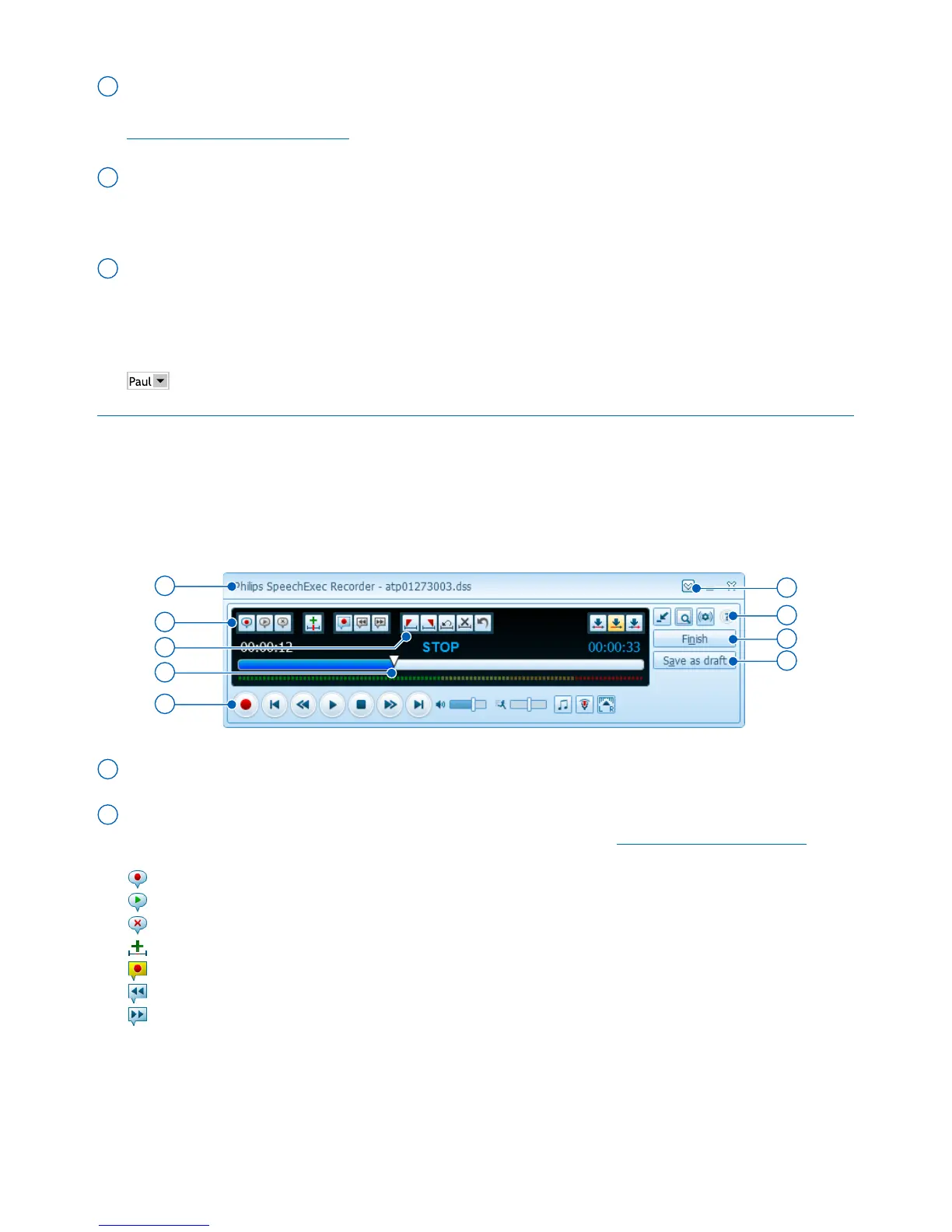
Overview SpeechExec recorder nd plyer window
(expnded mode)
The recorder/plyer module is desktop window tht llows the user to record nd
ply bck sound les.
9
11
12
8
13
15
16
14
10
8 The title br displys the le nme.
9 Instructions re recorded comments by the uthor tht re directed to the person
trnscribing the dicttion le. For more informtion, see Record n instruction.
Record a special instruction
Play back a special instruction
Delete a special instruction
Insert an index mark
Record a spoken instruction
Jump to the previous spoken instruction
Jump to the next spoken instruction












 To Next Page