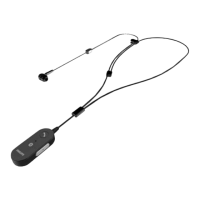
Event mode
Commnd
1
Instruction
2
Insert/overwrite/ppend
3
End-of-letter/priority
4
Record
5
Fst rewind
6
Fst forwrd
7
Ply
8
Touch nvigtion/left mouse button
9
Left mouse button
10
Right mouse button
11
Progrmmble function button
12
Progrmmble function button
13
Progrmmble function button
14
Progrmmble function button
Keybord mode
Commnd
Shortcut in
SpeechControl
1
Record/Stop (Drgon
microphone on/o)
[NumKey+]
2
Tb forwrd [Tb]
3
Tb bckwrd [Shift+Tb]
4
SpeechOne microphone on/
o
[Microphone ON/OFF]
5
Mrk previous word(s) [Ctrl+Shift+Left]
6
Next eld (Drgon) [Ctrl+Shift+N]
7
Ply
8
Touch nvigtion/left mouse
button
9
Left mouse button
10
Right mouse button
11
Show dicttion box (Drgon) [Ctrl+Shift+D]
12
Trnsfer text (Drgon
dicttion box)
[Ctrl+Shift+T]
13
Progrmmble function
button
14
Switch to hidden mode
(Drgon Medicl Prctice
Edition)
[Ctrl+Shift+H]
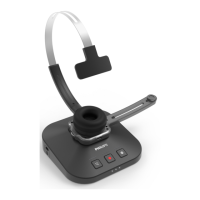
18 Use your SpeechOne


 To Next Page