3 Get strted
Cution
• Before you connect your SpeechOne, rst red the
sfety instructions (see Sfety instructions).
Chrging the bttery
Chrge the built-in bttery before you use the device
for the rst time or if you hven’t used it for n extended
time period. If the bttery is completely dischrged nd
your device turns o, llow the bttery to chrge for
while before you turn on the device.
Note
• A complete rechrge cycle tkes bout two hours.
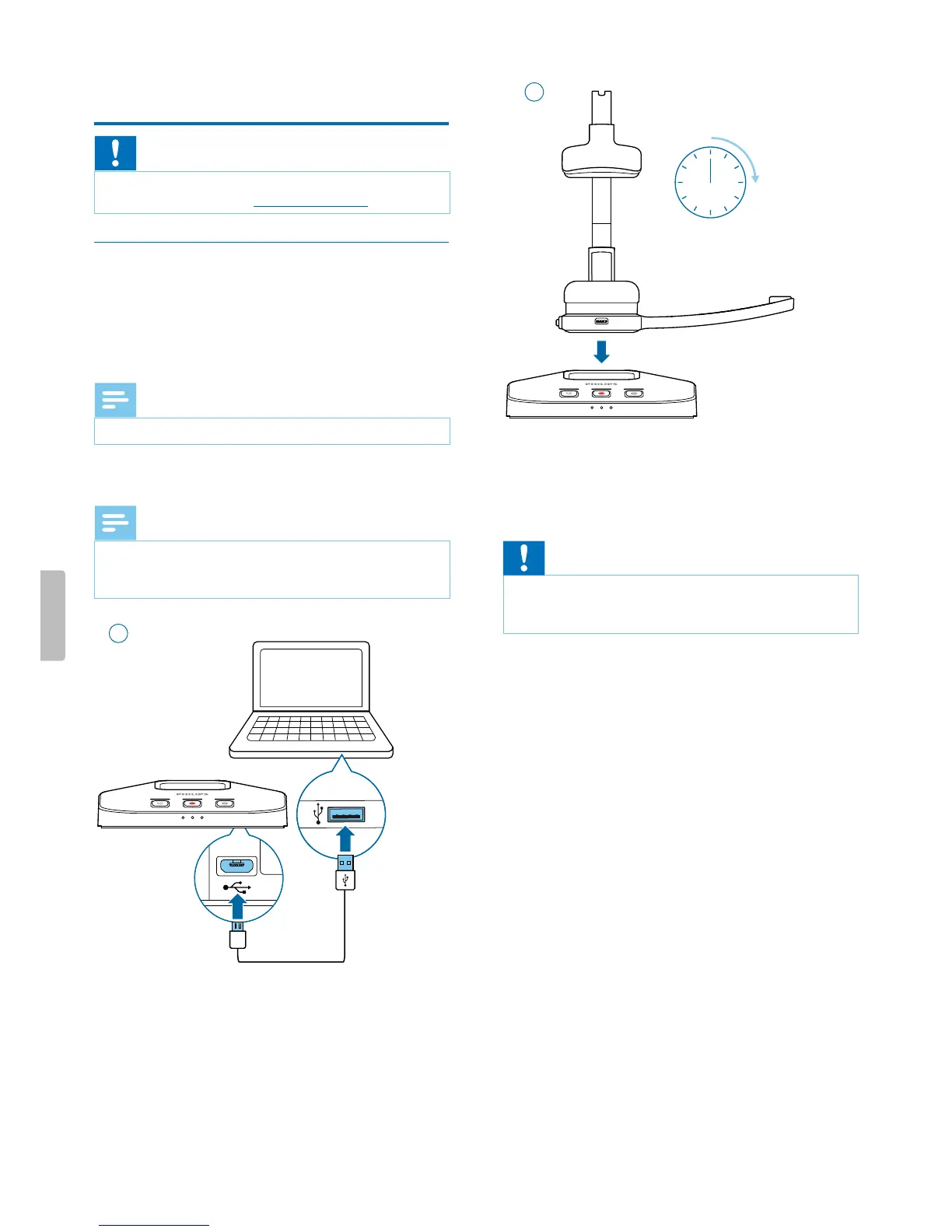
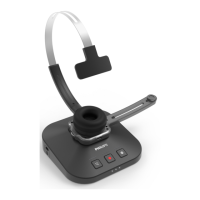
Chrge vi docking sttion
Note
• If you chrge your device vi docking sttion, mke
sure tht the micro USB connector is connected to the
USB port for chrging mrked with 5V DC.
1
2 h
2
X During chrging, the bttery LEDs on the docking
sttion subsequently light up in loop until the
hedset is either removed or fully chrged.
X When chrging is complete, ll three bttery LEDs
on the docking sttion glow white.
Cution
• Mke sure tht there re no metllic prts on the
docking sttion, otherwise the chrging process is not
possible.
9Get started


 To Next Page