Tble of contents
Importnt
Sfety instructions
Clening nd disinfection
Disposl of your old product
About this user mnul
Your SpeechOne
Product highlights
Wht's in the box
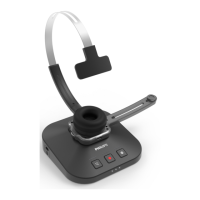
Overview of your SpeechOne
Overview of the docking sttion
Overview of the remote control
(PSM, PSM)
Get strted
Chrging the bttery
Chrge vi docking sttion
Chrge vi computer
Chrge vi USB power supply unit (optionl)
Lern bout the bttery sttus
Piring
Lern bout wireless technology
Going out of rnge
Idle mode nd Power down mode
Resetting the wireless connection
Use your SpeechOne
Wering styles
Wering with the hedbnd ttchment
Clssic wering style
Wering with the neckbnd
Crete recording
Skype clls
Sttus light
Mount the sttus light on your computer
Donotdisturb mode
Use the remote control (PSM, PSM)
Button modes
Event mode
Keybord mode
Browser mode
Windows speech recognition mode
Drgon for Mc mode
Drgon for Windows mode
Button ssignment for ech mode
Switch between button modes on the
docking sttion
Switch between button modes on the
remote control (PSM, PSM)
Hndsfree dictting with Philips foot control
Button ssignment of Philips foot controls
Upgrding the rmwre
Service nd support
Contct our supporting Philips prtners
Troubleshooting
LED colors nd menings
Technicl dt
2


 To Next Page