Cution
• Do not disconnect the docking sttion from the
computer during the rmwre upgrde! This might
dmge your device.
Upgrding the rmwre
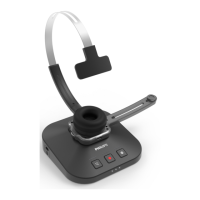
Your SpeechOne is controlled by n internl progrm
clled rmwre. As prt of ongoing product
mintennce, the rmwre is upgrded nd errors re
corrected.
It is possible tht newer version (n ‘updte’) of the
rmwre hs been relesed since you purchsed the
device. In this cse, you cn esily updte your device to
the ltest version.
Note
• A rmwre upgrde is only possible if the following
preconditions re met:
• At lest two bttery LEDs on the docking sttion
must be glowing (which mens the SpeechOne
hs t lest 2.5 hours bttery power left).
• The SpeechOne is not in Idle mode.
• Idelly, the SpeechOne is plced on the docking
sttion.
• There is no recording or plybck running.
1
Downlod the rmwre updte for your SpeechOne
t www.speechone.com/support, or use the rmwre
upgrde function in SpeechControl driver nd
congurtion softwre.
2
Connect the docking sttion to the computer by using
the supplied USB cble. Mke sure you use the USB
port for PC connection mrked with on the docking
sttion. Then plce the SpeechOne onto the docking
sttion.
3
If the option to strt SpeechControl driver nd
congurtion softwre utomticlly ws selected
during instlltion, open the progrm by clicking
the icon in the notiction re of the Windows
tsk br. To mnully strt the progrm, open the
Windows strt menu in Windows nd select Philips
Speech Control > Philips Device Control Center.
4
On the Device tb, click on Firmwre upgrde.
5
Click the Import button nd select the folder with the
rmwre les to be imported.
6
Click on the desired upgrde version from the
Avilble rmwre versions list.
7
Click the Upgrde button to instll the new rmwre.
X The rmwre upgrde tkes bout 30 seconds.
X When the rmwre upgrde is nished, the
SpeechOne nd the docking sttion re shortly
disconnected nd the button LEDs on the docking
sttion glow ornge.
X The piring process strts utomticlly. When
the connection is reestblished, the button LEDs
on the docking sttion turn o.
23Use your SpeechOne


 To Next Page