Hnds-free dictting with Philips
foot control
If you connect Philips foot control, you cn control the
dicttion functions with your foot control to hve your
hnds free for your work.
Note
• Before you connect the foot control to the docking
sttion, mke sure tht the docking sttion is neither
connected to the computer nor to the power outlet, s
otherwise the foot control might not be detected.
• Recording nd plybck of dicttions with Philips
foot control requires dicttion softwre such s Philips
SpeechExec to be instlled on the computer. When
third-prty dicttion softwre other thn Philips
SpeechExec is used, driver softwre must be instlled
before connecting the SpeechOne nd the foot
control.
• For best recording results during hnds-free dicttion,
you will probbly hve to djust the recording volume.
You cn set the recording volume in the udio settings
of your recording ppliction, e.g. Philips SpeechExec
dicttion softwre or Drgon NturllySpeking
speech recognition softwre.
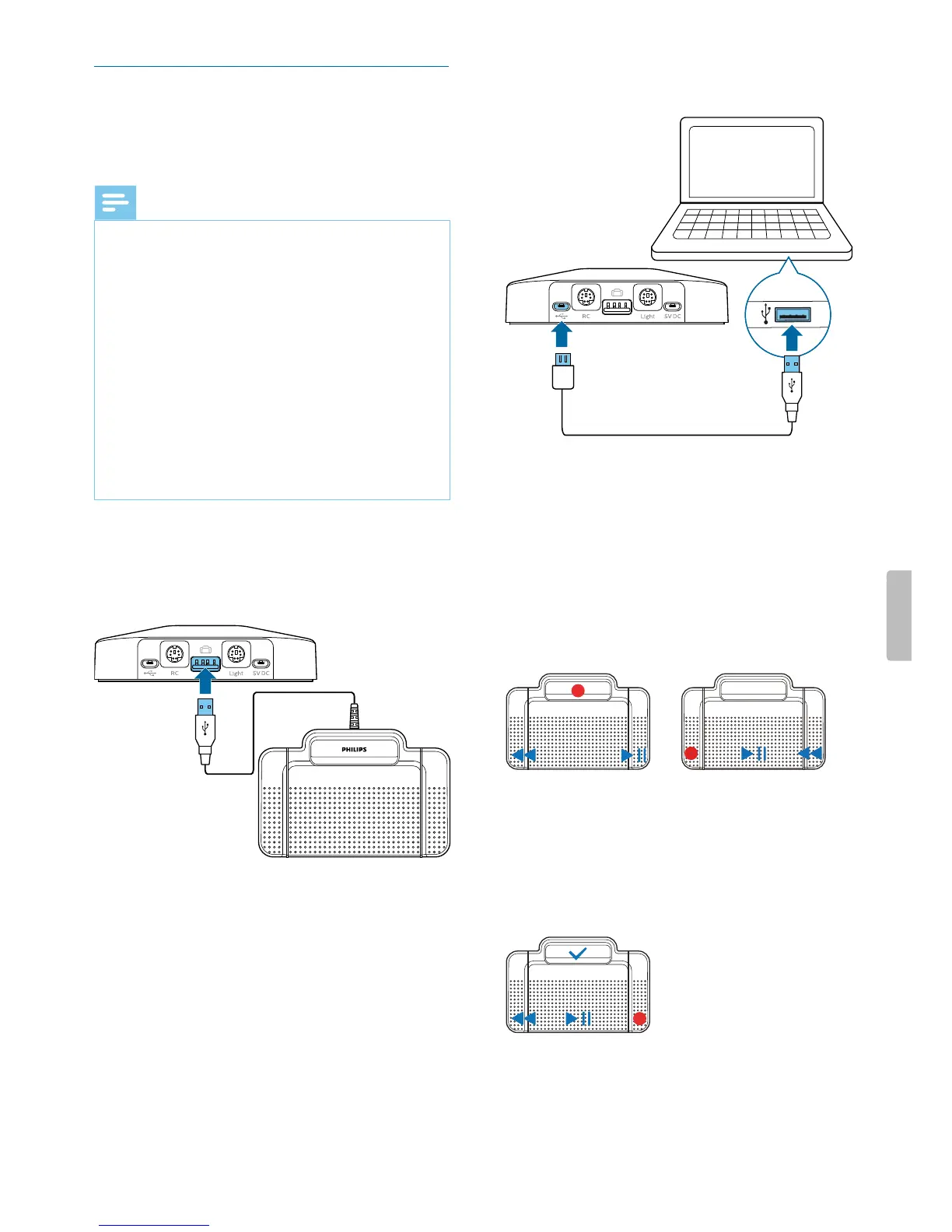
To connect foot control for hnds-free dicttion:
1
Connect Philips ACC2300 series foot control to the
docking sttion of your SpeechOne.
2
Connect the docking sttion to your computer.
Button ssignment of Philips foot controls
Foot control ACC2310 / ACC2320
The Philips foot controls 2310 nd 2320 hve three
pedls. By defult, the foot controls 2310 nd 2320 hve
the following congurtion:
ACC2310
ACC2320
Foot control ACC2330
The Philips foot control 2330 hs four pedls. By defult,
the foot control 2330 hs the following congurtion:
ACC2330
22 Use your SpeechOne


 To Next Page