Problem Cuse Solution
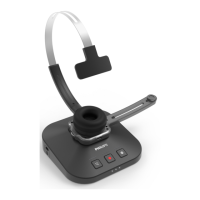
The SpeechOne doesn't connect to the
docking sttion.
• Pirings my hve been reset or the
SpeechOne hs been previously
pired with nother docking sttion.
• Strt the piring process s described
in the chpter Piring.
• If re-piring doesn't solve the
problem, reset the wireless
connection. For more informtion, see
Resetting the wireless connection.
The SpeechOne is connected to the
computer but sound will ply on the
computer’s speker only.
• SpeechOne is not selected s the
defult plybck device.
• In the Windows sound settings, select
SpeechOne s the defult plybck
device.
The SpeechOne doesn't record sound. • The input level is too low becuse of
the wrong recording source.
• In the Windows sound settings, select
SpeechOne s the defult recording
device.
My computer cn't detect the foot
control.
• The docking sttion ws connected
to the computer nd/or to the power
outlet before you connected the foot
control.
• Disconnect the foot control from
the docking sttion nd the docking
sttion from the computer nd/or
power outlet. Then reconnect the foot
control to the docking sttion rst
nd fterwrds connect the docking
sttion to the computer nd/or to the
power outlet.
The connection between the
SpeechOne nd the docking sttion is
being interrupted.
• The docking sttion is connected
to low-power USB port on your
computer.
• Additionlly, connect the docking
sttion vi the supplied USB cble to
the power supply unit nd the USB
port for chrging (mrked with 5V DC).
For more informtion, see Chrge vi
docking sttion.
25Service and support


 To Next Page