ILC 1X1
50
PHOENIX CONTACT 8385_en_02
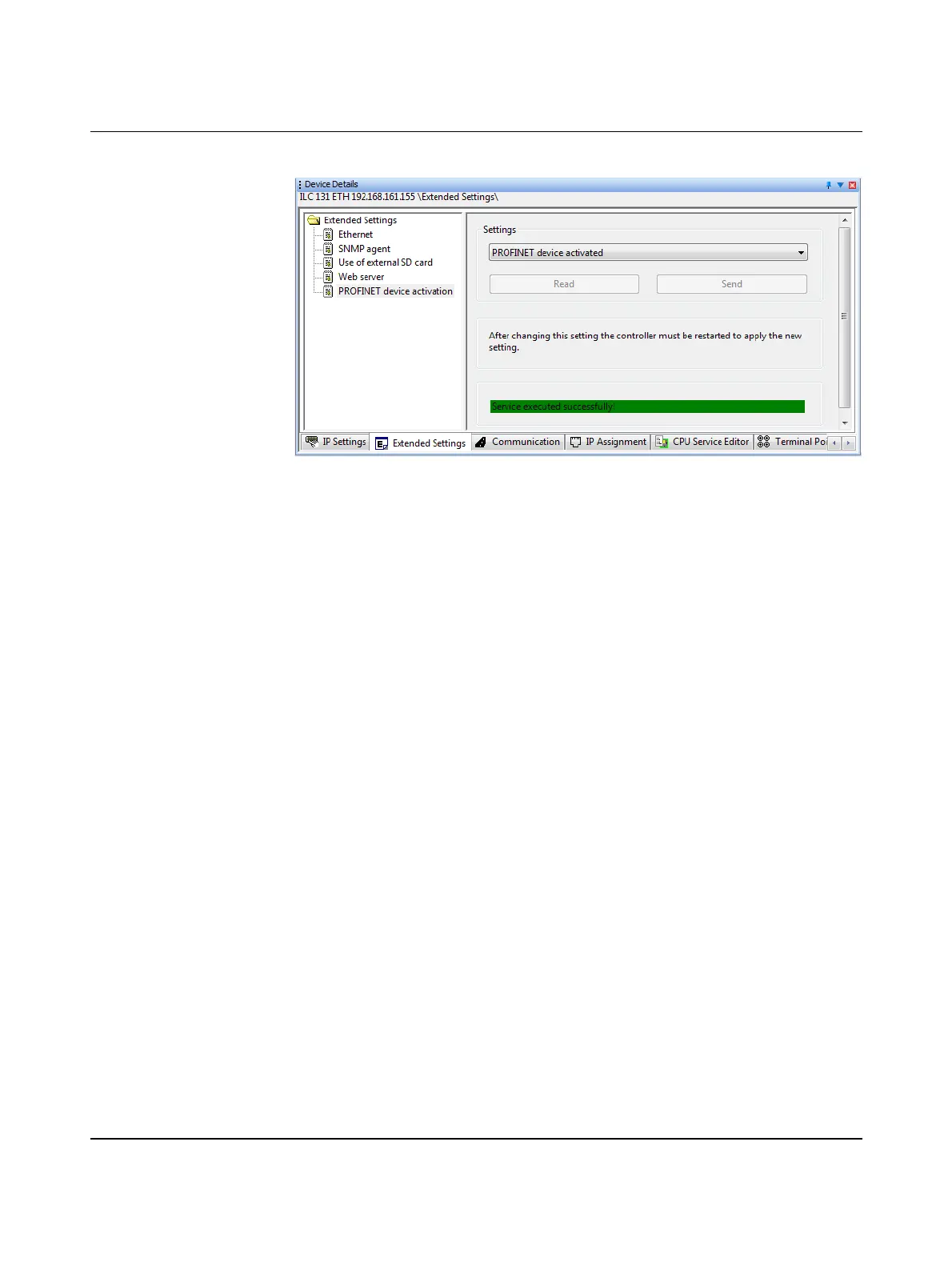
Successful execution of the service will be displayed in the status window.
Figure 3-10 PROFINET device function/settings - Send: Service executed successfully
To apply the network settings, you have to restart the controller.
• In the “Device Details” window, select the “Ethernet” setting under “Extended Settings”
(refer to Figure 3-11).
• In the “Activate Network Settings” area, click on the “Restart Controller” button (see
Figure 3-11).



 To Next Page