The Inline controller under PC Worx/PC Worx Express
8385_en_02 PHOENIX CONTACT 65
3.8.3 Access restriction for FTP access
To prevent unauthorized FTP access to the parameterization memory, you can specify a
username (max. 12 characters) and a password (max. 12 characters). By default upon de-
livery, the Inline controller is set to the username “anonymous” and no password (“”) is set.
This setting is also restored if you return the Inline controller to the default state upon deliv-
ery.
The CPU_Set_Value_Request service with Var ID 019A
hex
is used to specify the username
and password.
Specifying the username
and password
To specify a username and password, proceed as follows:
• Switch to the bus configuration workspace in PC Worx.
• Select the controller, e.g., “ILC 151 ETH”, in the “Bus Structure” window.
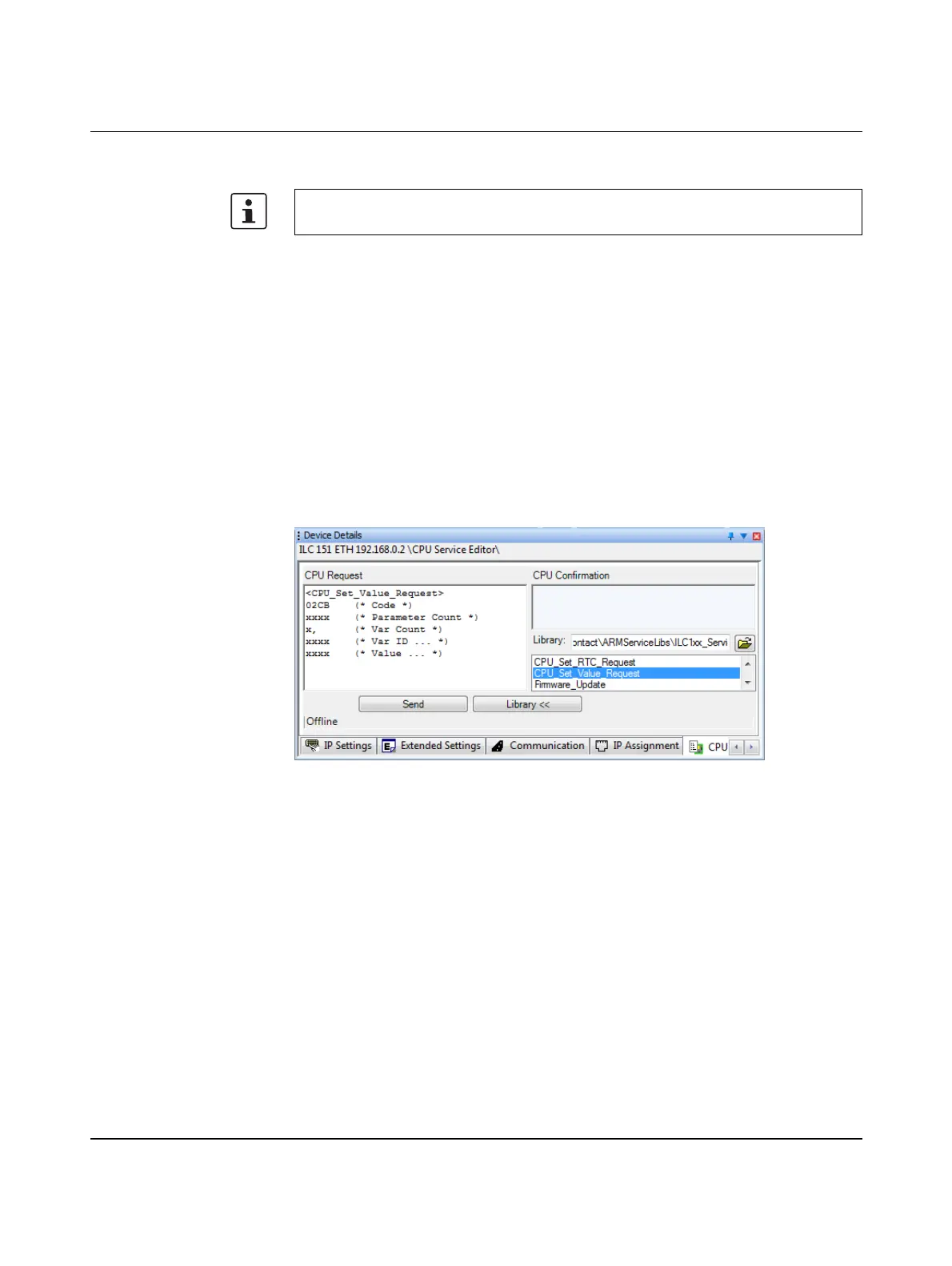
• Select the “CPU Service Editor” tab in the “Device Details” window.
• Open the “ILC1xx_Service_Common.slb” library.
• Double-click to select the CPU_Set_Value_Request service.
Figure 3-27 Open the library and select the service
• In the “CPU Request” area for (* Var Count *) enter the value “1”.
• In the “CPU Request” area for (* Var ID ... *) enter the value “019A”.
• In the “CPU Request” area for (* Value ... *) (changed to (* length username &
username *) and (* length password & password *) in Figure 3-28) enter the desired
username and password.
In doing so, the length of the username must be entered followed by the individual char-
acters of the username in hexadecimal ASCII format. Following this, the length of the
password must also be entered followed by the individual characters of the password
in hexadecimal ASCII format.
The function is available for Inline controllers with firmware versions ≥ 4.40 as of
AUTOMATIONWORX Software Suite Version 1.82 AddOn V1.






 To Next Page