© PSI (Photon Systems Instruments), spol. s r. o.
16
7 GETTING STARTED
For more detailed information on particular steps of FluorPen operation please refer to chapter 8.
The device can is powered with built in Li-Ion battery. Ensure the battery is fully charged by plugging it into a PC via USB
cable or the AC outlet via the USB cable and a USB adaptor (not included). Monitoring Pen can be powered from an
optional battery pack (see more in chapter 15.1)
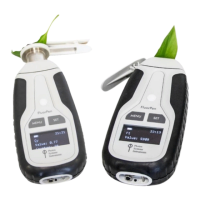
The FluorPen is controlled using two buttons:
• Use the MENU key to scroll through sequential menu options on the digital display and to turn the device off
(hold for 1s)
• Use the SET key to turn the device on (hold for 1 sec) and select a menu option based on cursor (>) position.
7.1 PULSES DE S CRIPTION A N D SE TTING
Flash pulse
This function serves for setting of measuring pulses intensity. The measuring pulses are weak light pulses, which are able
to induce the minimal chlorophyll fluorescence (F
0
or F
t
). It takes only 30 µs and the maximum intensity is
3,000 µmol.m
-2
.s
-1
. It means 30 µs * 3,000 µmol.m
-2
.s
-1
= 0.09 µmol.m
-2
per pulse is the maximal intensity of the flash pulse.
Super pulse
This function serves for setting intensity of the saturating light pulse. Saturating pulse induces maximum chlorophyll
fluorescence (F
m
). 100 % of intensity equals approximately 3,000 µmol.m
-2
.s
-1
.
Actinic pulse
This function serves for setting intensity of measuring pulses. Actinic light is the ambient light in which the algae are
growing. 100 % of intensity equals approximately 1,000 µmol.m
-2
.s
-1
.
Pulses used in predefined protocols:


 To Next Page