© PSI (Photon Systems Instruments), spol. s r. o.
42
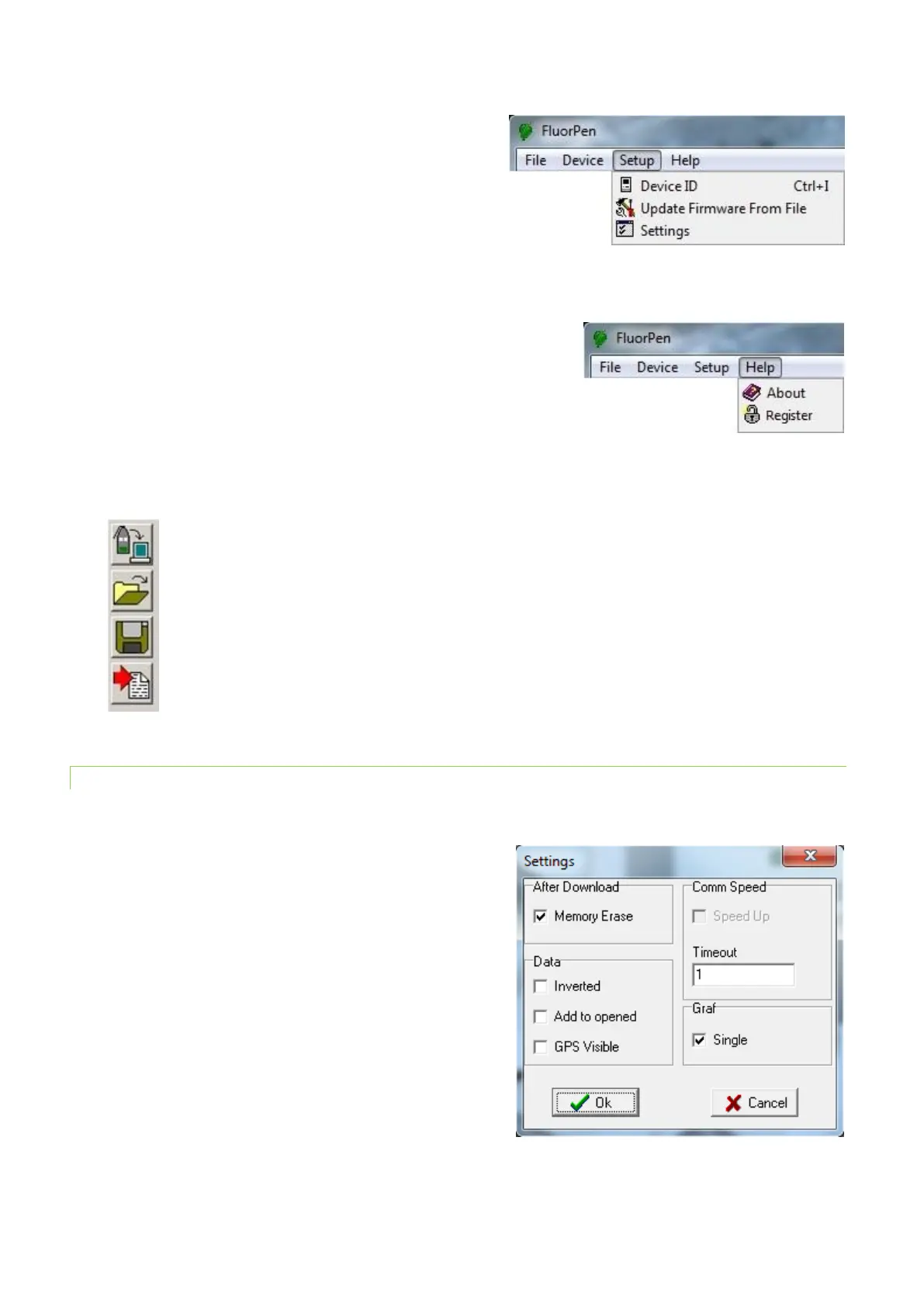
MENU: Setup
Device ID Detects the connected device.
Update Firmware Used for firmware updates.
Settings Used for modification of the program
settings.
MENU: Help
About Offers basic information about the program.
Register Used for the FluorPen software registration.
Icon Explanation:
11.2.2 MENU SETTINGS
MENU > Setup > Settings
After Download – Memory Erase
If the box is checked the FluorPen memory is erased after each data
download.
Data – Inverted
If the box is checked the polarity of data is inverted, e.g., multiplied
by -1. This feature can be helpful for a certain type of experiment
when the measured data are undesirably interpreted as negative
values.
Data – Add to opened
If the box is checked the downloaded data are added to that of the
current opened experiment.


 To Next Page