© PSI (Photon Systems Instruments), spol. s r. o.
43
Data – GPS Visible
This option is active only in older version of the FluorPen - FP 100 and Monitoring Pen MP 100. In new versions of FP 110
the GPS data are automatically downloaded and paired with protocol measurements.
Graf – Single
If the box is checked all measured data are visualized in one graph, i.e., the value of each new measurement is added to
the currently used graph window.
If the box is not checked a new graph is opened for every new measurement.
11.2.3 MENU ONLINE CONTROL
This function can be used for remote - online control of the FluorPen device after connection with the PC. Here is where
changes to FP settings can be made via the software rather than the device itself and the multi measurements can also
be set up.
• Select: Menu > Device > Online Control
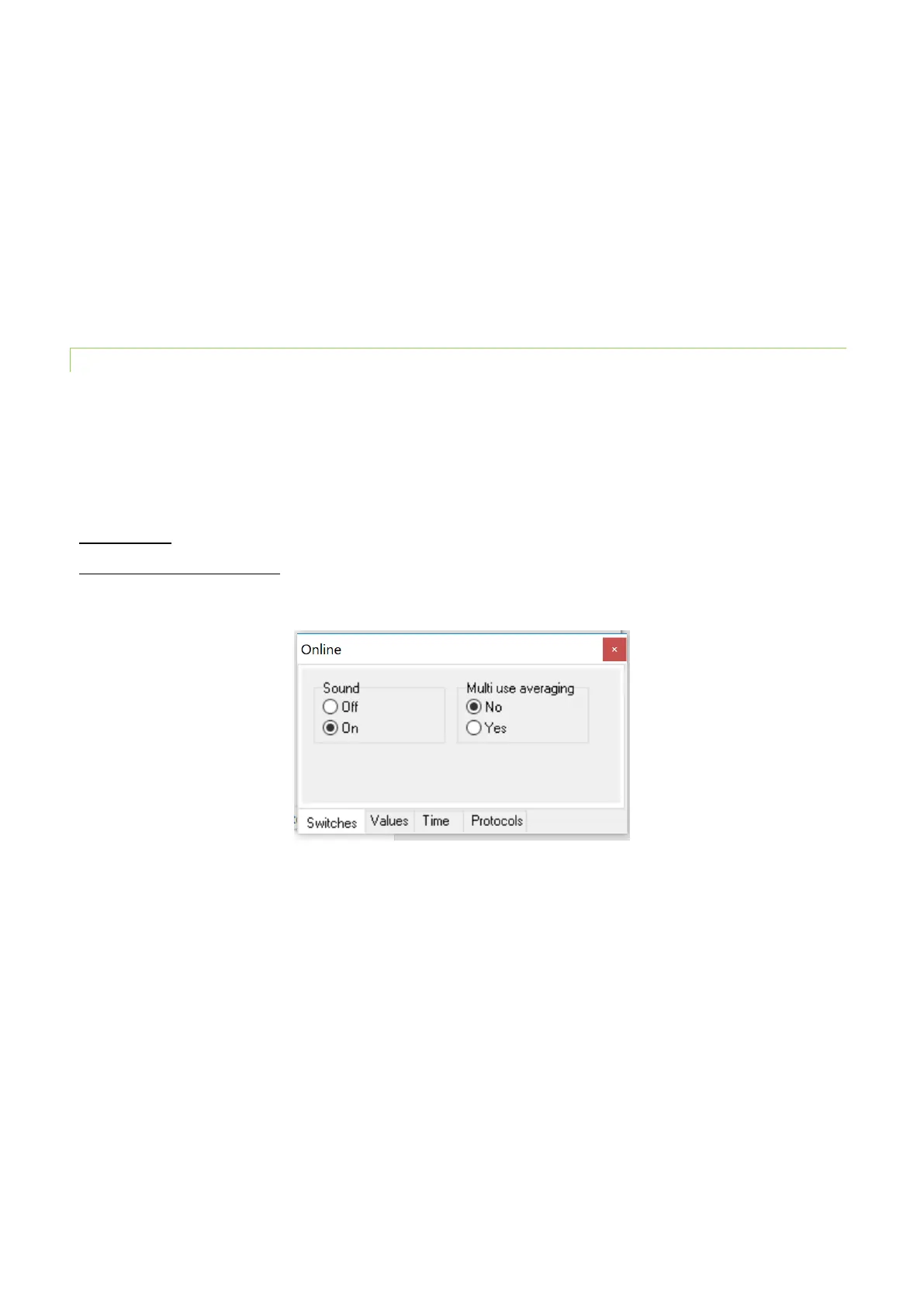
Online Control – Switches
Sound (On/Off)- select presence of sound - device beeping when pressing the MENU and SET keys.
Multi use averaging (YES/NO) – serves to confirm Repeat (number of repetitions) and Interval (time between
measurements) settings for each measurement within Multi Option preset by the user on the FP device or in the software
under Values tab (see below)– select YES or NO. See picture below.
Online Control – Values
One can change settings of Actinic, Super or Flash Pulse light in this window. Here is where averaging of measured
parameters (Averag. count and Averag. delay) is also set up. The time between measurements (Multi-Interval) and the
number of measurements (Multi-repeats) from 1-1000 can be set in this window. Finally, the type of Protocol selected
(Multi-type) for Multiple measurements is also set in this window (see picture below). Please note that the Multi
measurements have to be started from the device or by clicking on the Multi button in the “Protocols” tab of the Online
window (see the image of the window below on pg. 45).


 To Next Page