© PSI (Photon Systems Instruments), spol. s r. o.
56
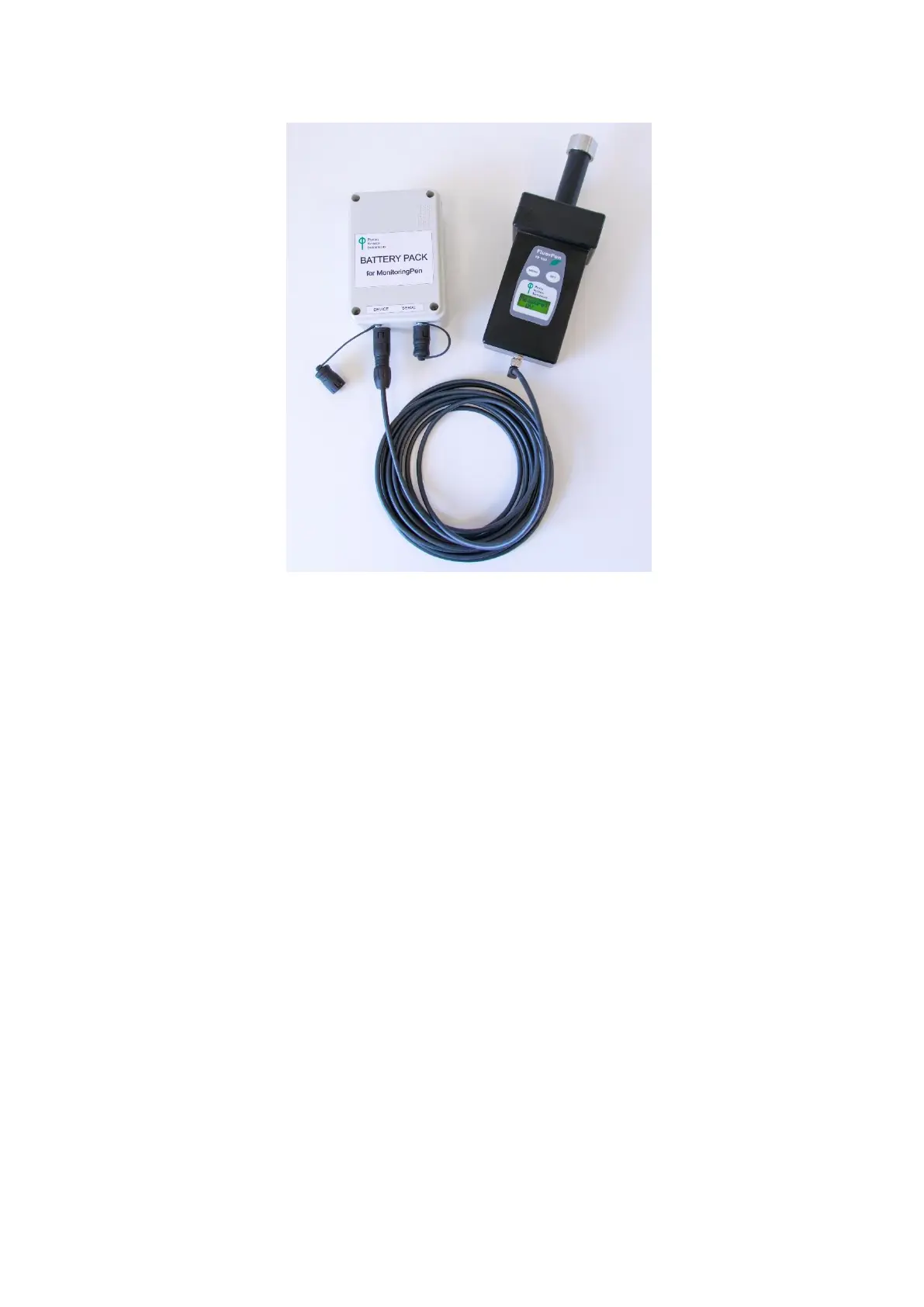
Fig. 35 Monitoring Pen MP 100-A charged via Extended Temperature Range Battery Pack.
Connectors of Battery Pack:
Device - provides power connection between Monitoring Pen and the battery. This connection is necessary for Pen
operation and data download.
Serial - enables communication between Monitoring Pen and the PC for control and data transfer.
Replacement of the Battery:
Follow these steps to replace the battery:
1. Remove 4 screws in the corner of the case and remove the battery pack cover (Fig. 36 a, b).
2. Disconnect the internal battery from the cable (Fig. 36 c).
3. Place the new battery inside the casing, connect it with the cable and replace the cover.


 To Next Page