
EasyManua.ls Logo

Physik Instrumente C-863 Mercury - User Manual

Physik Instrumente C-863 Mercury
44 pages
Print Icon
To Next Page IconTo Next Page
Loading...
MS173E User Manual
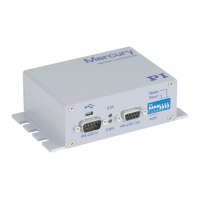
C-863 Mercury™
DC Motor Controller
Release: 1.2.7 Date: 2008-04-24
This document describes the
following product:
C-863
DC Motor Controller, Single-Axis, Networkable
© Physik Instrumente (PI) GmbH & Co. KG
Auf der Roemerstr. 1 76228 Karlsruhe, Germany
Tel. +49 721 4846-0 Fax: +49 721 4846-299
info@pi.ws www.pi.ws

Questions and Answers

  • S
    Sarah WilsonAug 13, 2025
    What to do if the Physik Instrumente Controller shows "No controller found"?
    • A
      Adrian JohnsAug 13, 2025
      When the PI host software starts and you receive a "No controller found" or “Could not connect...” error message, ensure that the COM port isn't in use by another program, the baud rate setting is correct (SW 5&6:ON for 9600 baud), the upper LED is green (if not, check the power), the firmware is current, a C-815.32 null-modem cable is used for RS-232, and only RS-232 or USB is connected, not both.
  • B
    Belinda ParkAug 17, 2025
    What to do if the Physik Instrumente Controller reports position but the motor doesn't move?
    • K
      Kaitlyn JohnsonAug 17, 2025
      If the Physik Instrumente Controller communicates and reports position values, but the connected stage or motor isn't moving, ensure the motor brake is OFF. Verify that the limit-switch-polarity and stage-has-limit-switches axis parameters are properly set (Lx in native command set, SPA in GCS). Also, check that the hardware-interlock limit switch polarity is correctly set (DIP switch 7 OFF for active-high, for standard PI DC motor drives).
  • C
    Cynthia HamiltonAug 20, 2025
    Why does the Physik Instrumente C-863 Mercury axis start moving on its own?
    • D
      Daniel FosterAug 20, 2025
      If the Physik Instrumente axis starts moving before you send any move commands, it could be due to several reasons: * The autostart macro might be active. If so, erase it. * A joystick might be connected but not calibrated. Refer to Section 4 on p. 27 for calibration details. * The joystick might be activated even though no joystick is connected. In this case, disable the joystick.
  • M
    mark20Aug 25, 2025
    What to do if Physik Instrumente Controller doesn't react to stage limit signals?
    • G
      gregory41Aug 26, 2025
      If the Physik Instrumente Controller doesn't seem to react properly to limit signals from the stage, verify that the “limit-switch-polarity” and “stage-has-limit- switches” axis-parameters are set properly (commands: Lx in native command set, SPA in GCS). If you are using a non-PI stage, the limit signal might not be compatible with the Mercury™ limit signal input. Contact PI and the stage manufacturer to investigate. Also, verify the hardware-interlock limit switch polarity (DIP switch 7 OFF for active-high, for standard PI DC motor drives).
  • T
    tristansalazarAug 28, 2025
    What to do if the Physik Instrumente stage doesn't respond to joystick?
    • A
      amy01Aug 28, 2025
      If the Physik Instrumente stage does not react to joystick motions, ensure that the joystick is properly connected and enabled. A joystick calibration procedure may be required; consult the relevant Software manual for details.
  • D
    Daniel TateSep 1, 2025
    Why are commands not recognized by the Physik Instrumente C-863 Mercury Controller?
    • J
      Joshua WhiteheadSep 1, 2025
      If commands are not recognized by the Physik Instrumente Controller, try using "straight" instead of "protected" command mode in MMCRun. The command in question might be too new for the program version. Also, ensure multi-character commands are followed by a valid termination character (CR for native, LF for GCS command set).
  • A
    Alexander BlackSep 5, 2025
    How to fix Physik Instrumente C-863 Mercury Controller if LEDs stay dark?
    • K
      Kyle MaxwellSep 5, 2025
      When the Mercury™ is powered up and both front-panel LEDs stay dark, ensure that switch #8 on the front panel is in the lower position (firmware update OFF) and that a power supply with a suitable voltage is connected and operating correctly.
  • B
    boylekathrynSep 8, 2025
    What to do if the Physik Instrumente C-863 Mercury doesn't respond to terminal program?
    • R
      reginahammondSep 8, 2025
      If the device does not respond to your own terminal program, ensure that communication can be established with PI software. Also, verify that you've sent the proper address selection code or that there's an SC command in the autostart macro with the correct unit address (see the Native Commands manual for details). Finally, make sure the baud rate settings on the controller and host match.

Summary

Introduction

1.2 Prescribed Use

Details the intended application and usage of the C-863 controller.

1.3 Safety Precautions

Outlines crucial safety guidelines and warnings for operating the C-863 controller.

1.6 Software Interfaces

Describes the various software interfaces available for controlling the C-863 controller.

Quick Start

2.2 Connecting Mercurys with the Host PC

Provides instructions on how to connect the C-863 controller to a host PC via RS-232 or USB.

2.3 Software Installation

Details the procedures for installing the necessary software, including USB drivers and PI software packages.

2.4 Starting Operation

Guides the user through the initial setup and startup procedures for the C-863 controller.

System Description

3.8 DIP Switch Settings

Details the configuration options available through the DIP switches on the front panel.

3.9 Firmware Update

Provides instructions for updating the controller's firmware via the RS-232 interface.

Troubleshooting

Problem (3): No communication

Resolves issues related to establishing communication between the host software and the controller.

Technical Data

Physik Instrumente C-863 Mercury Specifications

General IconGeneral
Number of Axes1
InterfacesUSB, RS-232
Operating Temperature5 to 50 °C
Storage Temperature-20 to 70 °C
Motor typesDC motor, Stepper motors
Positioning Resolution0.1 µm