EasyManua.ls Logo

Piazzetta P960 - Page 43

Piazzetta P960
64 pages
Print Icon
To Next Page IconTo Next Page
To Previous Page IconTo Previous Page
Loading...
FAN MODE
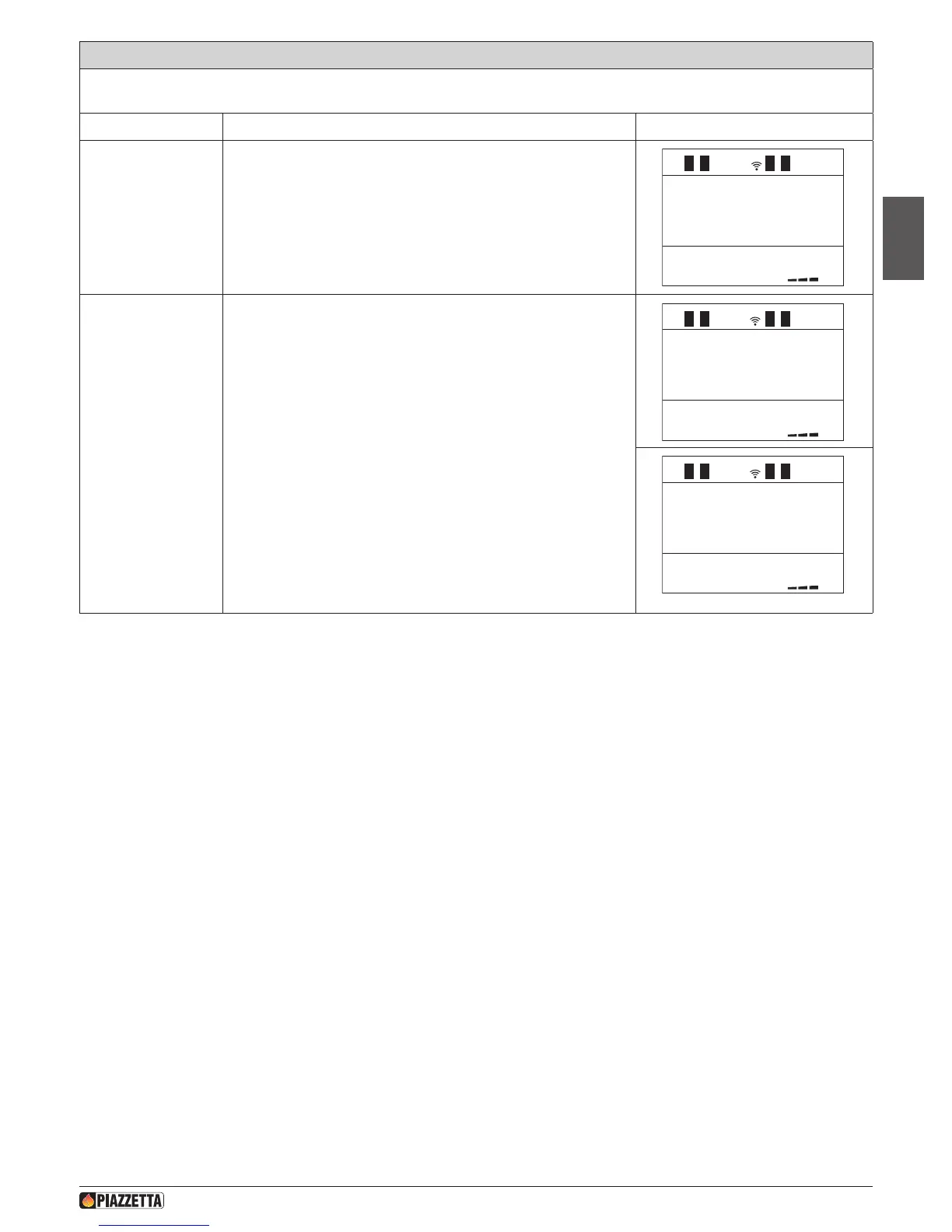
This function allows you to have the two fans operating at the same speed (NORMAL FANS) or at different speeds (SEPARATE FANS). To
make the most of the Multifuoco fan functions read the paragraphs MULTIFUOCO SYSTEM and MULTICOMFORT OPERATION.
Action Description Display
Select fan mode
menu
Press the MENU key. Using the SELECT MENU key select the fan-mode
MODE FANS” menu and conrm by pressing the SET key.
1
1
1
MODE
FANS
FANS
SEPARATE
FANS
NORMAL
Select normal fans or
separate fans
Press the SELECT MENU key and select separate fans FANS SEPARATE
or normal fans FANS NORMAL”. Conrm by pressing the SET key. After
conrmation the remote control automatically returns to the initial display.
1
1
1
MODE
FANS
FANS
SEPARATE
FANS
NORMAL
1
1
1
MODE
FANS
FANS
SEPARATE
FANS
NORMAL
DT2040069-04
H07028100/DT2000970 – 01
43
English

Table of Contents

Related product manuals