DT2011866-00
6.14 PARAMETER MENU
The User can only interact with the TIME METER STORAGE in the parameter menu, as described in the table below: the other parameters can only
be used by an authorised service centre.
HOUR COUNTER MEMORY
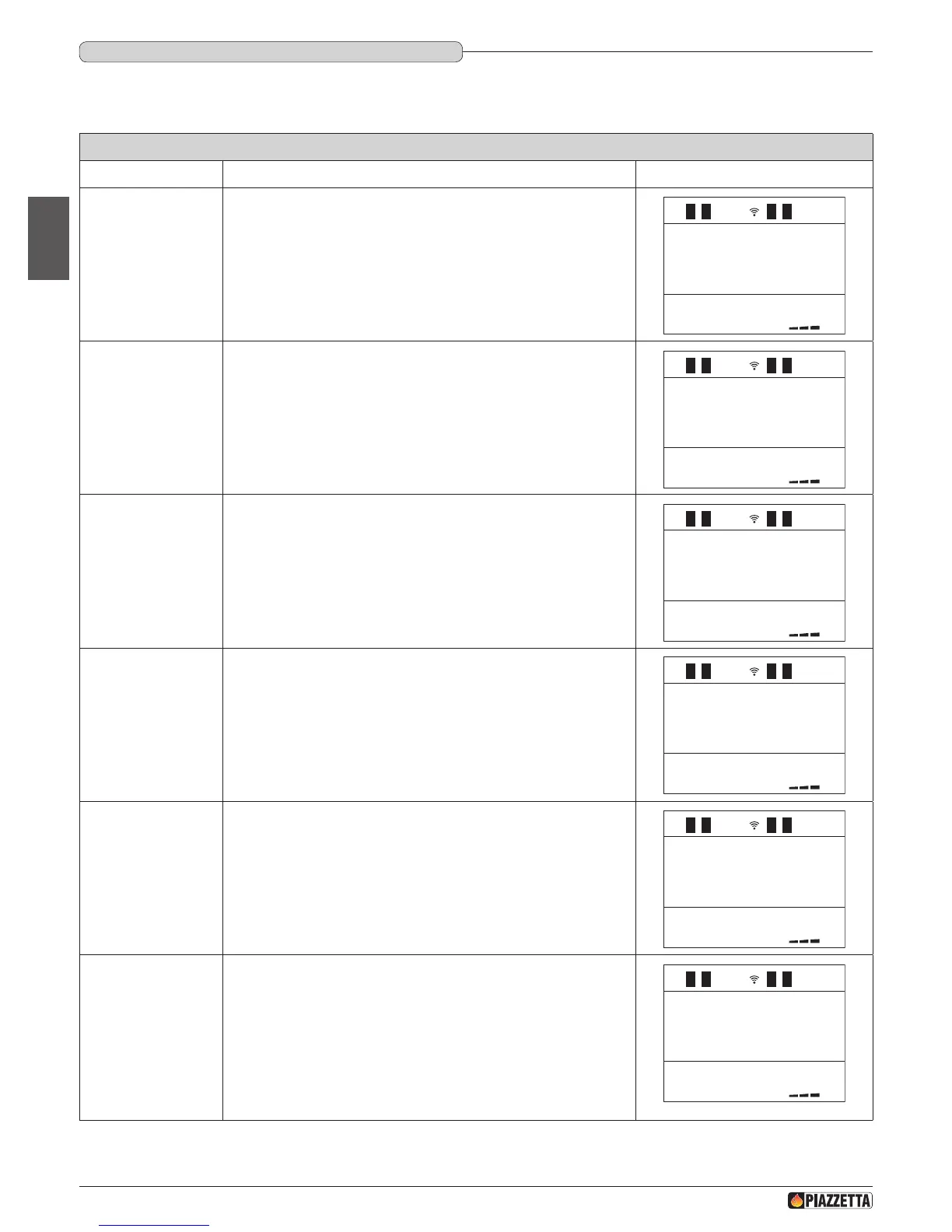
Function Action Display
Selection of
parameter menu
Press the MENU key. Using the SELECT MENU key select the MENU
PARAMETER menu and conrm by pressing the SET key.
MEMORY
C OUNTERS
HOURS
TOTAL
HOURS
PARTIAL
NUMBER
START
NO
LIT
MEM - AL - 1
Selection of hour
counter memory
Press the SELECT MENU key and scroll through the menu until the readout
MEMORY COUNTERS appears.
Conrm by pressing the SET key.
HOURS
TOTAL
HOURS
PARTIAL
NUMBER
START
NO
LIT
MEM - AL - 1
Selection of total
hours
The readout HOURS TOTAL appears in the central part of the display and
the total hours of operation on the bottom line.
Press the SELECT MENU key.
00000
1
1
1
MENU
PARAMETER
MEMORY
C OUNTERS
HOURS
PARTIAL
NUMBER
START
NO
LIT
MEM - AL - 1
Selection of partial
hours
The readout HOURS PARTIAL appears in the central part of the display
and the number of partial hours of operation on the bottom line.
Press the SELECT MENU key.
1
1
MENU
PARAMETER
MEMORY
C OUNTERS
HOURS
TOTAL
NUMBER
START
NO
LIT
MEM - AL - 1
Selection of number
of starts
The readout NUMBER START appears in the central part of the display and
the number of ignitions on the bottom line.
Press the SELECT MENU key.
1
MENU
PARAMETER
MEMORY
C OUNTERS
HOURS
TOTAL
HOURS
PARTIAL
Selection of last 5
alarms
The last 5 alarms (e.g. NO LIT, SAFETY THERMAL, SAFETY SMOKE, ….)
appear in the central part of the display and the order in which the alarms
occurred on the bottom line.
Press the ESC key to return to the initial display.
MENU
PARAMETER
MEMORY
C OUNTERS
HOURS
TOTAL
HOURS
PARTIAL
NUMBER
START
NO
LIT
MEM - AL - 1
DT2040100-00
H07028100/DT2000970 – 01
46
English



 To Next Page