Need help?
Do you have a question about the Piazzetta P950 and is the answer not in the manual?
Requirements for a vertical flue pipe to discharge combustion gases outdoors safely.
Flue must have a chamber for collecting solid matter and condensate for inspection.
Design and positioning requirements for a chimney stack to aid dispersion of combustion products.
Ensuring the room has necessary air for proper combustion via various intake methods.
Criteria for selecting a safe and convenient location for appliance installation.
Checking and ensuring the floor's load-bearing capacity for the product's weight.
Calculating the energy requirement for the environment to be heated.
Specifies minimum safe distances from heat-sensitive materials and walls.
Ensuring the flueway is airtight, correctly installed, and made by specialized personnel.
Guidelines for using an existing chimney, including checks and insulation.
Requirements for using an external flue pipe, including insulation and inspection openings.
Measures for preventing domestic fires, including distances and material handling.
Details on fuel type, length, diameter, and moisture content for optimal operation.
Table providing key performance data like fuel consumption, power, and efficiency.
Information on the rating plate and product identification for service.
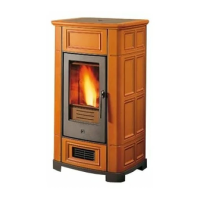
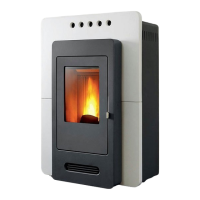
Dimensional plan drawing for the P950 model.
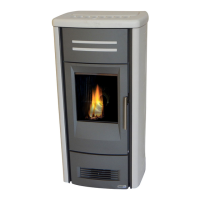
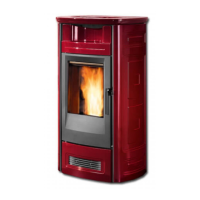
Dimensional plan drawing for the P955 model.
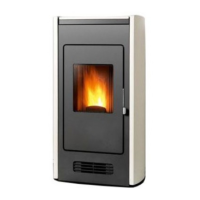
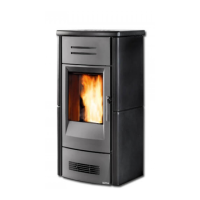
Dimensional plan drawing for the P956 model.
Schematic diagram illustrating the electrical connections of the appliance.
Consequences of using incorrect or unsuitable pellets for stove performance and safety.
Key recommendations for using the correct type of pellets to avoid issues.
Recommendations for safe unpacking and handling of the product, requiring two people.
Ensuring correct equipment and unpacking procedures before starting installation.
Details on the external pipe tap for measuring flue gas outlet pressure.
Explanation of the exclusive 'Multifuoco' system for heat distribution.
Instructions for assembling the stove cladding and external thermostat.
Guidelines and examples for ducting hot air to adjoining rooms using the Multifuoco system.
Example of routing hot air to the front or rear for heating the primary and adjoining rooms.
Example of routing hot air to front and rear for heating two rooms via a Y-element.
Example of routing hot air to front and rear using a second Y-element for efficient ducting.
Tips for efficient ducted heat distribution, including pipe lagging and length limits.
Defining a safety area around the hot air outlet vent to prevent fire hazards.
Instructions for connecting the power cable, earthing, and the room sensor.
Important reminder to ensure the electrical socket remains accessible after installation.
Steps for connecting an external thermostat to the electronic board.
Procedure for installing the optional Y-element for ducting hot air to other rooms.
Instructions for safely and efficiently loading wood pellets into the stove's hopper.
Overview of the LCD-display remote control and its functions.
Critical safety warning regarding placement of flammable objects near the operating stove.
Important safety rule: keep the door closed and the glass intact during operation.
Procedure and precautions for the initial lighting of the stove.
Steps for starting up and operating the stove under normal conditions.
Detailed description of the three phases of the stove's startup sequence.
Indication of a failed ignition and the possible causes and safety measures.
Steps to take when a failed ignition occurs, including checks and restarting.
Description of normal operation and how to adjust power and fan speed.
How to adjust the stove's power level using the remote control.
How to adjust the Multifuoco fan speed using the remote control.
How to adjust the desired room temperature using the remote control.
Explanation of how an external thermostat regulates stove operation.
Procedure for shutting down the stove, including cooling and fan operation.
How the stove behaves during and after a brief interruption of the electrical supply.
Description of the digital control panel and its function keys.
Instructions for changing the display language via the remote control.
Overview of programming functions accessible via the remote control's MENU.
Instructions for setting the current day and time on the stove.
Setting up programmed start-up and shut-down cycles for the stove.
Managing heat distribution and temperature readings via remote or stove sensors.
Accessing advanced settings like factory defaults, data bank, and load settings.
Step-by-step guide to setting the current day, hour, and minutes.
Programming the first daily operating cycle, including start/stop times and power.
Programming weekly operating cycles, specifying days and times.
Programming weekend operating cycles, specifying days and times.
Explanation of the Multicomfort function for heat distribution management.
Enabling or disabling audible alarm signals for remote control commands.
Displaying the stove's operating status and sensor readings.
Interpreting the status line display for operating conditions and sensor data.
Procedure to modify the transmission unit when installing two stoves nearby.
Selecting the transmission unit number to avoid simultaneous activation of multiple stoves.
Steps to restart the stove after modifying the transmission unit.
Detailed explanation of the 'Multifuoco' system and its fan settings for heat distribution.
Function of pressure switches and how they react to flue gas outlet conditions.
Description and actions for 'ALF 1' pressure switch activation indicating flue issues.
Description and actions for 'ALF 2' pressure switch malfunction during startup.
Function of thermostats monitoring pellet hopper and stove housing temperatures.
Details for Thermostat 1 (hopper) activation and reset procedures.
Details for Thermostat 2 (housing) activation and reset procedures.
Common procedure for resetting safety devices after thermal cutouts.
Function of the flue gas temperature sensor for safety monitoring.
Description of 'MASS TEMP' status for flue gas temperature anomalies.
Description of 'NOCONN' status if the smoke sensor is disconnected.
Procedure for opening the stove door, only when shut down and cooled.
Instructions for fitting and filling the humidifier tray for the P950 model.
Warning regarding maximum capacity when refilling the humidifier to prevent damage.
Instructions for fitting and filling the humidifier tray for P955 and P956 models.
Safe procedures for disposing of ashes and their potential use as fertilizer.
Procedure for cleaning the grate and its support regularly.
Instructions for checking and emptying the ash tray.
Detailed steps for cleaning the firebox, including baffle removal.
Procedure for cleaning the smoke chamber annually.
Recommendation for monthly cleaning of the flue system.
Guidelines for cleaning the ceramic cladding without thermal shock.
Instructions for cleaning enamelled metal parts using mild methods.
Daily cleaning procedure for the stove's glass panel.
Steps for safely replacing the stove's glass panel.
Procedure for replacing the batteries in the remote control.
Instructions for cleaning the stove's fans, recommending professional service.
Procedure for preparing the stove for periods of non-use (e.g., summer).
Annual maintenance tasks required for efficient and safe stove operation.
Troubleshooting steps when the control panel display remains blank.
Diagnosing and resolving issues related to the 'ALF 1' safety device status.
Troubleshooting the 'ALF 2' pressure switch malfunction during startup.
Resolving issues when the 'ALC' status indicates a hopper thermostat problem.
Resolving issues when the 'ALC' status indicates a stove structure thermostat problem.
Troubleshooting the 'NO ACC' status, often related to the igniter or hopper.
Troubleshooting 'MASS TEMP' status related to flue gas temperature safety.
Resolving 'NOCONN' status when the smoke sensor is disconnected.
Diagnosing why the appliance runs briefly and then shuts down.
Procedure for replacing fuses on the electronic board and fan card.
Procedure for replacing the fuse located on the IEC power socket.
 General
| Brand | Piazzetta |
|---|---|
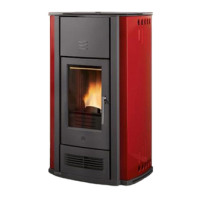
| Model | P950 |
| Category | Pellet stove |
| Language | English |

 To Next Page