English
34
6.9 Multicomfort
The pellet stove is fitted with the Multicomfort function. This works in conjunction with the Multifuoco ventilation system to improve heat distribution.
It allows the room temperature to be read from the stove or from the remote control, so that the Multifuoco settings can be varied according to the
requirements of the rooms to be heated.
If the airflow from your stove has been ducted to other rooms you may read the temperature in the room where the stove is installed or in the room
where the remote control is situated.
Example: your stove is installed in a small room and you are ducting the heat only from the rear of the stove (see solution 1 under the paragraph
“Multifuoco system”). You can position the remote control in the room to where the hot air has been ducted and set the required temperature from
this room. To carry out the necessary settings see the Multicomfort menu.
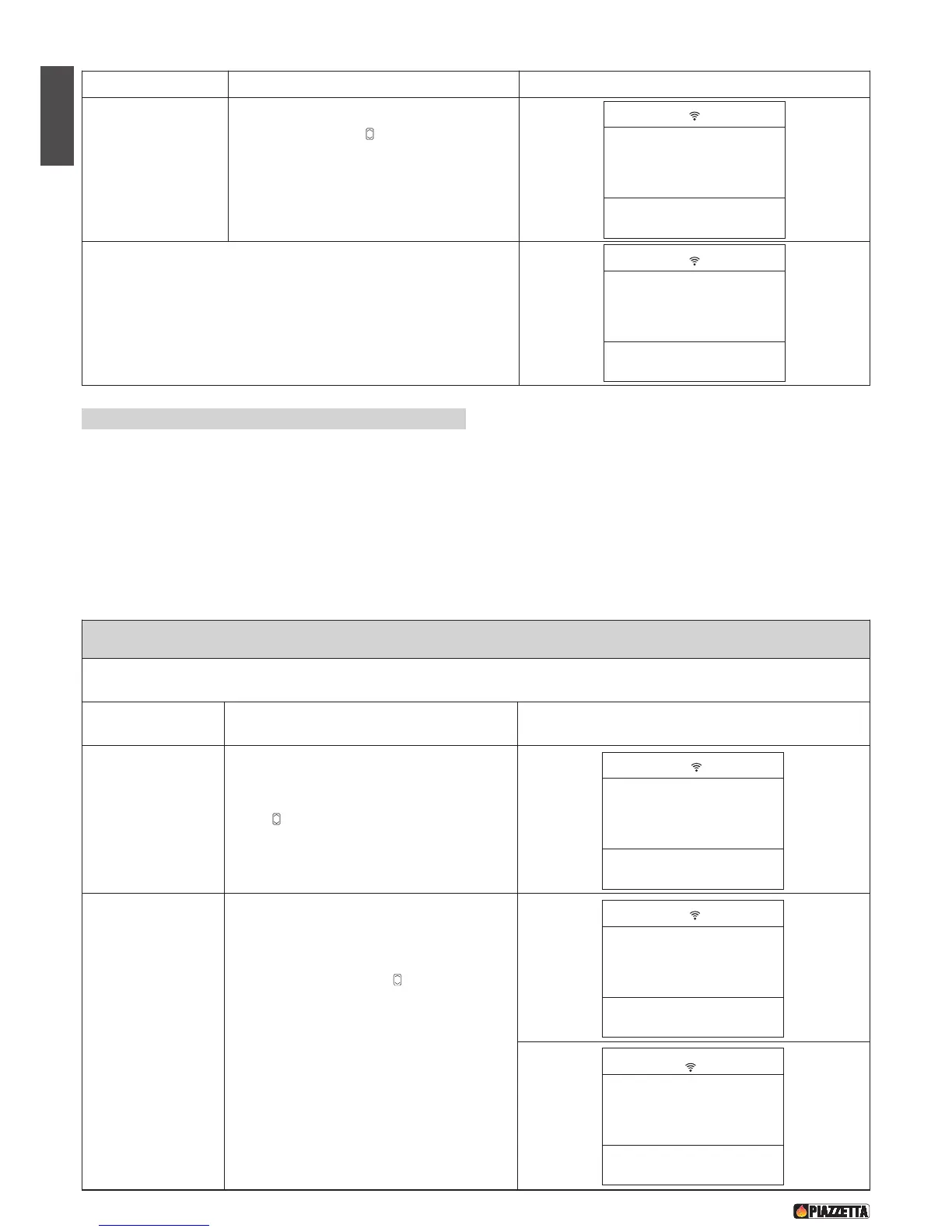
MULTICOMFORT
This function is used to choose the sensor for reading the room temperature: from the stove or from the remote control. To make the
most of the Multifuoco fan functions read the paragraphs MULTIFUOCO SYSTEM and MULTICOMFORT OPERATION.
Function Action Display
Select the
M U LT I C O M F O R T
menu
Press the MENU key, then using the SELECT
MENU key select the MULTICOMFORT menu.
Confirm by pressing the SET key
Select the Select the
REMOTE CONTROL
SENSOR (SELECT
RRC) OR STOVE
(SELCT STOVE)
Press the SELECT MENU key and select
SELECT RRC to read the room temperature from
the remote control or SELCT STOVE to read the
room temperature from the stove. Confirm by
pressing the SET key. After confirmation the
readout function enabled (FUNCTION ENGAGED)
will appear on the display and the remote control
will automatically return to the initial display.
DT2040070-01
F
unction
A
ction
D
isplay
Set desired
M
ultifuoco fan speed
for first operating
cycle.
Press SELECT MENU to set the desired fan
speed (for example, you want fan speed setting 1).
Confirm by pressing the SET key. When
programming the timer on the P960-P960F-P961
stove it is not possible to set separate fan speeds.
After having programmed the first operating cycle you may, if you wish,
proceed with programming the second operating cycle by going through
the settings in the order as described above. The number 2 appears on
the display to indicate the second operating cycle.
DT2040073-01
SET WE
VENT - 1


 To Next Page