English
36
6
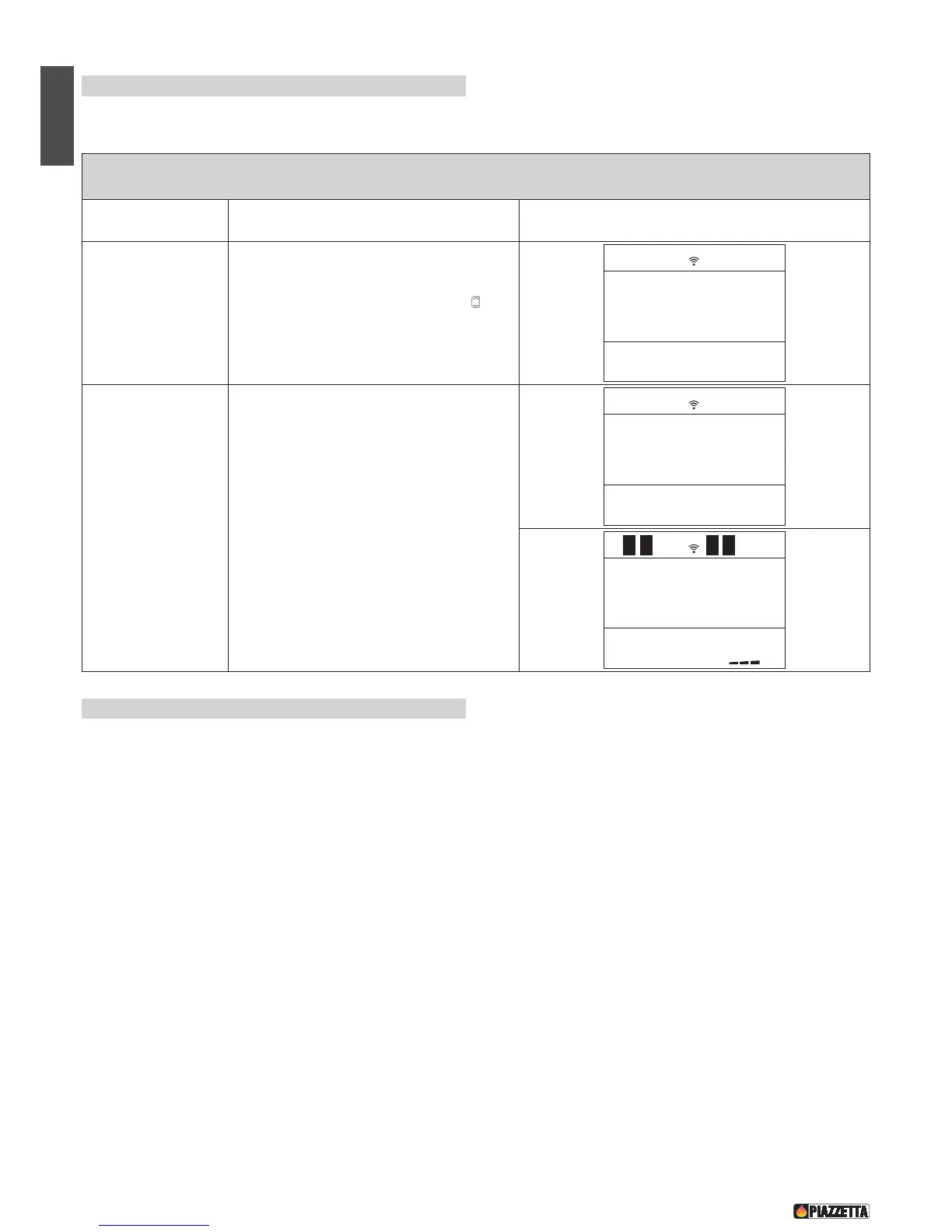
.10 Modifying the transmission unit
Should two pellet stoves of the same model be installed close to each other and the remote control beam activates both simultaneously, it is
possible to modify the transmission unit when the stove has been shut down by taking the following steps:
SELECT UNIT
Function Action Display
Select UNIT function
Open the flap and press the SET and OPT keys
simultaneously. Using the SELECT MENU key
choose one of the eight transmission units (0÷7).
Standard setting on pellet stoves is 0.
DT2040072-01
6.11 How the ‘Multifuoco’ system works
The pellet stove with ‘Multifuoco’ system is fitted with a fan for the diffusion of hot air. This system allows several solutions for the distribution of
ducted hot air, so that the user has freedom of choice as regards the number of adjoining rooms which can be heated.
The workings of the ‘Multifuoco’ system will be explained in general and conceptual terms below.
In order to adjust the fan to suit the chosen ducting solution, a number of ‘Multifuoco’ settings have been pre-programmed: M1, M2, M3. Once
the ‘Multifuoco’ setting has been selected the user can choose a higher or lower amount of heat by selecting one of the four power settings on
the stove.
There is a greater volume of air transferred by the fan passing from setting M1 to M4. Similarly, there is a greater quantity of hot air produced by
the stove passing from setting P1 to P4.
It is at the user’s discretion, based upon experience and familiarity in using the product, which of the ‘Multifuoco’ settings and which power level
to choose. These choices will be based on the stove location, the room temperature at the time of lighting the stove and of course the required
room temperature.
For each of the solutions described in the Multifuoco System section there is a specific MULTIFUOCO fan setting: M1, M2, M3, M4, to adapt fan
speed to the chosen ducting method.
If opting for Solution 1, it is best to use the control panel to select the corresponding setting “M1”. This setting will automatically adjust the fan
speeds to the chosen solution and in proportion to the FOUR stove power settings.
If opting for Solution 2, a higher fan speed will be required, in which case it would be best to select setting “M2” on the control panel.
Finally, if opting for Solution 3 and Solution 4, an even higher fan speed will be required, in which case it would be best to select setting “M3” or
“M4”.
To select the required Multifuoco setting, refer to the paragraph “NORMAL OPERATION”.


 To Next Page