English
27
6.7 Programming
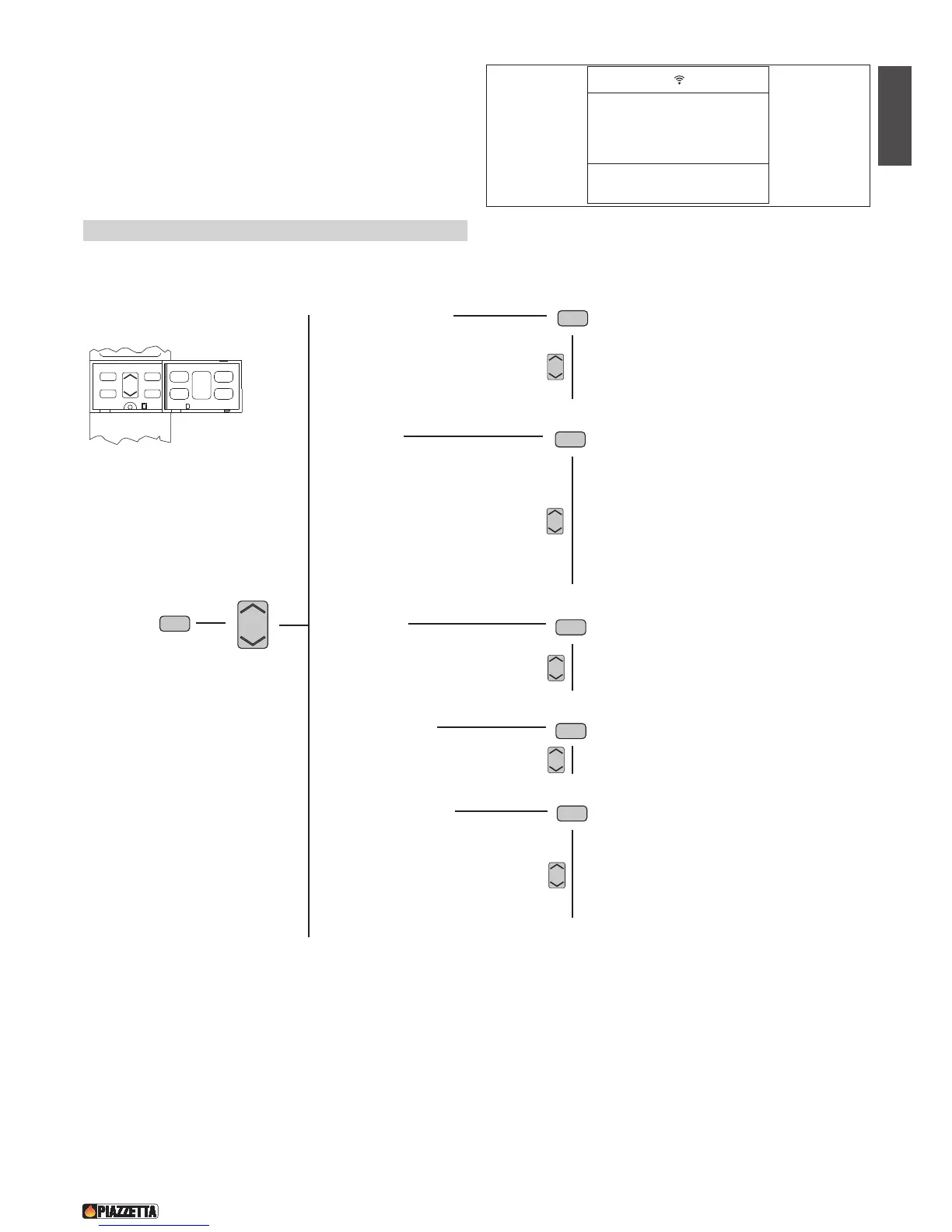
The remote control can be used to select the following functions from the main MENU:
These functions are activated by opening the front flap and pressing the following keys:
• the MENU key is used to access the main menu and return to the initial display at any time during programming to alter data that has been input
incorrectly.
• the MENU SELECT key is used to scroll through the main menu and the submenus.
• the SET key is used to confirm a MENU or a selection.
• the ESC is used to return to the previous menu display at any time during programming to alter data that has been input incorrectly.
• SELECT LANGUAGE
ENGLISH
ITALIANO
DEUTSCH
FRANCAIS
• SET CLOCK
1-DAY MONDAY
2-DAY TUESDAY
3-DAY WEDNESDAY
4-DAY THURSDAY
5-DAY FRIDAY
6-DAY SATURDAY
7-DAY SUNDAY
• SET TIMER
PROGRAM DAY
PROGRAM WEEK
PROGRAM WEEK-END
• MULTICOMFORT
SELECT RRC
SELECT STOVE
• MENU PARAMETER
SETTINGS FACTDRY > key access
DATA BANK > key access
SETTINGS LOAD > key access
• ENABLE BEEP SETTINGS SMOKE EXIT > key access
• STATE STOVE MULTIFUOCO V1 > key access
• ESC (Exit)



 To Next Page