PicoQuantGmbH MultiHarpSoftwareV.3.1.0.0
Monochromator Initialization
Beforeuse,themonochromatormustbeinitialized.Thismeans,ithastoseekitsmechanicalreferenceposition
(determinedbyamicroswitch).Physicalcalibrationvaluesarekeptinamonochromatorconfigurationfile
(monochromator.cfg)whichisgeneratedbythesystemsupplieratthetimeofdelivery.Donoteditthisfileun-
lessyouhaveexactinstructionsfordoingso.
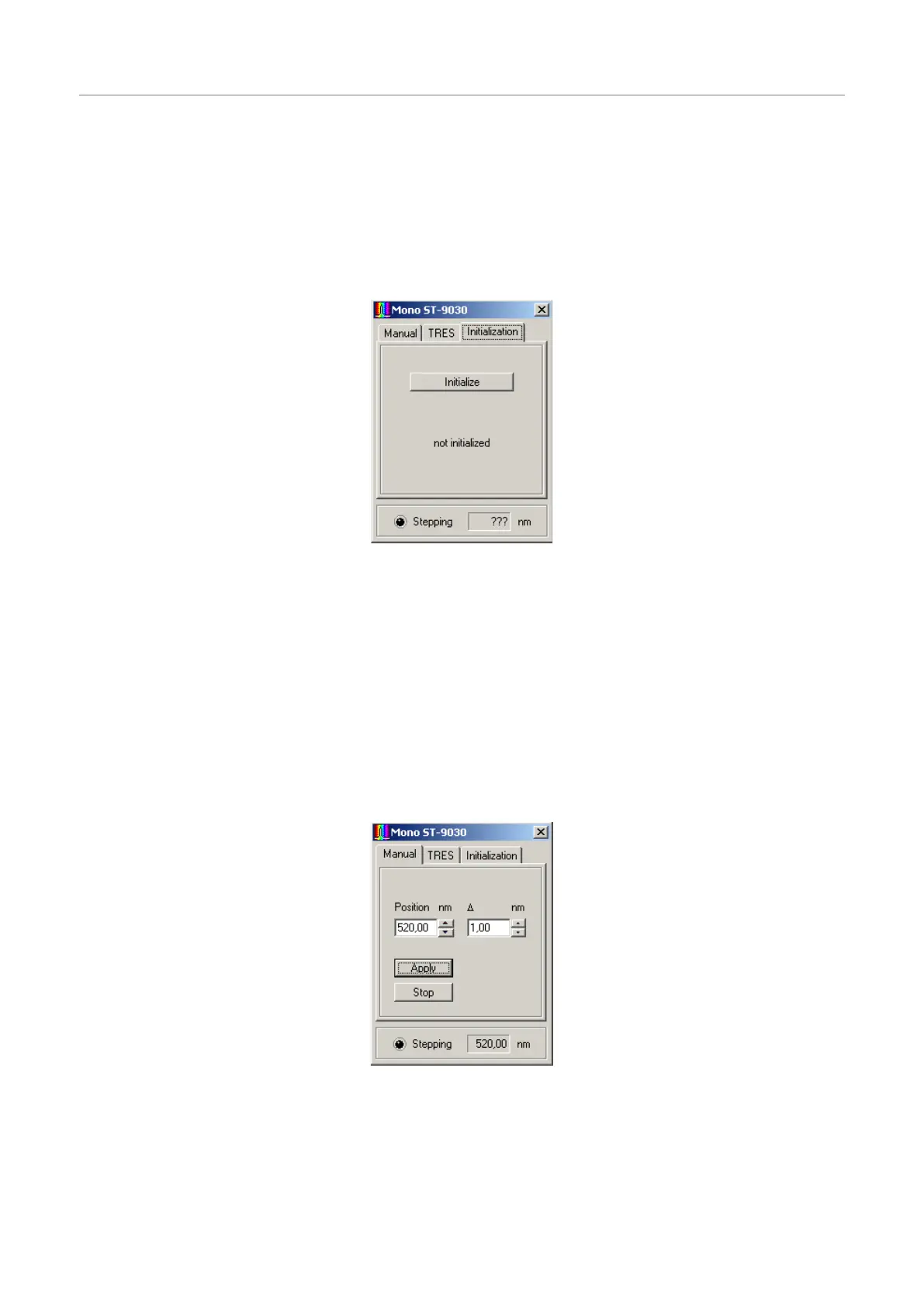
Positioninitializationisrequiredeachtimethesoftwareisstarted.ItcanbecontrolledontheInitializationpage
ofthedialog.Atfirststartupthedialogshowsthestate"notinitialized".Thismeansthesoftwarehasnoinforma-
tionaboutthecurrentmonochromator/stepperposition.
ThepositioninitializationisstartedbyclickingontheInitializebutton.Iftheinitializationisrunning,thecaptionof
thebuttonwillchangetoStopandtheLEDwillstartflashing.Youshouldalsohearthesteppermotor.Iftheini-
tializationissuccessful,thestring"notinitialized"willchangeto"InitializationOK",otherwiseitwillchangeto
"Initializationfailed!".ThismayhappenifeithertheStopbuttonwaspressedoranerroroccurredduringtheini-
tializationprocess.Inthelattercase,checkcablingandpowersupplyofthesystem.TheManualandTRES
pageswillnotbeavailableunlesstheinitializationwassuccessfullyperformed.Ifforanyreasontheinitialization
becomesinvalid(e.g.,ifthemonochromatorwasturnedmanuallyandsubsequentlyaccidentallyreachesthe
endpointswitch)the Initialization pagewillbeactivatedandaccesstothe Manual and TRES tabswillbe
blocked.
Manual Monochromator Control
TheManualpageofthedialogcanbeusedtopositionthemonochromatormanuallyatagivenwavelength.
ThedesiredpositioncanbeenteredinthePositioneditbox.ClickingApplyorPressing<Enter>willcausethe
monochromatortomovetothespecifiedposition.Alternatively,thespinbuttonsrighttotheeditboxcanbeused
tomodifytheposition.ThestepwidthofthisactionisdefinedintheD(delta)editbox.Pressingarrowbuttons
willmakethechangetakeeffectimmediately;enteringvaluesbykeyboardrequirepressingApplyor<Enter>
toshowaneffect.
Page54



 To Next Page