Pilz GmbH & Co. KG, Felix-Wankel-Straße 2, 73760 Ostfildern, Germany
Telephone: +49 711 3409-0, Telefax: +49 711 3409-133, E-Mail: pilz.gmbh@pilz.de
7-7
7.2 Messages
7 Operation
7.2.1.6 Error stack on the LC display
Error stack on the LC display7-Betrieb_Display_erweiterte_Diagnose
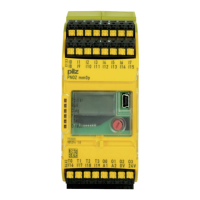
The error stack can be read from the PNOZmulti Configurator or shown
on the LC display. The error stack helps Pilz technical support with fault
diagnostics. The error stack can store up to 64 status and error messag-
es.
The following information is shown on the LC display:
Sequential number of an error stack entry. A new error stack entry is
stored in first place.
Error class (EC) and error information (EI)
Error number (EN) and five error parameters (PA)
Procedure for displaying the error stack on the LC display:
Use the rotary knob to display the error stack.
Procedure for reading the error stack with the PNOZmulti Configurator:
See online help for the PNOZmulti Configurator
INFORMATION
Use the rotary knob to exit the error stack.


 To Next Page
 Loading...