16
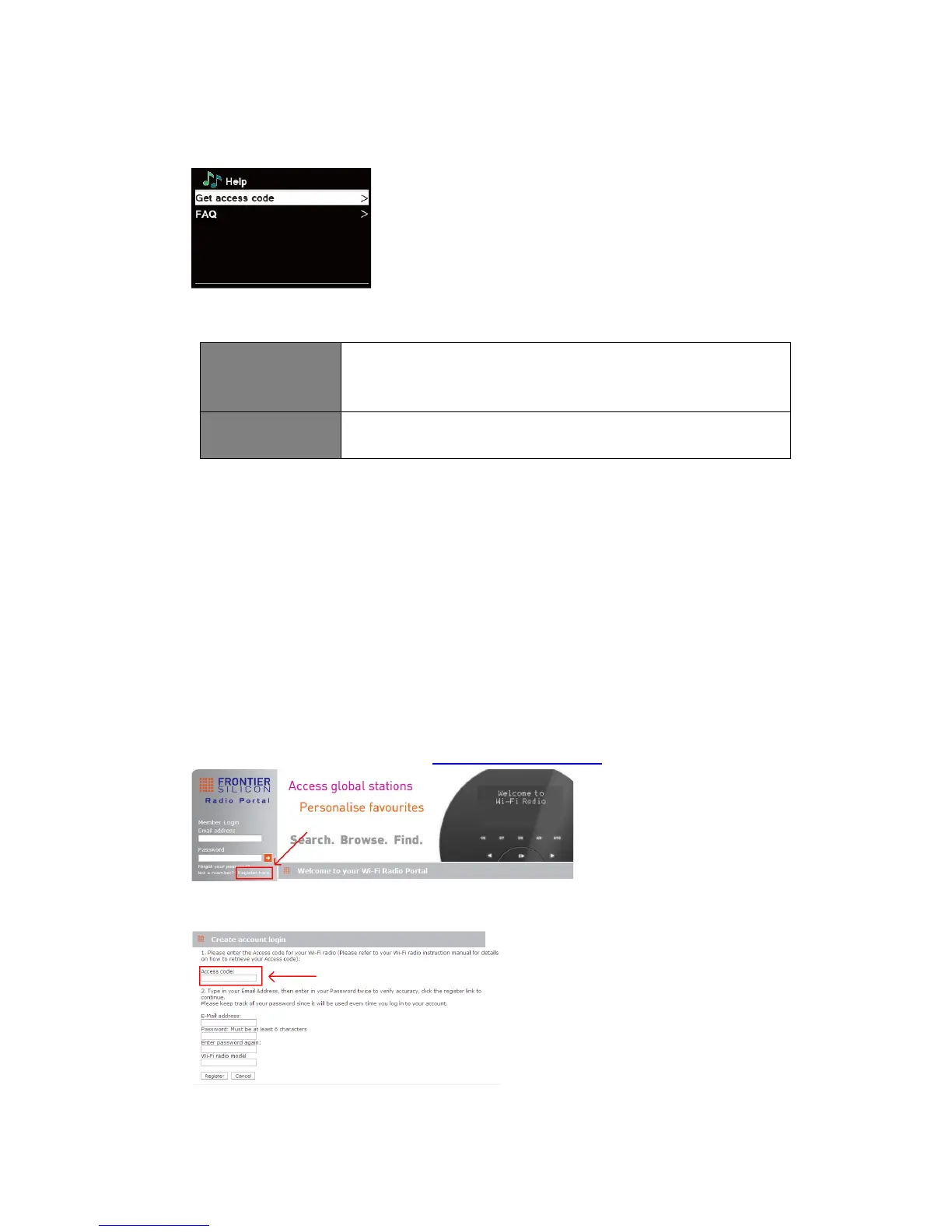
Getting Access Code and FAQ from “Help”
1. Press MENU button - Station list - Help, press SCROLL knob to confirm.
2. Turn SCROLL knob to select Get access code or FAQ, and then press SCROLL knob to
confirm
Get access code It uses for creating an account when registering your radio on
portal www.wifiradio-frontier. com
Refer to section “Adding station to ‘My Favourites’“.
FAQ Turn SCROLL knob to select question, and then press SCROLL
knob to listen the FAQ.
Adding station to “My Favourites”
You have two ways to add your favorite stations to “My Favourites” list. It will make you easier to
find the stations that you like.
Adding a station while listening to it
1. While you are listening to an internet radio station, press and hold SCROLL knob until
display shows “Favourite added”.
2. The station will now be stored in a folder called “Stations”. Any station stored in this way will
be placed in the “Stations” folder.
Adding stations via the website
1. To register your radio with the portal: www.wifiradio-frontier.com
2. Create account login, enter Access code is required. Access code can be found from
Station list - Help - Get access code.



 To Next Page