17
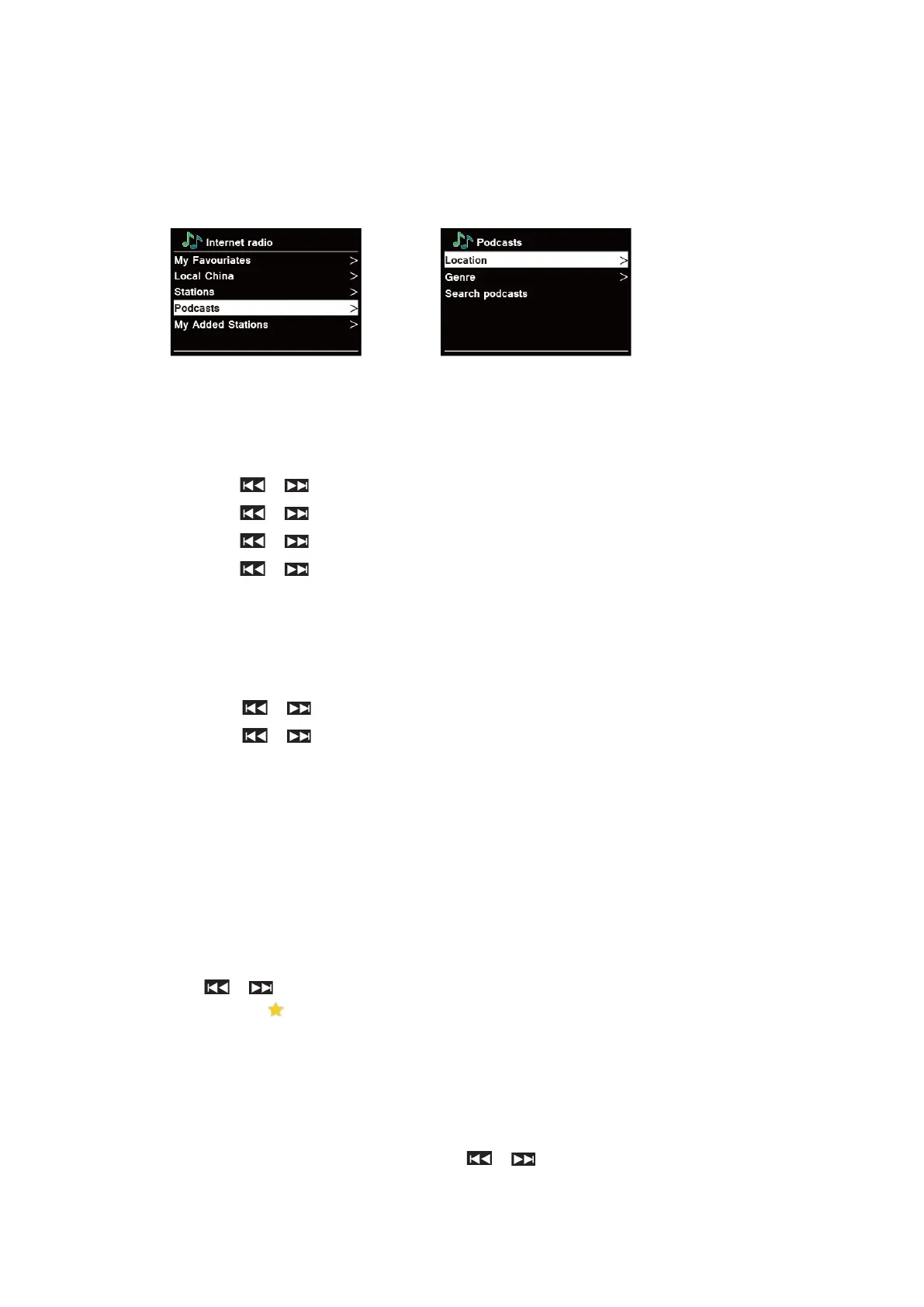
Selecting a program through “Podcasts”
Podcasts enables you to select a podcast from categories: Location or Genre, or search
podcasts.
1. Press MENU button - Station list - Podcasts, press SELECT to confirm.
2. In “Podcasts” menu:
n “Location” enables you to choose from the podcasts provided by any country which you
choose from a list.
a. While “Location” is highlighted, press SELECT to confirm.
b. Press / to select the region you wanted, and then press SELECT to confirm.
c. Press / to select the country you wanted, and then press SELECT to confirm.
d. Press / to select All Shows or By Genre, and then press SELECT to confirm.
e. Press / to select the podcast you wanted, and then press SELECT to confirm.
The podcast will be played.
n “Genre” enables you to choose radio stations according to their content, for example Classic
Rock, Sport, News, etc.
a. While “Genre” is highlighted, press SELECT to confirm.
b. Press / to select the genre you wanted, and then press SELECT to confirm.
c. Press / to select the podcast you wanted, and then press SELECT to
confirm. The podcast will be played.
n “Search stations” enables you to enter all or part of podcast name to find a podcast.
Storing Preset Stations
Your radio can store up to 20 of your favourite Internet Radio stations. This will enable you to
access your favourite stations quickly and easily.
1. While playing your favourite station, press & hold PRESET until display shows “Save to
Preset”.
2. Press / to select the position. Press SELECT and display will show “Preset stored”.
3. Preset number “ #” (# = 1-20) will show on the display.
@ Note: For preset positions 11-20 via the remote control, first press 10+ and then hold down one of the
PRESET buttons 1-10 until "Preset stored" appears on the display.
Recalling a Preset Station
1. Press PRESET – select station by pressing / / and press SELECT to confirm.
2. The display will show “Not set” or “Preset empty” if the preset position is not allocated.



 To Next Page