18
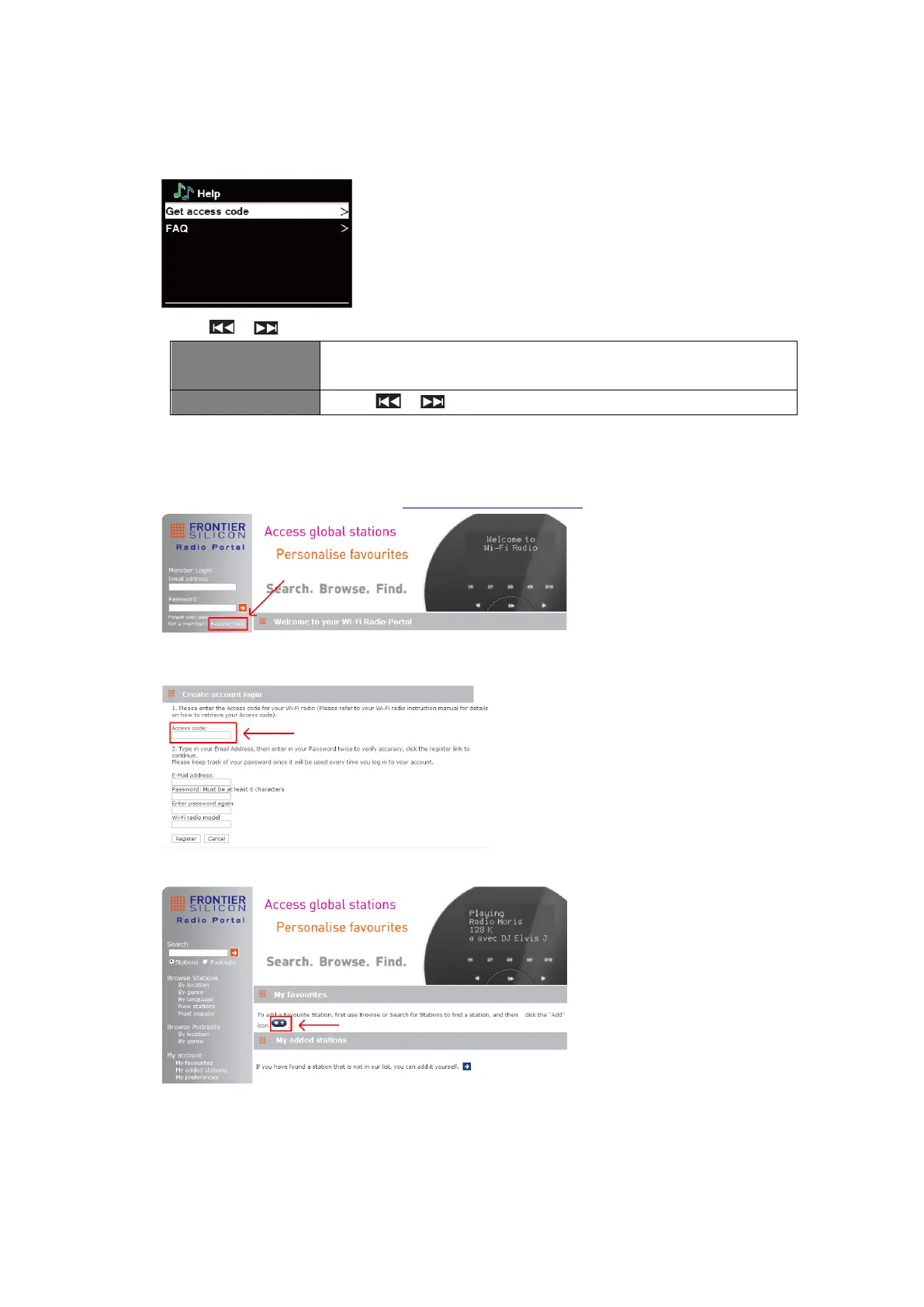
Getting Access Code and FAQ from “Help”
1. Press MENU button - Station list - Help, press SELECT to confirm.
2. Press / to select “Get access code” or “FAQ”, and then press SELECT to confirm
The code is used for creating an account when registering your
radio on the portal www.wifiradio-frontier.com
Press / to select question, and then press SELECT
Adding station to “My Favourites”
1. Register your radio with the portal: www.wifiradio-frontier.com
2. Create account login, enter Access code. Access code can be found from Station list -
Help - Get access code.
3. To add a Favourite Station, first find a station and then click the “Add” icon.
4. After you added the stations, in order to have your radio access your new settings, get your
radio power off for several minutes is necessary.
5. The added stations are accessible by pressing MENU button - Station list - My favourites.
@ Note: doing a “factory reset” cannot erase “my favourites stations”.



 To Next Page